Video to SRT
The most accurate audio-video to text converter in the world. Upload any file to get your transcript with 95%+ accuracy. It also creates summaries, translations, chapters and anything you need with AI.
- No card required
- No signup required
Rated 4.9/5 by our users
Trusted by hundreds of fast-growing companies






Convert video to SRT subtitles with Vatis for free
Adding subtitles to your videos improves accessibility for deaf and hard-of-hearing viewers, boosts engagement (85% of Facebook videos are watched without sound), and helps with SEO, as search engines can't watch videos, but they can read subtitles. Our video to SRT converter does in 1 minute what would take hours of manual captioning work.
Independent benchmark
Independently benchmarked against Microsoft, Google and Whisper
Researchers at the University of Bucharest scored seven transcription systems on over 126 hours of Romanian speech. Vatis finished top two of the seven overall — first on Antena 1 news and first on podcasts, and more accurate than Google on every single set.
- ~95%
Accurate on Antena 1 news
95.6% on the Antena 1 news set — the highest of all seven systems tested, ahead of Microsoft, Google and every Whisper model.
- ~90%
Accurate on podcasts
89.8% on podcasts — first again on unscripted conversation, and more than 12 points clearer than Google on the same audio.
- 6 of 6
Domains ahead of Google
Vatis transcribed more accurately than Google's Chirp on every set in the study, from studio news to overlapping film dialogue.
| Model | In-domain | Out-of-distribution | ||||
|---|---|---|---|---|---|---|
| ProTV — Broadcast news | Antena 1 — Broadcast news | Audiobooks — Read literary prose | Films — Overlapping film dialogue | Stories — Children's stories | Podcasts — Spontaneous conversation | |
| Wav2Vec 2.0 | 27.7 | 25.6 | 40.8 | 75.4 | 54.1 | 36.3 |
| Whisper Small | 31.6 | 26.8 | 40.0 | 60.0 | 41.1 | 31.9 |
| Whisper Large | 12.3 | 5.9 | 14.8 | 27.3 — best in column | 10.9 — best in column | 11.7 |
| Whisper Small + Echo | 9.4 | 10.1 | 18.8 | 54.1 | 21.0 | 21.6 |
| Microsoft Transcribe | 2.9 — best in column | 4.8 | 10.6 — best in column | 31.1 | 17.6 | 11.5 |
| Google Chirp (USM) | 12.1 | 11.3 | 20.2 | 37.6 | 22.4 | 22.4 |
| Vatis | 5.2 | 4.4 — best in column | 13.0 | 31.2 | 16.0 | 10.2 — best in column |
Figures are Word Error Rate (%) — the share of words a system gets wrong, so lower is better. It is the metric the paper reports, kept here so the table can be checked against it line for line; the headline numbers above are its flip side, accuracy. Vatis at 4.4 WER on Antena 1 is 95.6% of words correct. Every score is zero-shot: no system was tuned on these recordings before it was measured.
Outlined values are the best score in their column.
Vatis is a Romanian commercial ASR service known for its strong transcription accuracy in Romanian. Its models are trained on proprietary data and optimized for production use.
Languages and formats
Transcribe audio to text in these languages and formats
Supported Languages
 English
 Spanish
 German
 French
 Italian
 Romanian
 Portuguese
 Polish
 Indonesian
 Malay
Malay Swedish
 Danish
 Dutch
Dutch Finnish
 Norwegian
 Russian
 Catalan
 Turkish
 Korean
 Thai
Thai Japanese
 Czech
Czech Ukrainian
 Croatian
 Greek
Greek Arabic
 Bosnian
 Hungarian
 Bulgarian
 Serbian
 Macedonian
 Galician
 Cantonese
 Slovak
 Hindi
Hindi Slovenian
 Latvian
 Urdu
Urdu Azerbaijan
 Estonian
 Vietnamese
 Hebrew
 Lithuanian
Formats to transcribe audio to text
Formats to transcribe video to text
Export formats for audio and video transcription
Create SRT subtitles from any video file in minutes. Upload an MP4, MKV, AVI, or MOV — or paste a YouTube link — and Vatis Tech extracts the audio, transcribes every word, and generates a timed SRT subtitle file. The subtitles are timestamped to the millisecond and ready to upload to YouTube, Vimeo, TikTok, or any video platform.
You can also export as VTT for web-based players, or as TXT/DOCX if you need the transcript as a document. Edit the subtitles in our built-in editor before exporting to ensure everything is perfect.
What else can you do with your transcript?
After your audio converts into text, you can:
- Get summaries, quotes, video chapters
- Translate the transcript
- Ask anything about the transcript with our AI chat
- Repurpose the transcript into an article, newsletter, or social media (LinkedIn, Instagram, X) post using our custom prompts
- Edit, highlight keywords, mark as reviewed
- You can always come back to the transcript from where you left off, like on Netflix
How it works
How to transcribe audio to text
- 01
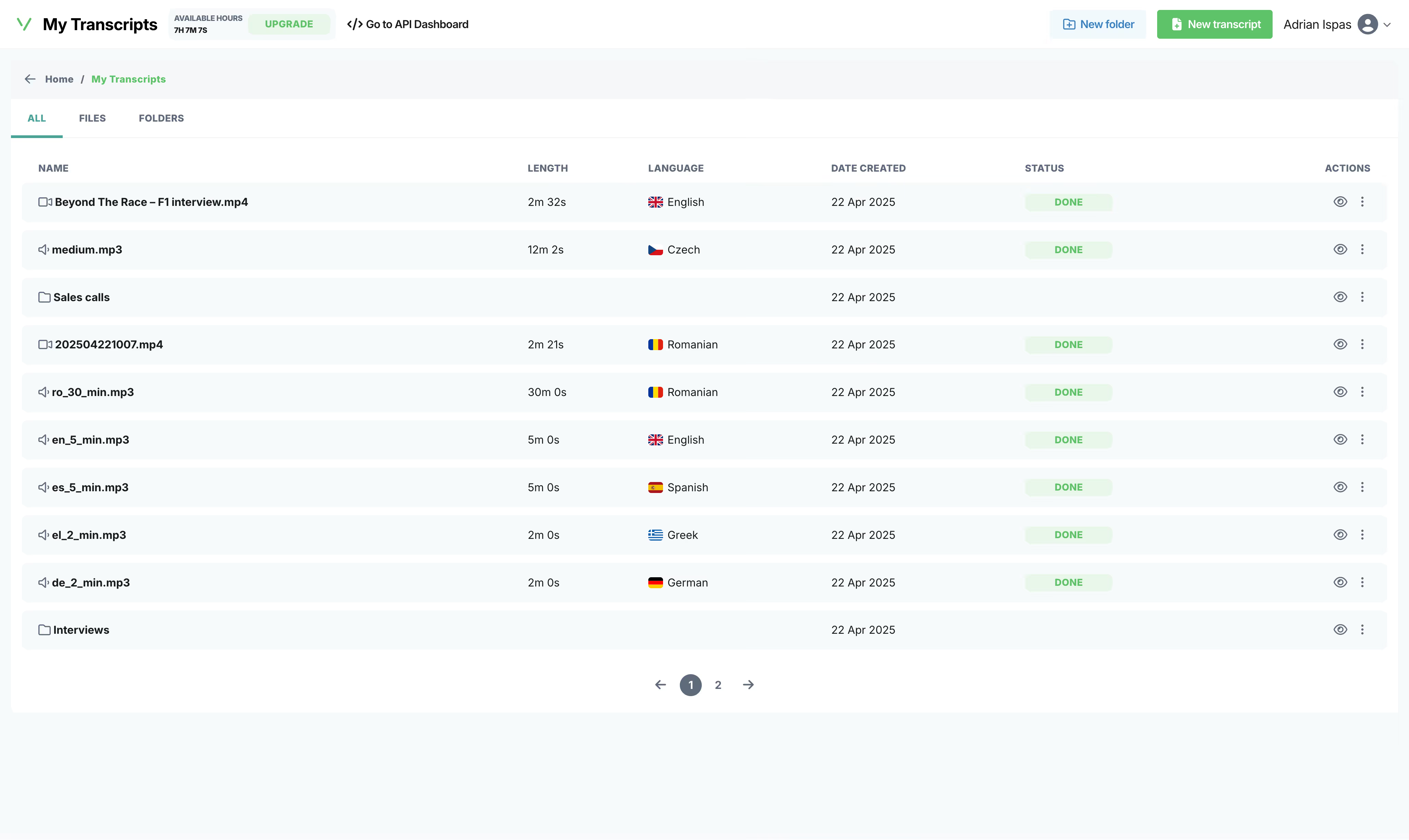
Upload audio and video files
We support all major formats: MP3, WAV, M4A, FLAC, AAC, OGG for audio and MP4, MKV, AVI, MOV, WebM. You can also upload voice recordings directly from your phone.
- 02
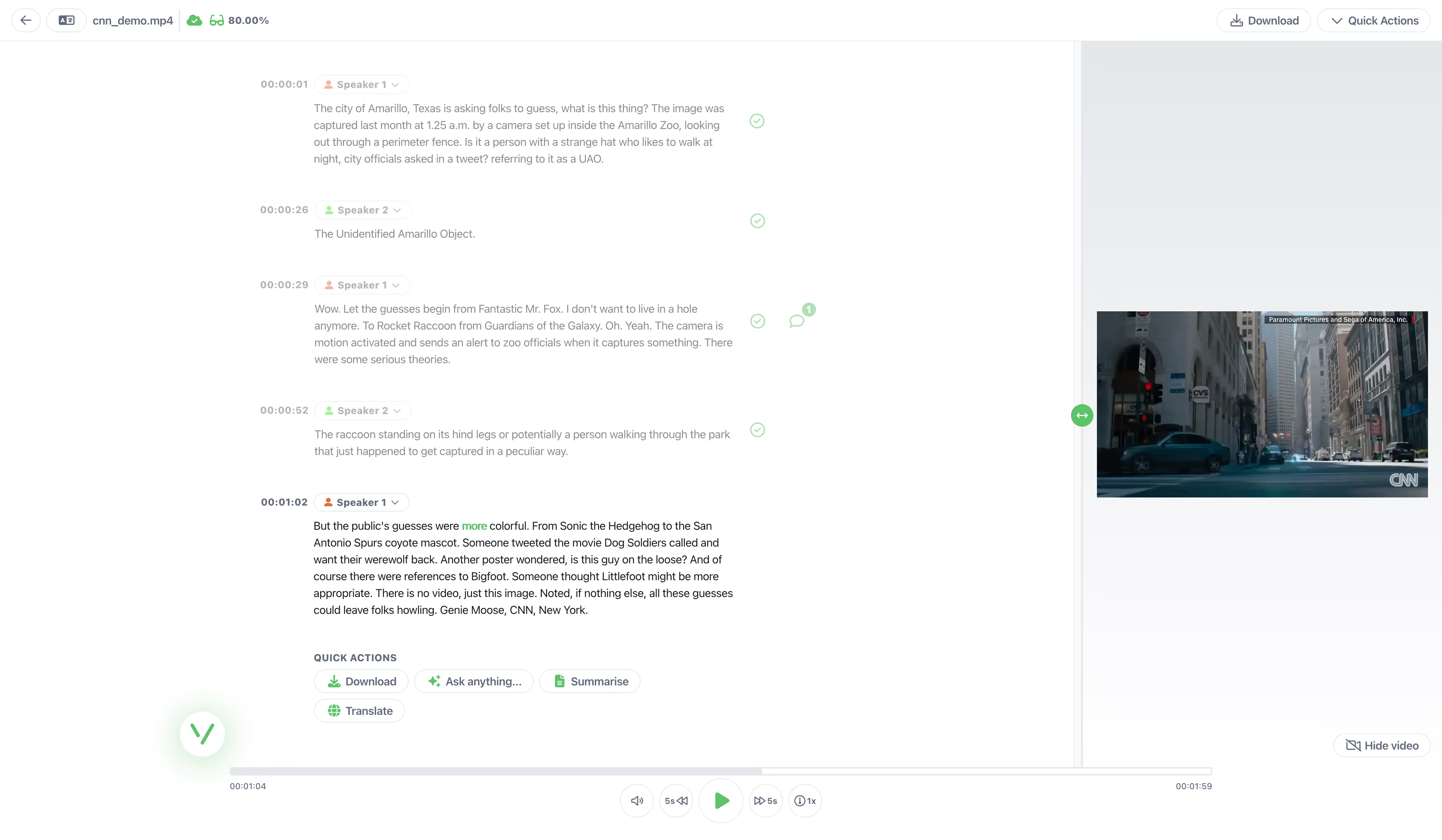
The transcript is generated
Our AI transcription engine converts every spoken word to text with over 95% accuracy. Processing speed: approximately 1 minute per hour of audio-video. The engine automatically detects the language, identifies individual speakers (speaker diarization), and adds precise timestamps to every segment. 50+ languages are supported.
- 03
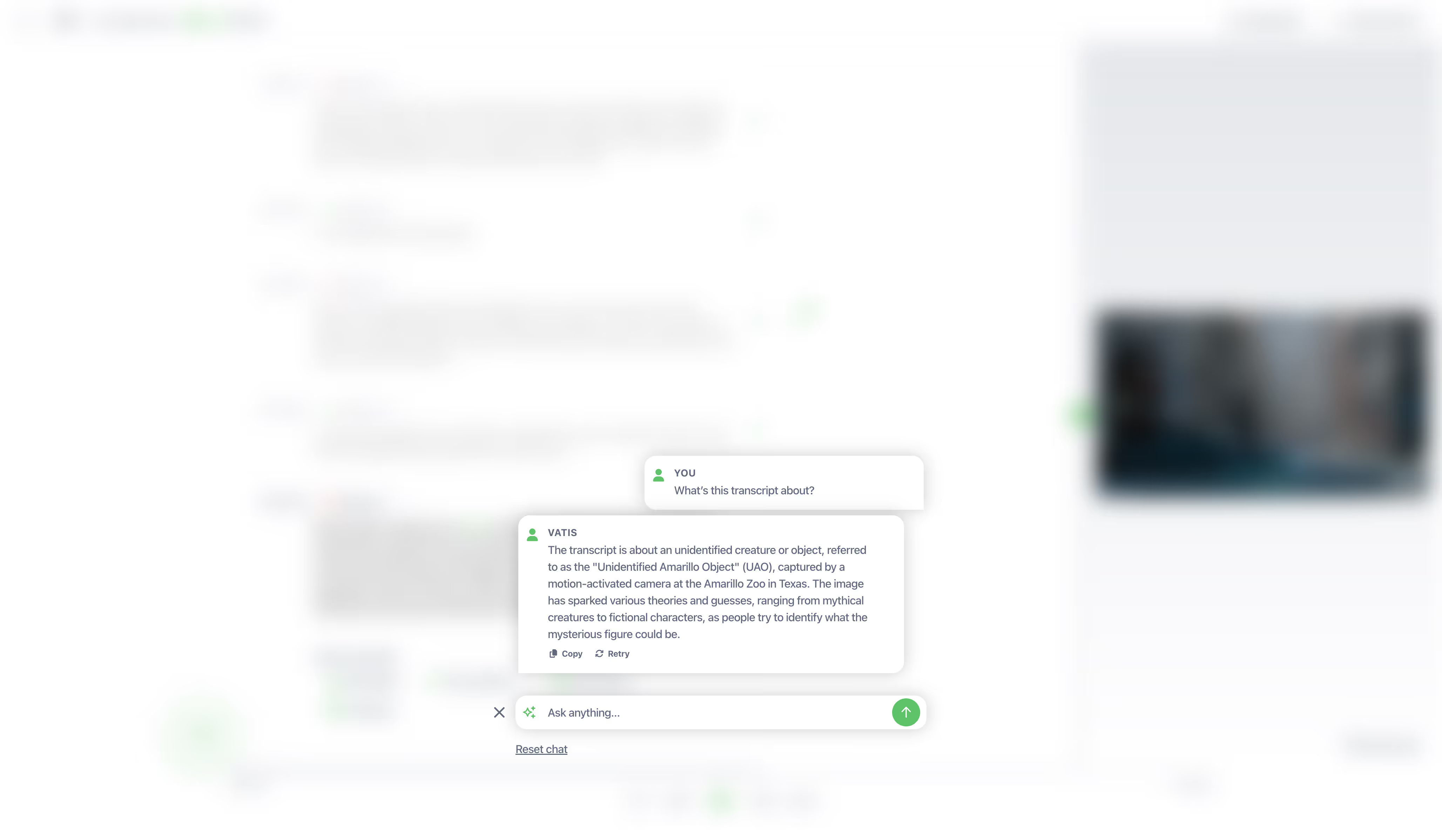
Edit, Export, Share
Review your transcript in our built-in editor. Export as TXT, DOCX, PDF, SRT, or VTT or copy directly to Google Docs. The document includes the full text organized by speaker, with timestamps for each segment. Before exporting, use our built-in editor to review the transcript, correct any words, rename speakers (e.g., "Speaker 1" → "Dr. Martinez"), and adjust formatting.
Frequently asked questions
Can't find the answer you're looking for? Reach out to our support team.
Is the Video to SRT converter really free?
Yes. Vatis Tech offers 10 minutes of free Video to SRT conversion with no signup and no credit card. The free version includes all features: 95%+ accuracy, speaker identification, AI summaries, and export in all formats. Upload your audio file and get a transcript instantly — completely free.
What audio formats can I convert to text?
Our audio to text converter supports 30+ formats including MP3, WAV, M4A, FLAC, AAC, OGG, AIFF, WMA, and OPUS. Files can be up to 5GB and 10 hours long. If you have an unusual format, try uploading it — there's a good chance we support it.
Can the converter identify different speakers in my file?
Yes. Vatis Tech includes automatic speaker diarization — it identifies different voices and labels them throughout the transcript. In the SRT file, each caption carries the label of the speaker talking over it. You can rename speakers (e.g., "Speaker 1" → "Maria") in the editor before exporting.
What subtitle formats can I export?
SRT and VTT. SRT works with YouTube, VLC, Premiere Pro, Final Cut Pro, and most video platforms. VTT works with HTML5 web video players. Both include millisecond-accurate timestamps.
What's the difference between SRT and VTT?
SRT (SubRip) and VTT (WebVTT) are both subtitle formats with timestamps. SRT is the most universal — it works with YouTube, VLC, Premiere Pro, and most platforms. VTT is designed for web browsers and HTML5 video players. Vatis Tech exports both formats. Use SRT unless your platform specifically requires VTT.
Does Vatis Tech provide timestamps for my transcript?
Yes. Every segment in the PDF, DOCX, TXT, SRT transcript includes the timestamp from the original video, so you can easily cross-reference the written text with the video recording.
Can I convert MP3 to SRT?
Yes. Upload your MP3 file and our AI generates a timed SRT subtitle file automatically. Each spoken segment gets accurate timestamps. This is the fastest way to create subtitles from an audio recording.
Is Vatis Tech the most accurate speech to text app?
Vatis Tech achieves 95%+ accuracy on clear audio recordings. For audio with background noise, multiple speakers, or heavy accents, accuracy is typically lower. You can improve results further with custom vocabulary for domain-specific terms. Our AI outperforms most competitors on real-world audio because our models are specifically trained on challenging, noisy recordings. For further proof, here's an independent benchmark comparing our accuracy with Google, Microsoft and other models.
Can I convert multiple MP3 files at once?
Yes. With a paid plan, you can upload multiple MP3 files for batch transcription. Our infrastructure processes them in parallel so you get all your transcripts back quickly. For high-volume needs, our API lets you automate MP3 to text conversion at scale.
Can I edit the subtitles before exporting?
Yes. After our AI generates the SRT file, you can review and edit every subtitle segment in our built-in editor. Adjust the text, fix any words, and modify timing — then export the corrected SRT file.
Can I transcribe iPhone Voice Memos?
Yes. iPhone Voice Memos are saved as M4A files. Just upload the M4A file to Vatis Tech and get a full transcript in minutes. You can access Voice Memos via iCloud Drive, AirDrop to your computer, or share the file directly from the Voice Memos app.
Do I need to convert M4A to MP3 first?
No. Our converter handles M4A files natively. No format conversion needed, just upload the M4A file directly and get your transcript. Converting to MP3 would actually reduce quality and could lower transcription accuracy.
Can I convert WhatsApp voice messages to text?
Yes. Export the voice message from WhatsApp (long-press the message, tap Share, then Save to Files or send to your computer). Upload the audio file to Vatis Tech and get a transcript in seconds. WhatsApp voice messages are saved as OGG files, which our converter handles natively.
Can I convert a phone call recording to SRT?
Yes. Our converter supports all phone recording formats: M4A (iPhone Voice Memos), OGG (Android), MP3, AAC, and WAV. Just upload the file from your phone or cloud storage (iCloud, Google Drive) and get a transcript. If you've recorded a phone call (using your phone's built-in recorder or an app), export the audio file and upload it to Vatis Tech. The AI transcribes both sides of the conversation with speaker identification, so the SRT shows which participant said what.
Can I add subtitles in multiple languages? What languages are supported?
Yes. After generating the initial subtitles, use our translation feature to translate them into 50+ languages with one click. Export each language as a separate SRT file and upload them as alternative subtitle tracks to your video platform. 50+ languages, including English, Spanish, French, German, Italian, Portuguese, Arabic, Japanese, Korean, Mandarin, Hindi, Indonesian, Thai, Russian, and many more. The AI automatically detects the language spoken in the video. You can also translate the transcript to 50+ languages before exporting.
Can I convert a long recording to SRT?
Yes. Recordings up to 10 hours long and 5GB in size can be converted. The resulting SRT carries timestamps throughout, making it easy to find specific moments in long recordings.
Can I convert a YouTube video to PDF, DOCX, TXT, SRT?
Yes. Paste the YouTube video URL into the converter. Vatis Tech sends you to a page to download the video and upload it into our audio-video transcriptor. The AI transcribes the content and generates a PDF, DOCX, TXT, SRT transcript with timestamps.
Is my data secure?
Vatis Tech uses end-to-end encryption. Your video files are processed securely and are not shared with third parties. We comply with GDPR by having ISO 27001 certification, with SOC 2 Type II in progress. For organizations with strict requirements, we offer on-premise deployment.
More from Vatis
Transcription Software
Learn more about how Vatis Tech helps teams and individuals streamline their transcription workflow.
Learn moreSpeech-to-Text API
Supercharge your apps with Vatis Tech's accurate, accessible and affordable Speech-to-Text API.
Learn moreAudio Intelligence
Extract actionable audio insights in minutes from your transcription API.
Learn more