MP4 to Text
Upload any file to get your transcript with 95%+ accuracy in 50+ languages. Speaker labels and timestamps included, and the first 10 minutes are free with no signup.
- No card required
- No signup required
Rated 4.9/5 by our users
Trusted by hundreds of fast-growing companies


About MP4 to text
MP4 is the default video format for most phones, cameras, screen recorders, and video platforms — and Vatis Tech's MP4 to text converter is built specifically for it. Upload your MP4 file and our AI extracts the audio, transcribes every spoken word, and delivers a complete transcript with timestamps and speaker identification.
Whether your MP4 is a Zoom recording, a lecture capture, a YouTube download, or a phone video, our converter handles it. The AI recognizes speech even with background music, ambient noise, and multiple speakers. Need subtitles for your MP4? Export the transcript as an SRT or VTT file and upload it to YouTube, Vimeo, or your video editor. Need a written summary? Our AI generates one in seconds.
What else can you do with your transcript?
After your audio converts into text, you can:
You can also convert your MP4 to PDF, a feature that's useful for creating written records of video content. The transcript is formatted with timestamps and speaker labels, then exported as a clean PDF document that's easy to share, archive, or print. It's the fastest way to turn video meetings and presentations into permanent written records.
- Get summaries, quotes, video chapters
- Translate the transcript
- Ask anything about the transcript with our AI chat
- Repurpose the transcript into an article, newsletter, or social media (LinkedIn, Instagram, X) post using our custom prompts
- Edit, highlight keywords, mark as reviewed
- You can always come back to the transcript from where you left off, like on Netflix
Independent benchmark
Independently benchmarked against Microsoft, Google and Whisper
Researchers at the University of Bucharest scored seven transcription systems on over 126 hours of Romanian speech. Vatis finished top two of the seven overall — first on Antena 1 news and first on podcasts, and more accurate than Google on every single set.
- ~95%
Accurate on Antena 1 news
95.6% on the Antena 1 news set — the highest of all seven systems tested, ahead of Microsoft, Google and every Whisper model.
- ~90%
Accurate on podcasts
89.8% on podcasts — first again on unscripted conversation, and more than 12 points clearer than Google on the same audio.
- 6 of 6
Domains ahead of Google
Vatis transcribed more accurately than Google's Chirp on every set in the study, from studio news to overlapping film dialogue.
| Model | In-domain | Out-of-distribution | ||||
|---|---|---|---|---|---|---|
| ProTV — Broadcast news | Antena 1 — Broadcast news | Audiobooks — Read literary prose | Films — Overlapping film dialogue | Stories — Children's stories | Podcasts — Spontaneous conversation | |
| Wav2Vec 2.0 | 27.7 | 25.6 | 40.8 | 75.4 | 54.1 | 36.3 |
| Whisper Small | 31.6 | 26.8 | 40.0 | 60.0 | 41.1 | 31.9 |
| Whisper Large | 12.3 | 5.9 | 14.8 | 27.3 — best in column | 10.9 — best in column | 11.7 |
| Whisper Small + Echo | 9.4 | 10.1 | 18.8 | 54.1 | 21.0 | 21.6 |
| Microsoft Transcribe | 2.9 — best in column | 4.8 | 10.6 — best in column | 31.1 | 17.6 | 11.5 |
| Google Chirp (USM) | 12.1 | 11.3 | 20.2 | 37.6 | 22.4 | 22.4 |
| Vatis | 5.2 | 4.4 — best in column | 13.0 | 31.2 | 16.0 | 10.2 — best in column |
Figures are Word Error Rate (%) — the share of words a system gets wrong, so lower is better. It is the metric the paper reports, kept here so the table can be checked against it line for line; the headline numbers above are its flip side, accuracy. Vatis at 4.4 WER on Antena 1 is 95.6% of words correct. Every score is zero-shot: no system was tuned on these recordings before it was measured.
Outlined values are the best score in their column.
Vatis is a Romanian commercial ASR service known for its strong transcription accuracy in Romanian. Its models are trained on proprietary data and optimized for production use.
Languages and formats
Transcribe audio to text in these languages and formats
Supported Languages
 English
 Spanish
 German
 French
 Italian
 Romanian
 Portuguese
 Polish
 Indonesian
 Malay
Malay Swedish
 Danish
 Dutch
Dutch Finnish
 Norwegian
 Russian
 Catalan
 Turkish
 Korean
 Thai
Thai Japanese
 Czech
Czech Ukrainian
 Croatian
 Greek
Greek Arabic
 Bosnian
 Hungarian
 Bulgarian
 Serbian
 Macedonian
 Galician
 Cantonese
 Slovak
 Hindi
Hindi Slovenian
 Latvian
 Urdu
Urdu Azerbaijan
 Estonian
 Vietnamese
 Hebrew
 Lithuanian
Formats to transcribe audio to text
Formats to transcribe video to text
Export formats for audio and video transcription
How it works
How to convert MP4 to text
- 01
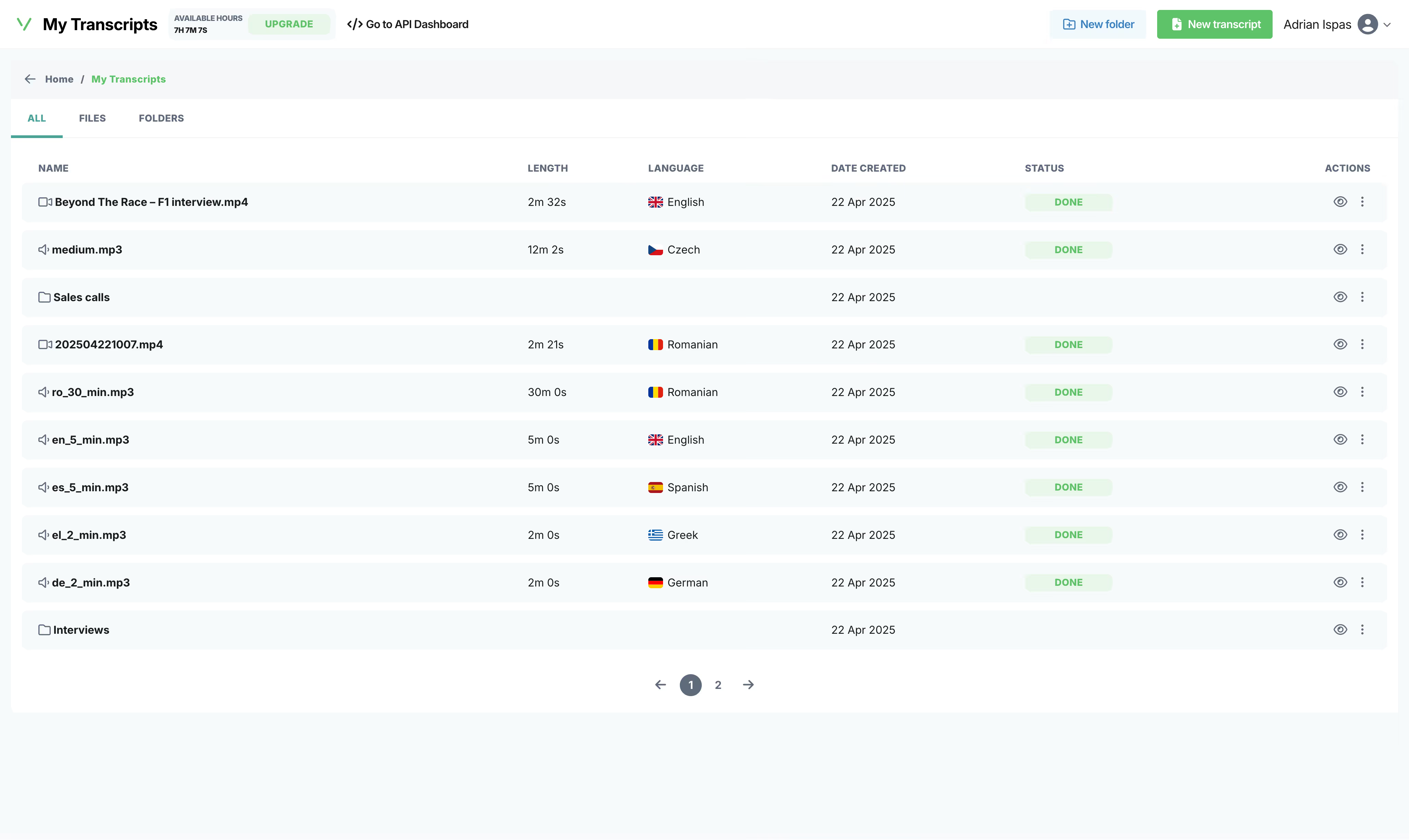
Upload your audio/video file
Drop a file, paste a link, or record live from your browser. We accept formats like MP3, WAV, M4A, FLAC, AAC, OGG for audio and MP4, MKV, AVI, MOV, WebM for video.
- 02
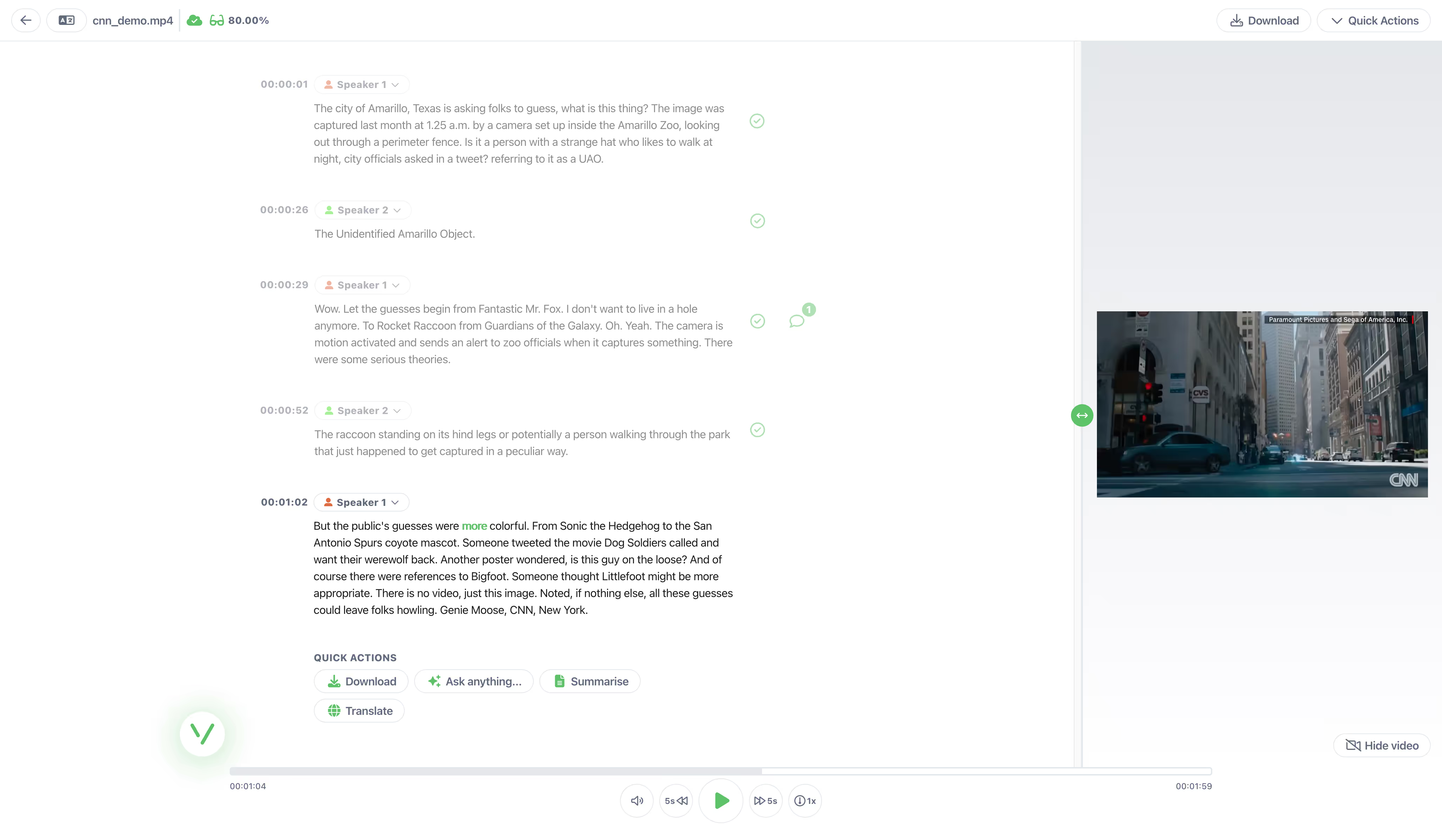
AI transcribes in seconds
Our audio to text converter handles 50+ languages with 95%+ accuracy. It usually takes less than a minute to transcribe a 1-hour file.
- 03
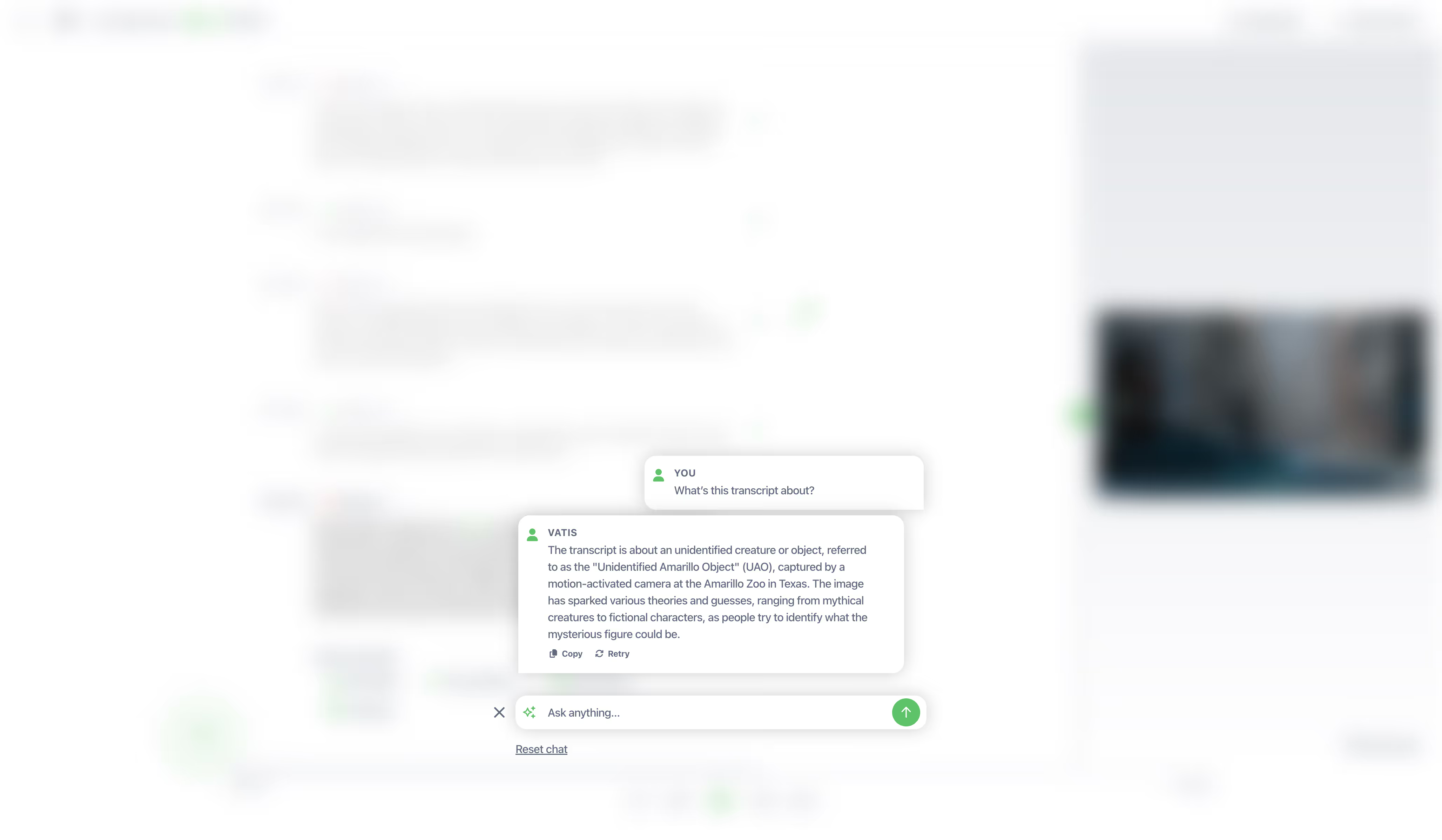
Edit, export, integrate
Get clean text in TXT, DOCX, SRT, VTT, JSON. Or call our API directly.
Frequently asked questions
Can't find the answer you're looking for? Reach out to our support team.
How does MP4 to text work?
Vatis Tech uses advanced AI and video to text converter technology to transcribe MP4 video files into editable text quickly and accurately. Upload your MP4 and let our tool do the rest. Use it to convert MP4 to text online, create subtitles, or summarize key takeaways with AI — in seconds.
What video formats are supported?
We support all major video formats: MP4, MKV, AVI, MOV, WebM, WMV, FLV, and MPEG. Video files can be up to 5GB and 10 hours long.
How accurate is Vatis Tech's transcription?
We achieve around 95% accuracy, similar to a human transcription service. Improve your transcripts even further by editing for perfect results within our platform.
How fast is the MP4 transcription process?
Expect high-quality MP4 transcription in minutes, not hours. We convert 1 hour of high-quality audio in about 1 minute. Built to be the best MP4 to text converter for teams, fast, accurate, and secure.
Is there a free trial for your transcription service?
Yes! Get started with 10 minutes of free transcription to try our accurate and user-friendly software. Take advantage of our automatic transcription technology by starting your free trial today.
Can I identify different speakers in my MP4 file?
Absolutely! Vatis Tech's speaker identification feature automatically labels different speakers, so you'll always know who said what.
How do I search and edit within my transcripts?
Our speech recognition software makes it easy to search for keywords and edit your text directly. This helps you find, review, and refine important information quickly.
Does Vatis Tech provide timestamps for my transcript?
Yes, we include timestamps with your transcript. This helps you pinpoint specific moments in the original audio or video file.
Can I get subtitles from my file?
Yes. Transcribe the MP4 video, then export the transcript as SRT or VTT subtitle file. Upload the subtitles to YouTube or any video platform that supports caption files.
How can I maximize the accuracy of my transcripts?
Follow these tips for top-notch results: Record with good quality equipment, speak clearly and minimize background noise, use a microphone suitable for speech recognition. If recording multiple speakers, keep them at a consistent distance from the microphone.
Do I need to convert MOV to MP4 first?
No. Our converter handles MOV files natively. Just upload the MOV file directly, no format conversion needed. Converting to MP4 would add an unnecessary step and could reduce quality.
Can I transcribe iPhone video recordings?
Yes. iPhone videos are saved as MOV files. Upload the MOV file from your Photos app, iCloud Drive, or AirDrop it to your computer. Our converter transcribes it with 95%-95%+ accuracy.
More from Vatis
Transcription Software
Learn more about how Vatis Tech helps teams and individuals streamline their transcription workflow.
Learn moreSpeech-to-Text API
Supercharge your apps with Vatis Tech's accurate, accessible and affordable Speech-to-Text API.
Learn moreAudio Intelligence
Extract actionable audio insights in minutes from your transcription API.
Learn more