Closed Caption Guide: Formats, Laws & Workflow
Captions carry sound cues, subtitles carry dialogue. Where SRT, VTT and broadcast SCC belong, what accessibility law expects, and a workflow that scales.
18 min read
•
May 1, 2026
Written by
Adrian Ispas
A product manager posts a launch video to LinkedIn. A newsroom uploads a breaking clip to its site. A hospital records a patient education explainer. The audio is clear in the edit suite, but the actual audience doesn't watch in an edit suite. They watch on trains, in open offices, in waiting rooms, and with sound off by default.
That’s where closed caption stops being a nice add-on and becomes part of the content itself. If your video depends on audio alone, many viewers miss the message, and some can’t access it at all.
Closed captions also sit at the intersection of accessibility, operations, and compliance. The file format you choose affects playback. The workflow you use affects turnaround time. The review process you skip affects legal risk. For broadcasters, developers, healthcare teams, legal teams, and media operations, those choices have real consequences.
Why Your Video Content Needs Closed Captions
A common failure looks small at first. A team publishes a polished product demo, then notices viewers drop off early, support asks for a transcript, and social comments ask what the speaker said in the first minute. Nothing is wrong with the video file. The issue is that the content assumes audio is available, understandable, and practical in every viewing environment.

Closed captions solve that by turning spoken words and meaningful sounds into timed on-screen text that viewers can turn on or off. That last part matters. “Closed” means the text is optional in the player, not burned permanently into the image.
Captions help more people than most teams expect
Closed captioning began as an accessibility feature for deaf and hard-of-hearing viewers. Its modern foundation dates to March 16, 1980, when PBS aired the first nationwide closed-captioned program. By 1990, the National Captioning Institute was producing captions for about 2,500 hours of programming annually, and by 1993, the Television Decoder Circuitry Act required built-in decoders in new TVs, which made captions a standard part of media infrastructure according to this historical overview in Radio-Electronics.
That history matters because it explains why captions are now expected, not exotic. What started in broadcast became part of how people consume video everywhere.
A viewer on a subway may need captions because the train is loud. A student may rely on them to catch unfamiliar terms. A global audience member may use them to follow fast speech in a second language. A social media user may never unmute at all. If you publish short-form video, the practical value is obvious in everyday content patterns, and teams working on social clips often see that immediately when they review how reel captions support Instagram viewing behavior.
Captions don't only make video accessible. They make video usable in real conditions.
The business impact starts upstream
When teams skip captions, the cost isn't just audience frustration. It shows up operationally.
Editors get asked for rushed text versions. Marketing teams create separate “captioned” exports for one platform and forget sidecar files for another. Developers patch around player issues after launch. Compliance teams join late, when fixing the problem is more expensive.
A better way to think about captions is this: the video is one asset, and the caption track is another asset that should ship with it. If the audio is your primary signal, the captions are the reliable fallback and often the preferred interface.
Three practical outcomes follow:
- Accessibility: People who are deaf or hard of hearing can access the content.
- Comprehension: Viewers can follow names, jargon, acronyms, and dense explanations more easily.
- Operational reuse: Once speech is transcribed and timed, teams can repurpose that text for search, summaries, localization, review, and archives.
For technical teams, captions are like structured metadata attached to media. For educators, they’re like lecture notes synchronized to the exact second they’re needed. For media operators, they’re part of delivery, not decoration.
Closed Captions vs Subtitles Explained
People often use these terms interchangeably. In production, they aren't the same.
The simplest distinction
Closed captions are designed for viewers who may not be able to hear the audio. They include spoken dialogue and relevant non-speech information such as music cues, applause, laughter, or a phone ringing.
Subtitles usually assume the viewer can hear the audio but doesn't understand the spoken language. Their main job is translation, not full audio description.
A fast way to remember it is this:
- Closed captions tell you what was said and what was heard
- Subtitles tell you what was said in another language
A useful analogy
Think of a video as a room with lighting.
Closed captions are like a light switch. The viewer can turn them on or off in the player. That flexibility matters for accessibility settings, device preferences, and compliance workflows.
Open captions are like text painted on the wall. They’re permanently visible because they’re burned into the image. Viewers can’t disable them, and platforms can’t restyle them.
Subtitles can be either closed or open in delivery, which is where confusion starts. The word “subtitle” describes the purpose more than the technical behavior. If the text is a translation track and can be toggled in the player, it’s still closed in the technical sense.
What each one includes
Here’s the operational difference that matters most during creation:
- Closed captions: dialogue, speaker changes when needed, and meaningful sounds such as [music], [door slams], or [applause]
- Subtitles: usually dialogue only, often translated, with less emphasis on sound effects
- Open captions: any caption or subtitle text that has been permanently burned into the video
Practical rule: If a viewer had no access to the audio at all, could your on-screen text still convey the important information? If yes, you're much closer to true captioning than basic subtitles.
Why teams mix them up
Platform menus often blur the labels. Editors also inherit files from different vendors, and a track called “subtitles” may contain caption-style content. That’s why file review matters more than the label alone.
For a product team, the decision usually comes down to control. If you need users to toggle, restyle, localize, or export the text, use a closed track. If you need a one-off social export where every viewer must see the text, open captions may be acceptable, but they aren't a replacement for an accessible caption workflow on owned platforms.
Understanding Common Caption File Formats
Formats confuse teams because the files look small and simple, yet they behave very differently once they hit a player, CMS, or broadcast system. The easiest way to understand them is to think of each format by its job.
SRT is the plain workhorse
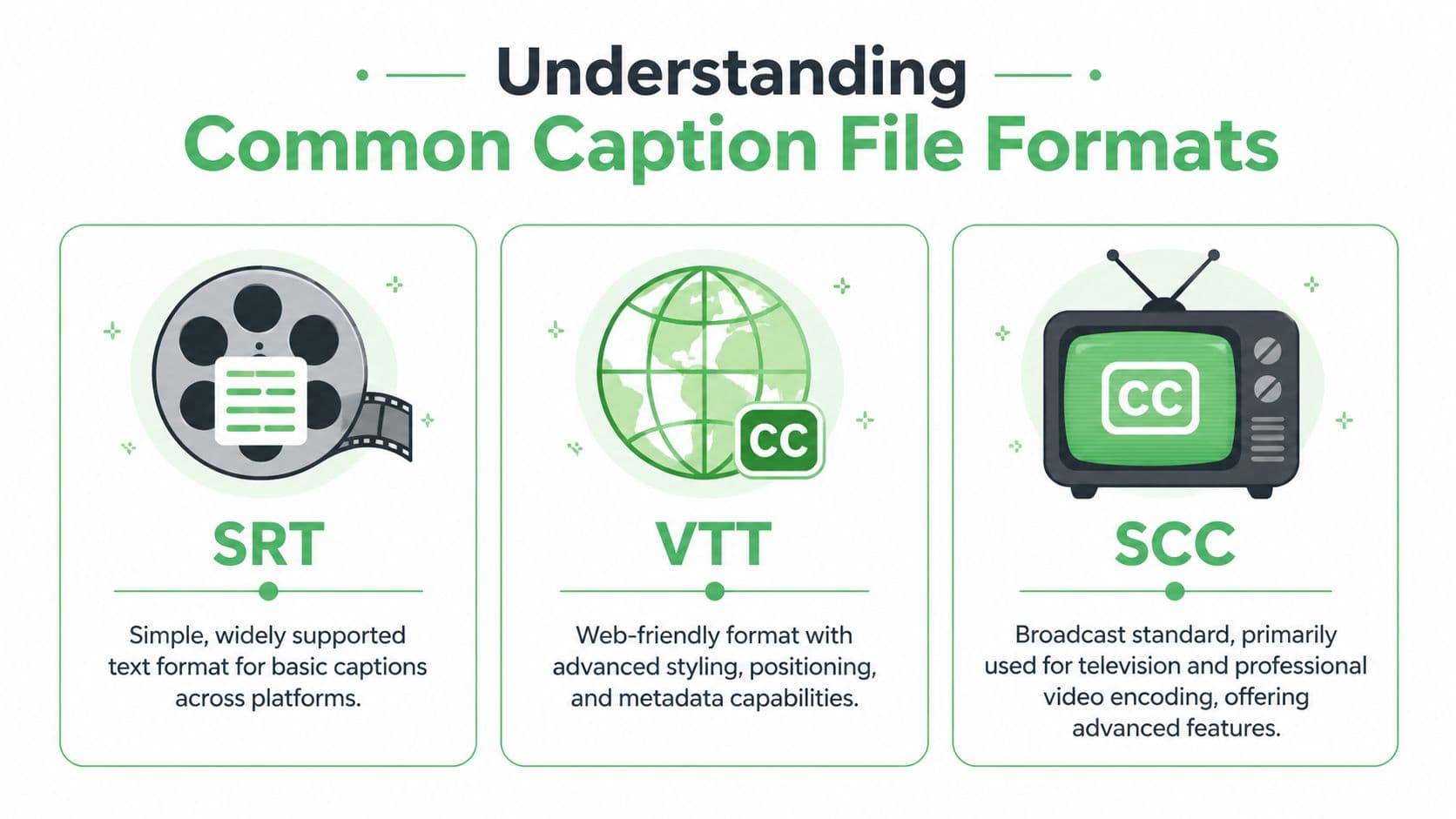
SRT is often the first format encountered because it’s simple and widely supported. It stores caption blocks with sequence numbers, start and end times, and text. You can open it in a text editor, inspect it quickly, and move it between many platforms with minimal friction.
That simplicity is also its limit. SRT is good at saying what text appears and when. It’s not good at expressing richer web presentation rules or extensive metadata.
If you're generating timed caption files for standard upload workflows, a practical starting point is an online video to SRT workflow that produces a sidecar file you can inspect and edit before publishing.
VTT fits the web better
VTT or WebVTT is built for browser-based media. It supports more than basic timing and text. It can carry additional positioning and styling instructions, which makes it more suitable for custom players and modern web video environments.
If SRT is a plain text cue sheet, VTT is the web-aware version. It speaks more naturally to HTML5 video workflows.
That matters when a product team needs captions to avoid overlapping lower-thirds, stay aligned in responsive layouts, or behave consistently across a browser-based player. For engineering teams building media experiences, VTT is often the cleaner choice.
SCC still matters in broadcast
SCC comes from broadcast workflows and legacy television caption standards. It’s less friendly to casual editing, but it remains important where professional encoding, television delivery, or archive compatibility matters.
A newsroom, station group, or production house may still receive SCC requirements from downstream systems even if the source transcript started in a simpler format. That’s why caption ops often need conversion steps and quality checks before delivery.
Here’s how to view it practically:
- SRT is easy to create, review, and exchange
- VTT is stronger for web delivery and player behavior
- SCC is tied to broadcast and professional television pipelines
Comparison of Common Caption Formats
| Format | Key Features | Best For | Styling/Positioning |
|---|---|---|---|
| SRT | Plain text, start and end timestamps, broad compatibility | Social platforms, basic video players, quick uploads | Limited |
| VTT | Web-oriented cues, richer metadata support, browser-friendly behavior | HTML5 players, custom web apps, platform video libraries | Stronger than SRT |
| SCC | Broadcast-oriented caption encoding, legacy TV workflow support | Television delivery, broadcast archives, professional media operations | Advanced within broadcast workflows |
How format choice affects operations
Many teams choose a format based on whatever the platform accepts. That works until they need to reuse the same caption asset elsewhere.
A marketing team might upload SRT to a social platform, then discover the corporate site player behaves better with VTT. A broadcaster may receive an editorial transcript, create an SRT for review, and still need SCC at final handoff. A legal or healthcare team may require timestamped exports that are easy to archive and audit. The media file doesn't change, but the caption format does because the destination changes.
Choose the format for the delivery environment, not for the convenience of the first person touching the file.
A good caption workflow treats the transcript, timings, and delivery format as separate layers. That gives you flexibility to export the same reviewed content into the format each channel needs.
Building Your Closed Captioning Workflow
A product team records a launch video at 4 p.m. Marketing needs it on the website before the workday ends. Legal wants an accessible version archived. Support wants the same content clipped for the help center. The captioning problem is no longer "can we create captions?" It is "can we create, review, export, and publish them fast enough without introducing risk?"
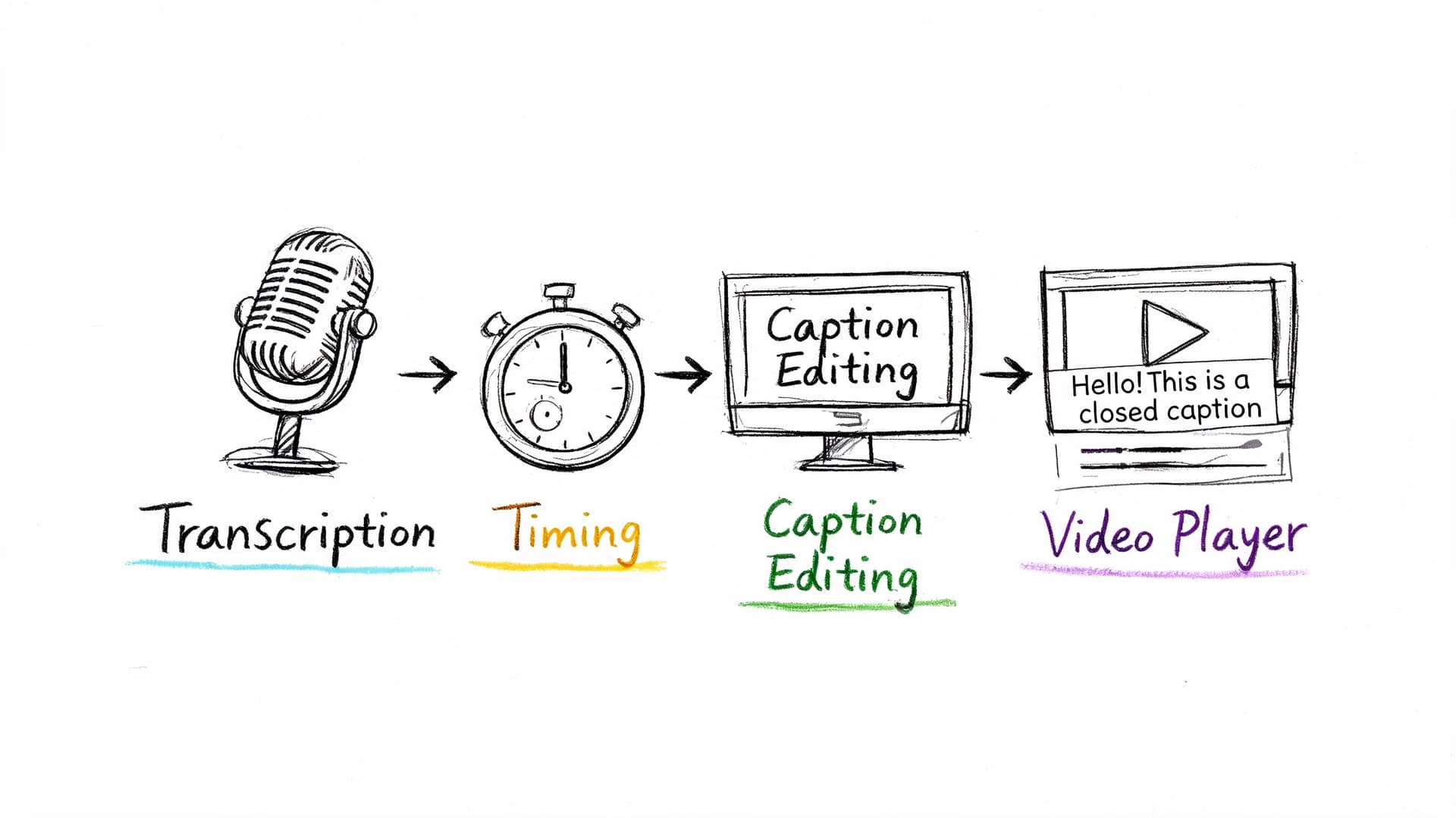
A workflow is the operating system around your caption files. If that system depends on email handoffs, one specialist, or last-minute manual fixes, deadlines slip and quality becomes inconsistent. The business cost shows up as delayed publishing, rework, and avoidable compliance exposure.
In many organizations, captioning still breaks into separate tasks handled by different people. One person transcribes. Another adds timings. A producer exports the file. Then someone notices a misspelled product name after the video is already live. Each handoff is a place where context gets lost.
The traditional workflow
Manual captioning usually follows a predictable chain:
- Transcribe the audio
A reviewer creates a text record of dialogue and relevant sounds. - Spot the timings
The text is aligned to speech so captions appear at the correct moment. - Format for delivery
The caption asset is exported as SRT, VTT, SCC, or another required format. - Review in the target player
The team checks sync, line breaks, overlap, and speaker clarity in the actual playback environment. - Publish and troubleshoot
If the platform, CMS, or player interprets the file differently than expected, someone corrects and republishes it.
This process can produce accurate captions. It also creates queueing. Manual workflows slow down when volume spikes, urgent requests arrive, or several teams need delivery in parallel. For operations leaders, that is a throughput problem as much as a quality problem.
A modern workflow reduces handoffs
A faster model starts with automatic speech recognition to create a draft transcript with timestamps, then assigns human effort to the parts that need judgment. That usually means names, terminology, speaker identification, sound cues, and final playback checks.
The easiest way to understand this shift is to compare it to software testing. You do not ask engineers to repeat the same manual check hundreds of times if automation can catch the routine cases first. Captioning works the same way. Automation handles the repetitive first pass. People handle the exceptions and the accountability.
The technical base is the same speech pipeline used in transcription systems. This step-by-step guide to automatic speech recognition explains how timing, segmentation, confidence scores, and speaker labels are generated, which helps when you are designing review steps and service-level expectations.
A practical workflow often looks like this:
- Ingest: upload media, use a watch folder, or submit files through an API
- Automatic draft: speech recognition generates transcript segments and timestamps
- Editorial pass: reviewers correct terminology, speakers, punctuation, and non-speech cues
- Format export: the system outputs SRT or VTT for digital channels, or converts to downstream delivery formats
- Player QA: the team validates captions in the destination environment before release
Later in the process, it helps to see the workflow in motion:
Where an AI tool fits
An AI captioning tool belongs at the start of the pipeline, not at the end of your responsibility. Its job is to remove the slowest repetitive work so your team can spend time on review, policy, and delivery.
One practical option is Vatis Tech, which generates timestamped transcripts and exports SRT and VTT files through a platform or API. For teams with fluctuating workloads, the operational benefit is straightforward. The first-pass draft no longer depends on whether a small internal captioning group is available at that moment.
That matters for contact centers, media teams, training groups, and product teams handling simultaneous uploads. If the system can process asynchronous media and streaming transcription in parallel, publishing schedules stop hinging on a single queue.
A simple decision model
| Workflow choice | Works well when | Breaks down when |
|---|---|---|
| Manual-first | Volume is low, content is highly sensitive, and schedules are predictable | Requests spike, deadlines compress, or many files arrive at once |
| AI-first with human review | Volume is moderate to high, teams need speed, and multiple output formats are required | No review process exists for terminology, compliance, or playback QA |
| Hybrid by content type | Some content is urgent and some needs added scrutiny | Ownership is unclear and files move between teams without standards |
The right workflow matches the consequence of failure. A social clip, a newsroom segment, and a patient education video do not need the same approval path. They do need one owner, a defined review step, and a repeatable path from ingest to final playback.
Best Practices for High-Quality Captions
A viewer misses the setup to a safety instruction because the caption appears two seconds late. A product name is misspelled during a launch video. Two speakers overlap, but the captions do not identify either one. Those are small production errors on paper. In practice, they create support tickets, rework, legal exposure, and a poor accessibility experience.
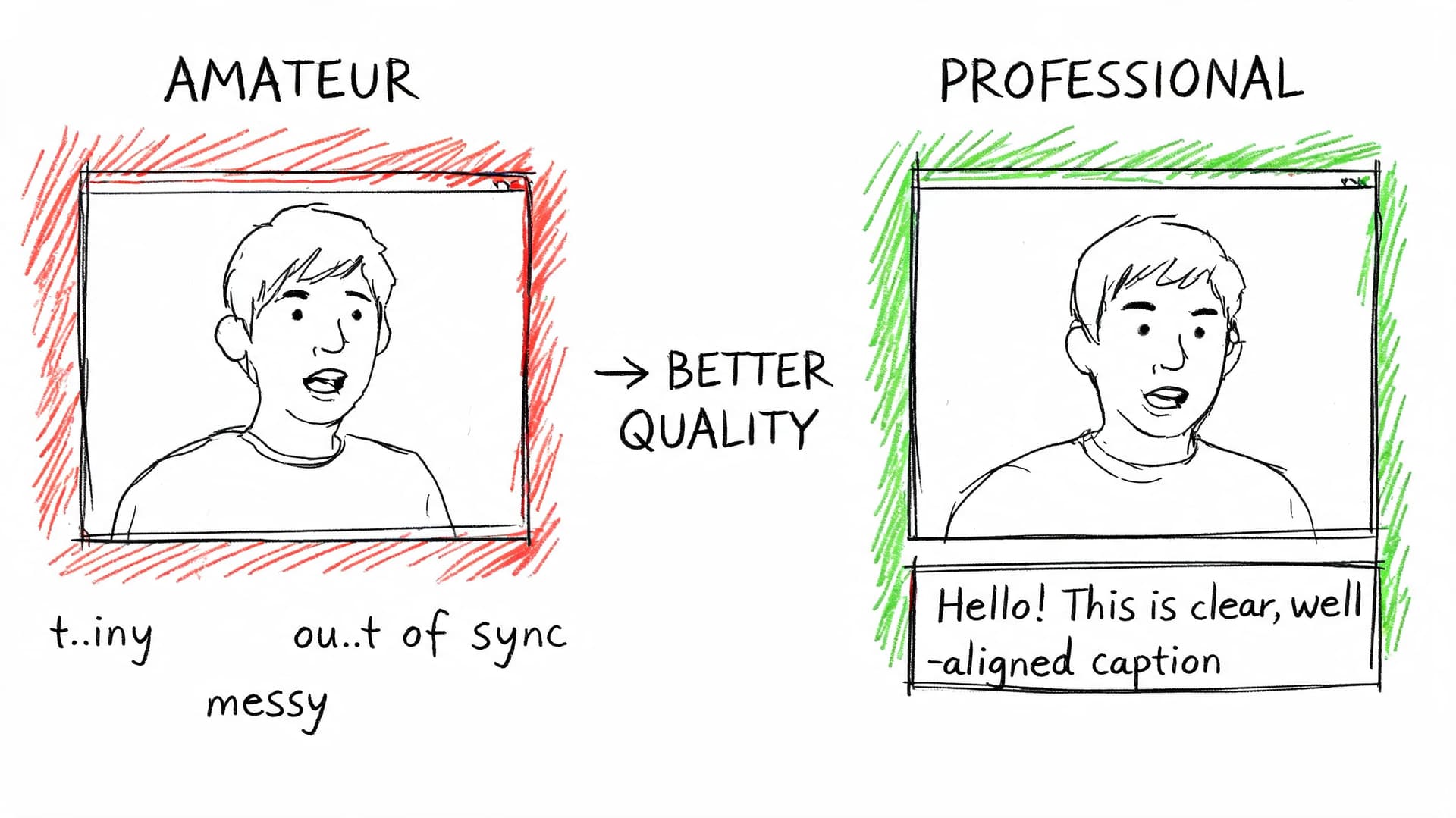
High-quality captions are part editorial standard, part timing system, and part operational discipline. If the workflow produces a file that is technically valid but hard to follow, the business still pays for the failure. The cost shows up as confused viewers, slower approvals, and repeated fixes after publication.
Accuracy is more than word matching
Caption accuracy starts with the transcript, but it does not end there. The text has to match the spoken words, appear at the right moment, break at readable points, and preserve information that hearing viewers get from sound and speaker changes.
In noisy audio, systems often perform better when they can use more than one signal instead of relying on speech alone. Carnegie Mellon researchers describe this multi-stream approach in their research summary. For production teams, the practical lesson is simple. Better inputs and better context reduce the amount of cleanup later.
That matters in videos with crosstalk, poor room acoustics, accents, or domain language. A captioning system may produce a good first pass, but reviewers still need to correct names, acronyms, product terms, and phrases that automated tools cannot resolve with confidence.
A professional caption checklist
Use this as a QA standard before delivery.
- Check sync first: Captions should appear with the speech. Review the beginning, middle, and end of the file, because timing drift often becomes clearer over time.
- Verify speaker identity: Label speakers when the identity affects comprehension. Automated diarization helps, but a reviewer should confirm that labels match the actual conversation.
- Capture meaningful sounds: Add cues such as [music], [laughter], or [door closes] when the sound changes the meaning or tone of the scene.
- Protect readability: Break captions into phrases people can read quickly. Captions work like good interface text. If the viewer has to decode the line break, attention leaves the video.
- Audit names and terminology: Proper nouns, technical terms, medical language, and legal references deserve a final pass because they are common failure points in automated drafts.
A caption file can meet format requirements and still fail the user.
Timing problems usually come from three specific failures
Teams often describe every issue as “bad captions,” but the repair depends on the actual cause.
Drift over time
This happens when the caption timestamps no longer line up with the final media. A late trim, frame-rate change, or export mismatch can shift every cue. The right fix is to realign the file against the final master, not hand-adjust scattered lines one by one.
Segmentation errors
Sometimes the words are correct, but the caption chunks are wrong. One cue runs too long. A phrase breaks in the middle of an idea. Reading becomes harder because the eye has to solve the structure while the scene keeps moving. This is an editorial quality problem, not only a transcription problem.
Missing structure
Multi-speaker content needs reliable timestamps and speaker separation. Without them, a meeting, interview, or panel discussion becomes hard to follow fast. Systems that generate precise timing and speaker diarization reduce confusion before human review even starts.
What quality looks like in real use
Quality changes by use case, but the standard is always tied to the consequence of error.
For a broadcaster, captions have to stay synchronized during rapid exchanges and changing graphics. For a healthcare team, dosage instructions and symptoms must be exact and readable. For legal review, each statement needs clear timing so teams can verify who said what and when. For a training group, the operational goal is consistency across hundreds of videos, not one polished file and fifty neglected ones.
That is why QA should test the file in playback, not only in an editor. Review once with sound on to catch sync, wording, and speaker issues. Review once with sound off to confirm that the captions can carry the content on their own.
Multilingual work starts with a clean source file
Translated caption tracks inherit the strengths and weaknesses of the source. If the original English file has broken segmentation, vague speaker handling, or missing sound cues, those problems spread into every language version.
Treat the source caption file like source code. If the base layer is messy, every downstream version becomes harder to maintain. Clean source captions make translation faster, lower review time, and reduce the chance that teams have to reopen the same asset in multiple languages.
For organizations scaling captioning across departments, that is the operational payoff. A disciplined QA standard keeps one bad file from multiplying into ten expensive corrections later.
Navigating Legal and Accessibility Requirements
A product team ships a video update on Friday. By Monday, support has three problems to sort out. A customer says the training clip has no captions on mobile. Legal asks whether the company has records showing the published version was accessible. Sales reports that a prospect in a regulated industry flagged the missing captions during procurement review.
That sequence is common because captioning sits at the intersection of accessibility, compliance, and operations. If your organization publishes video to the public, to customers, to students, or to employees, captions are part of the delivery requirement, not an optional polish step.
The baseline requirements many teams run into
In the United States, the 21st Century Communications and Video Accessibility Act of 2010 requires certain online video that previously aired on television with captions to remain captioned online. In Europe, the Audiovisual Media Services Directive (AVMSD) pushes broadcasters and media services toward stronger accessibility coverage, including subtitling obligations that member states implement through local rules.
Enforcement risk is real, but the larger business point is simpler. Buyers, users, auditors, and platform owners increasingly expect captioned video as standard practice. The city summary linked here brings those legal and market pressures into one place, including discussion of web accessibility claims and caption use among younger streaming audiences: regulatory and market summary.
For operations teams, the lesson is clear. Captioning has moved from occasional accommodation work to ongoing media infrastructure.
What compliance means in practice
Start with three questions:
- Who can access this video?
- Which laws, contracts, procurement rules, or platform policies apply to that audience?
- Can your team show that captions were delivered accurately and stayed attached through publication and playback?
That third question is where many workflows break.
A caption file works like a configuration file in software. The text may be correct, but if the player does not expose controls, if the wrong format is attached, or if a publishing step drops the track, the viewer still experiences a failure. Legal review often begins with presence. Accessibility review goes further and asks whether the captions are usable.
Standards live inside systems
Late-stage captioning creates avoidable risk. A team exports the video, uploads a sidecar file, checks one browser, and publishes. Then a mobile app ignores the track, a platform migration strips metadata, or a localization vendor receives the wrong master file.
The result is not just a bad viewing experience. It creates rework, support load, launch delays, and in some sectors an audit problem. If your process cannot consistently attach, verify, and preserve caption tracks, your policy exists on paper but not in production.
Where different organizations need more control
The requirement changes shape by industry.
Broadcast teams need dependable handoffs into encoding, scheduling, and playout systems. SaaS and web product teams need players that expose caption controls correctly across devices. Healthcare and legal organizations often need secure handling, timestamp integrity, and records that support later review. Education teams need captions that improve comprehension for learners, not files added only to satisfy a checkbox.
A practical way to manage that risk is to assign caption checks to the same operational stages where other release controls already exist:
| Area | What to verify |
|---|---|
| Production | Clear audio capture, approved terminology, speaker names, and any required legal wording |
| Post-production | Caption creation, human review for high-risk content, correct export format, and version control |
| Publishing | Player compatibility, track attachment, device testing, and user access to caption settings |
| Governance | Retention, audit trails, ownership of corrections, and vendor or AI workflow policies |
This is also where workflow maturity matters. Manual captioning can work for a small library, but scale changes the problem. Once teams are publishing across departments, regions, or regulated use cases, they need a repeatable process with clear review rules, documented exceptions, and tools that reduce turnaround time without losing control. That is the practical path from hand-built files to AI-assisted systems such as Vatis Tech, where the goal is not automation for its own sake, but faster delivery, lower correction cost, and a cleaner compliance record.
This is not legal advice. It is an operating principle. Treat captions as part of your media system, and legal compliance becomes easier to prove, accessibility becomes easier to maintain, and expensive last-minute fixes become less common.
Frequently Asked Questions About Closed Captions
Can viewers customize how closed captions look
Usually, yes.
Many video players, smart TVs, mobile devices, and operating systems let viewers adjust caption size, color, contrast, background opacity, and sometimes font style. Closed captions work like a separate data layer attached to the video, so the player can present that text in a way the viewer can read. Open captions are part of the picture itself, so viewers get one fixed design whether it works for them or not.
For accessibility, that control matters. For operations, it matters too. If your team distributes one closed-caption file instead of baking text into every export, you can support different users and platforms without creating multiple video masters.
Should I use open captions for social video and closed captions everywhere else
That is a sound default for many publishing teams.
Short social clips often depend on silent autoplay, so open captions help people understand the message before they tap for sound. On your website, LMS, help center, app, or streaming platform, closed captions usually create less operational drag because viewers can toggle them, players can apply accessibility settings, and your team can revise the caption file without re-rendering the video.
The business question is simple. Do you want text treated as part of the image, or as a reusable asset? For channels you control over time, reusable usually wins.
How do I judge caption accuracy without inventing a score
Start with failure points, not a percentage.
Review the video once with audio on and once muted. If the captions still make full sense without sound, you are checking the viewer experience that actually matters. Then inspect the places where errors create real cost: names, acronyms, product terms, speaker changes, punctuation that changes meaning, and timing that lags behind fast speech.
Accuracy has four parts: the words, the timing, the formatting, and the playback behavior. A transcript can be correct while the captions still fail in the player because line breaks are awkward or timing drifts. In regulated work, keep a review record that shows who approved changes and when. That turns caption QA from an informal edit into a documented control.
What are the biggest compliance risks in healthcare and legal work
The biggest risk is not just missing captions. It is releasing video that is inaccessible, hard to verify, or processed in ways that create privacy and records problems.
In healthcare, patient education, telehealth support, intake instructions, and portal videos all raise accessibility concerns. In legal environments, depositions, client updates, training videos, and internal recordings can raise confidentiality, retention, and chain-of-custody questions. Caption files work like time-linked text records, so teams need to know where they were generated, who edited them, and where they are stored.
A practical checklist for regulated sectors looks like this:
- Secure processing: Verify where audio, video, transcripts, and caption files are processed and stored.
- Timestamped exports: Keep formats that preserve timing for review, correction, and audit use.
- Controlled editing: Restrict post-approval changes and log who made them.
- Terminology review: Check clinical, technical, or legal language before publication.
- Playback verification: Test captions in the final player and device environment, not only in the editing tool.
Do I need SRT or VTT for compliance
Usually, no single format is required in every context.
SRT is the plain workhorse. It is widely accepted and easy to move between systems. VTT is better suited to web delivery because browsers and HTML5 players support it more naturally and it can carry extra presentation features. The format choice works like choosing a shipping container. What matters is whether the destination system accepts it and whether the contents arrive intact.
For compliance, the question is whether your process preserves timing, review history, and usable playback. If your platform needs VTT, use VTT. If your vendor, archive, or downstream system expects SRT, use SRT. Format is a workflow decision tied to evidence, compatibility, and maintenance.
What’s the smartest first step if our caption process is messy
Map ownership before you buy or replace tools.
Assign one owner to transcript generation, one to editorial review, one to format selection, one to player QA, and one to post-publish corrections. Captions often fail at handoff points, not during transcription itself. If nobody owns the final check in the live player, errors survive. If nobody owns terminology approval, the same corrections repeat every week.
Once those responsibilities are clear, tool selection gets easier. That is the point where teams often move from ad hoc manual work to a structured system such as Vatis Tech, which provides AI speech-to-text, timestamped transcript editing, and exports such as SRT and VTT for repeatable caption production.