What Is Video Transcription: AI & Business Power in 2026
Video transcription converts spoken audio into searchable text. How transcripts differ from captions and subtitles, what teams do with them, and what it costs.
12 min read
•
May 21, 2026
Written by
Adrian Ispas
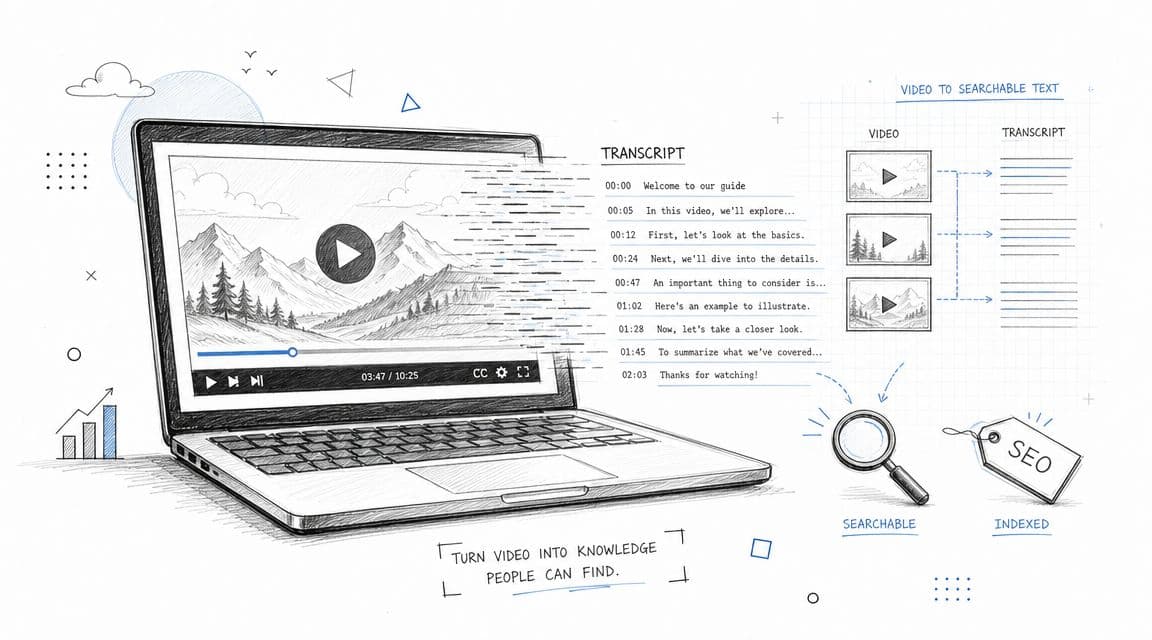
At its most basic, video transcription is simply the process of converting spoken dialogue from a video into written text. But in practice, it’s much more than that. Think of it as creating a searchable data layer for your video content, turning what was once an opaque file into an asset you can index, analyze, and repurpose.
What Video Transcription Really Means in 2026
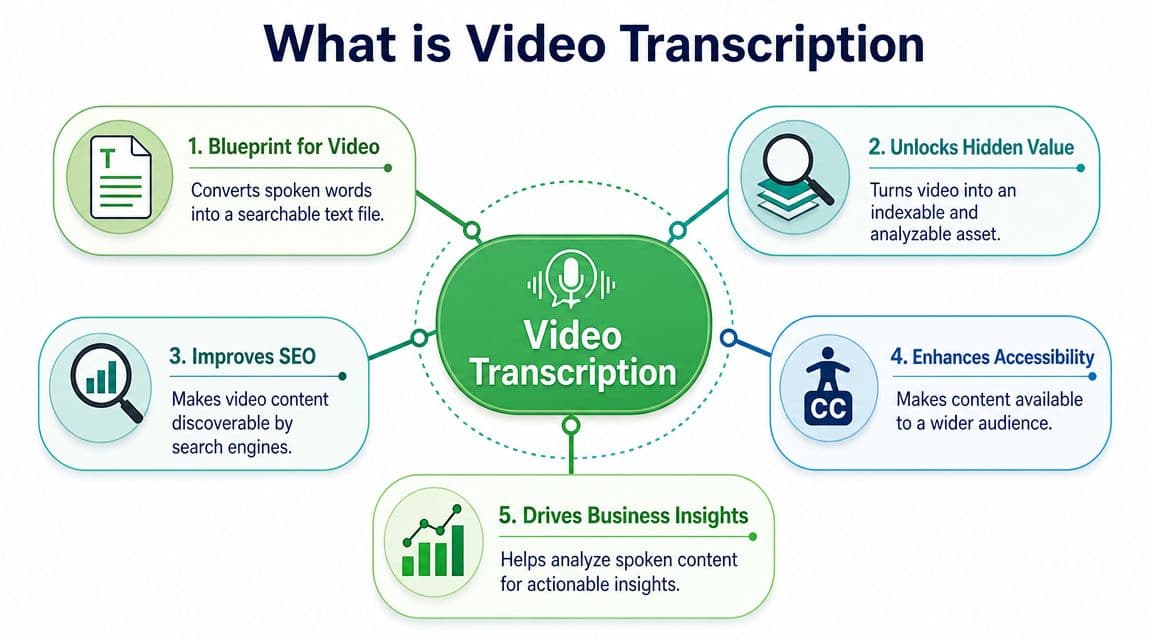
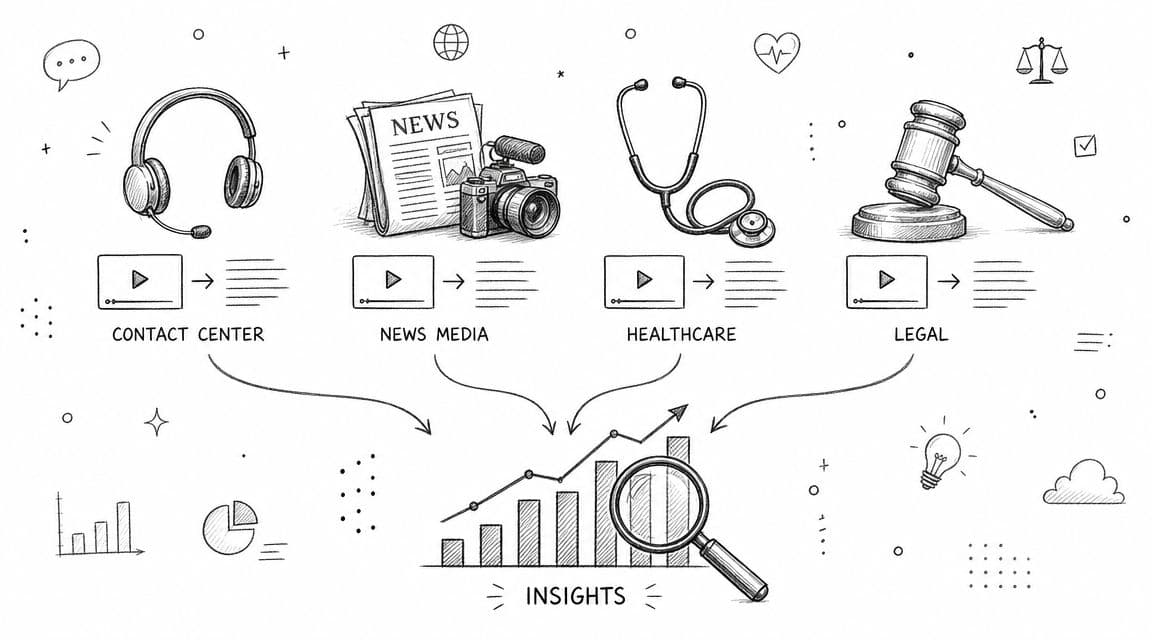
The diagram here shows how a simple transcript connects to core business functions. It's no longer just a script for post-production; it's a foundational tool that unlocks a video's value across the board.
In the past, creating a transcript was a slow, manual process, usually reserved for things like legal depositions or film scripts. Today, transcription is largely an automated, AI-driven process. So, what is video transcription now? It’s the key to making your entire video library as searchable and useful as a text document archive.
Beyond a Simple Script
A transcript is far more than words on a page—it's a strategic asset. By turning spoken words into text, you make your content readable to search engines. Since search engines can’t "watch" a video, the transcript is what allows them to crawl, index, and rank your content for specific keywords, directly impacting your SEO.
This has huge implications for business operations. Companies now use transcription for everything from building searchable employee training archives and analyzing customer feedback calls to conducting in-depth market research. The ability to instantly find, analyze, and reuse spoken information is a genuine competitive advantage. This shift is reflected in the market's explosive growth.
The global AI transcription market was valued at USD 4.5 billion in 2024 and is projected to hit USD 19.2 billion by 2034. This isn't just growth; it's a sign of a fundamental operational shift where transcription has become a core workflow for indexing and documentation.
The New Standard for Content
This change—from a niche task to a core business process—is all about the need for searchable, editable records of what was said. For companies in media, law, and customer service, transcription is no longer a "nice-to-have" post-production step. It's now an integral part of the entire content lifecycle.
This economic and operational reality cements its role as a mandatory tool for any organization that relies on video. For a deeper look at the core principles, our guide on what is transcription covers the fundamentals in more detail.
How to Get a Video Transcribed: Manual vs. AI
So, you’ve got a video, and you need the spoken words turned into text. How does that happen? It’s a choice between two fundamentally different paths: the meticulous work of a human expert or the lightning speed of an AI.
The path you pick has a direct impact on the final transcript’s accuracy, turnaround time, and cost. Let’s break down how each one works so you can decide what’s right for you.
The Manual Method: Human Precision
This is the traditional, hands-on approach. A professional transcriber sits down, listens to your video—often over and over—and types out every single word. They use specialized software and foot pedals to pause, rewind, and slow down the audio, ensuring they catch everything.
This method delivers the gold standard in accuracy, typically hitting 99% or higher. Why? Because people get context. We can navigate thick accents, tell speakers apart in a chaotic conversation, and make sense of muffled audio in a way that machines still can't quite master.
But that level of precision takes time. A one-hour video can easily take several hours to transcribe, making this the slowest and most expensive option.
Practical Example: A law firm needs a perfect, court-admissible transcript of a video deposition. They will choose manual transcription to ensure every "um," pause, and nuanced word is captured flawlessly for the legal record.
The Automated Method: AI Speed and Scale
On the other side, you have automated transcription, powered by Artificial Intelligence (AI). These systems use advanced speech-to-text engines to do the work. You just upload your video file, and an AI model processes the audio, spitting out a full transcript in minutes.
The advantages are impossible to ignore:
- Speed: An hour-long video can be transcribed in just a few minutes.
- Scale: Need to process hundreds of hours of content? No problem. AI can handle it all at once without needing a massive team.
- Cost: Automated services are dramatically cheaper than paying for manual labor, often priced per minute or through a flat subscription.
This isn't just a small shift; it's a complete change in how we work with audio and video. We've moved from painstaking manual work to having a real-time productivity layer for all our spoken content. This evolution is fueling a market projected to grow from USD 4.5 billion in 2024 to USD 19.2 billion by 2034. You can learn more by reading the full research on video transcription's evolution and market trends.
The Hybrid Approach: Best of Both Worlds
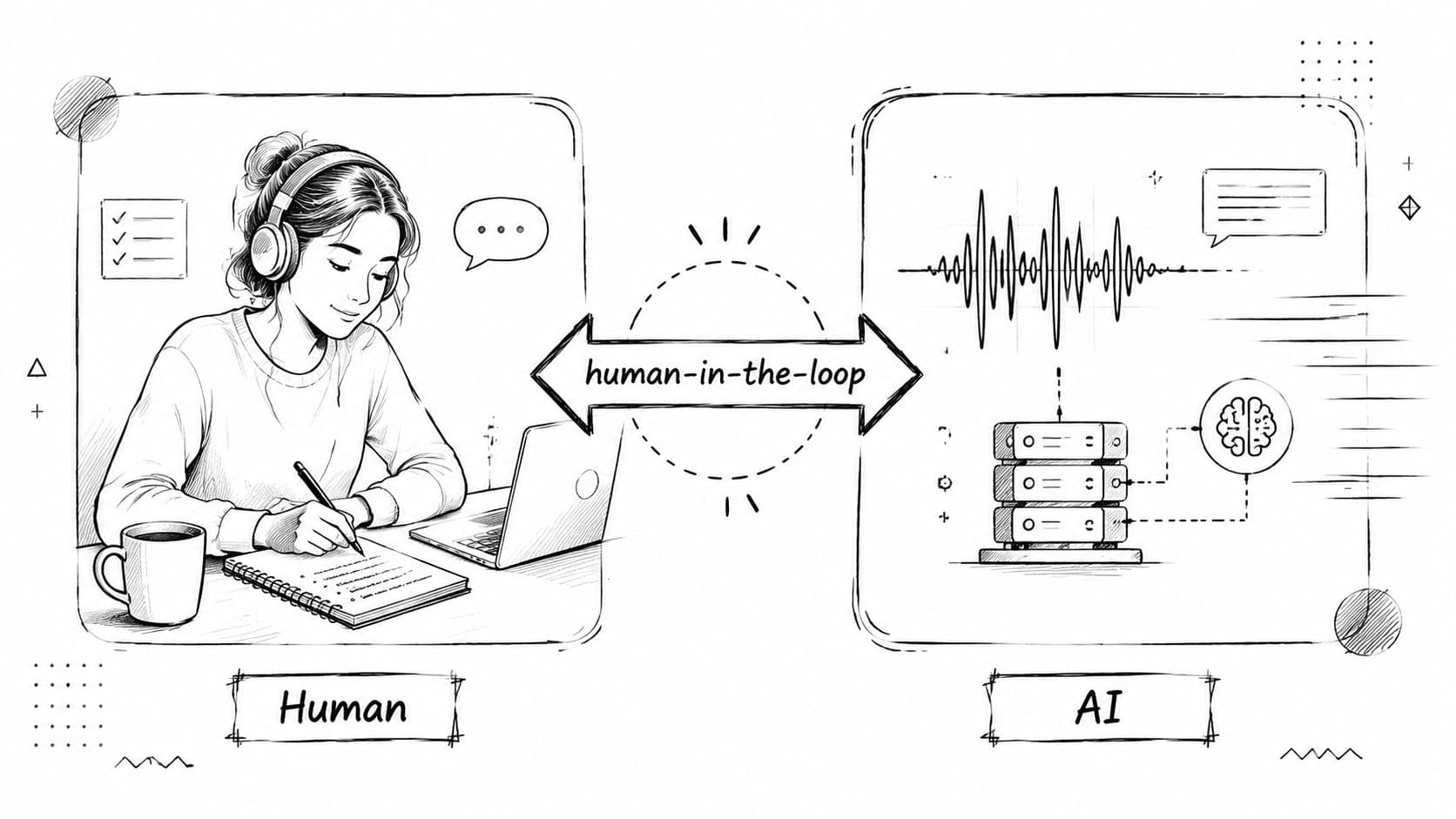
There’s a third way that offers a smart compromise: the human-in-the-loop (HITL) or hybrid model. Here, an AI does the initial heavy lifting, generating a first-draft transcript in minutes. Then, a professional human editor reviews it, cleaning up any mistakes, correcting names, and ensuring perfect formatting.
This approach gives you a highly accurate transcript much faster and more affordably than a fully manual process. It’s the perfect middle ground when you need quality you can count on but are working with a tighter budget or deadline. For many businesses, it’s the most practical choice.
Choosing Between Transcripts, Captions, and Subtitles
It’s easy to think "transcript," "captions," and "subtitles" are all the same thing, but they each have a specific job to do. Picking the right one isn't just a technical detail—it's a strategic choice that impacts accessibility, global reach, and even your SEO.
A transcript is the simplest of the three. It’s a plain text file (usually a .TXT) that contains every word spoken in your video. No timestamps, no on-screen formatting. Just the raw text, making it perfect for repurposing content into blog posts or analyzing keywords.
But when you need text to appear on-screen with the video, you’re moving into the realm of captions and subtitles.
Distinguishing Captions and Subtitles
While both appear on the video player, they serve entirely different audiences and functions.
Closed Captions (CC) are built for viewers who are deaf or hard of hearing. They don't just show the dialogue; they include crucial non-verbal cues needed to understand the full context. You'll see descriptions like [door slams], [laughter], or [dramatic music swells] timed perfectly with the on-screen action.
Subtitles, on the other hand, are for viewers who can hear the audio just fine but don't understand the language. They are a direct translation of the dialogue, designed to help your content travel across borders. Subtitles assume the viewer can hear ambient sounds, so they leave out the non-verbal descriptions.
A simple way to remember: Captions help people watch in the same language when they can't hear, while subtitles help people watch in a different language when they can't understand.
The difference becomes even clearer when you compare their file formats and specific use cases. We dive even deeper in our detailed breakdown of closed captions vs subtitles.
To help you decide at a glance, the table below provides a quick comparison. It breaks down the audience, key features, and common file types for each format, so you can choose the right asset for your video every time.
Transcript vs Captions vs Subtitles at a Glance
| Feature | Transcript | Closed Captions (CC) | Subtitles |
|---|---|---|---|
| Primary Purpose | Content repurposing, SEO, and analysis | Accessibility for deaf or hard-of-hearing viewers | Translation for foreign-language viewers |
| Content | Spoken dialogue only | Dialogue + non-verbal audio cues (e.g., [music], [applause]) | Translated dialogue only |
| Format | Plain text document, separate from the video | Text synchronized with video, displayed on-screen | Text synchronized with video, displayed on-screen |
| Common File Types | .txt, .docx, .pdf | .srt, .vtt, .scc | .srt, .vtt |
Ultimately, your choice depends entirely on your goal. Are you trying to make your content accessible, reach a global audience, or create a searchable archive? The answer will tell you exactly which format you need.
How Businesses Use Video Transcription to Grow
Video transcription is much more than just turning spoken words into text. It’s about transforming your audio and video assets—from internal meetings and customer calls to public-facing content—into searchable, analyzable, and repurposable data.
This isn't just a niche tool anymore; it’s a core part of modern business operations. The U.S. transcription market was valued at USD 30.42 billion in 2026 and is expected to hit USD 41.93 billion by 2030. This boom is happening because companies are seeing real, tangible results. For a deeper dive, check out the full U.S. transcription market analysis from Grand View Research.
Let’s get into the specifics of how this works across different industries.
Unlocking Insights in Contact Centers
Contact centers record thousands of calls every day, creating a massive, untapped resource of customer feedback. Trying to manually review this audio is simply not feasible. Transcription changes the game entirely.
With every call converted to text, managers can finally see what's happening at scale. Here is a step-by-step example of how this works:
- Automated Transcription: All incoming and outgoing calls are automatically transcribed in real-time.
- Keyword Analysis: The system searches transcripts for keywords like "frustrated," "cancel," or a competitor's name.
- Alerting & Tagging: Calls containing these keywords are flagged and categorized (e.g., "High Churn Risk," "Competitive Mention").
- Actionable Insights: A manager receives a daily report showing that mentions of "Competitor X's new feature" have spiked by 300%. They can now read the exact context of those conversations and alert the product team immediately.
Suddenly, your call recordings go from a storage burden to a rich, searchable database for quality assurance and business intelligence.
Accelerating Content Creation for Media
In media and journalism, getting content out fast is everything. Video transcription lets you take a single piece of recorded content and spin it into multiple formats almost instantly.
Imagine you just finished an hour-long interview. By transcribing it, you can immediately pull key quotes for a news article, generate perfectly synced captions for social media clips, and draft a full blog post for SEO—all from that one recording.
This approach massively slashes production time. Newsrooms can publish stories faster, and marketing teams can squeeze every drop of value from their video content. To learn more, check out our guide on how speech-to-text benefits media and newsrooms.
Improving Documentation in Healthcare and Legal
In fields like healthcare and legal, accuracy and a clear paper trail are non-negotiable. Video transcription provides the precise, verbatim record needed to meet these stringent demands.
Here’s how it provides clear value in these high-stakes environments:
| Industry | Primary Use Case | Business Outcome |
|---|---|---|
| Healthcare | Transcribing telehealth appointments | Creates an accurate, searchable medical record for patient charts, reducing administrative work and improving care continuity. |
| Legal | Producing deposition transcripts | Provides a verbatim text record for legal review, evidence prep, and court proceedings, ensuring every single word is captured. |
In both cases, a transcript isn't just a convenience—it's a critical tool for risk management. It creates an undeniable source of truth that protects the organization, its practitioners, and the clients or patients they serve.
Selecting the Right Transcription Service for Your Needs
Choosing a transcription partner is about more than just turning audio into text. It’s a choice that can shape your entire data strategy. With so many providers promising high accuracy, you need to know how to look past the marketing claims and find a service that fits your actual business needs.
Think of it this way: you’re not just buying a transcript. You’re investing in an engine for generating accurate, secure, and actionable data that should plug directly into your workflow. Let's dig into what separates a decent service from a great one.
Core Evaluation Criteria
When you start comparing providers, everything boils down to a trade-off between four key factors: accuracy, speed, security, and cost. The right balance for you depends entirely on what you’re trying to accomplish.
- Accuracy Rate: A high accuracy rate is table stakes. Many services claim it, but look for providers that back it up with specific numbers, like up to 98% accuracy. Even better, can they improve accuracy on your content? Features like custom vocabulary for industry jargon or product names are a game-changer here.
- Turnaround Time: How fast do you need it? AI services can turn around an hour of video in just a few minutes. If you’re in a time-sensitive field like media or customer support, that speed is essential. Manual transcription will be much slower, often taking hours or even days.
- Security and Compliance: This one is non-negotiable, especially if you handle sensitive data. Your provider must meet serious security standards. Look for certifications like SOC 2 Type II, ISO 27001, and compliance with data privacy regulations like GDPR. This is your guarantee of end-to-end encryption and strict data handling protocols.
Advanced Features and API Capabilities
The basics are important, but the real power comes from advanced features, especially those available through an Application Programming Interface (API). This is what lets you build sophisticated, automated workflows instead of just getting a simple text file back.
A powerful API completely changes the game. A developer can write a script to automatically pull videos from a storage bucket, send them for transcription, and pipe the text directly into an analytics platform. No manual steps required.
By integrating a transcription API, you're not just buying a service; you're building a scalable data engine. This is how you go from manual processing to an automated system that extracts business intelligence from every video.
Here are the features that truly make a difference:
| Feature | Description | Business Impact |
|---|---|---|
| Speaker Diarization | Automatically identifies and labels who is speaking and when. | Invaluable for analyzing customer calls, interviews, or meetings. You know exactly who said what. |
| Custom Vocabulary | Lets you add unique terms, brand names, or acronyms to the AI's dictionary. | Massively boosts accuracy for specialized content in fields like medicine, law, or engineering. |
| PII Redaction | Automatically finds and removes sensitive Personal Identifiable Information (PII) like names or credit card numbers. | Absolutely critical for compliance and protecting customer privacy in call center recordings. |
Focusing on these factors—from core accuracy and security to advanced API features—ensures you pick a partner like Vatis Tech that not only solves today's problems but can also scale with your business as you find new ways to unlock the value in your video content.
Common Questions About Video Transcription
Even after you get the hang of what video transcription is, a few practical questions always pop up. Let's tackle the most common ones to help you move from theory to action.
How Long Does Video Transcription Take?
The turnaround time for a transcript hinges almost entirely on the method you choose, and the difference can be massive for your workflow.
- AI Transcription: This is, by far, the fastest route. An AI service can process a one-hour video in just a few minutes. For anyone in media, customer support, or content creation, this near-instant speed is a game-changer for time-sensitive projects.
- Manual Transcription: A professional human transcriber, while incredibly accurate, operates on a completely different timeline. That same one-hour video could take anywhere from four to eight hours of solid work. When you're dealing with content in bulk, this can easily stretch into days or weeks.
Keep in mind that audio quality is a major factor. Both AI and humans will fly through a file with a single, clear speaker. But throw in background noise, multiple overlapping speakers, or heavy accents, and the process will slow down considerably.
How Much Should I Expect to Pay?
Transcription pricing usually boils down to two main models. Figuring out which one fits your needs is key to managing your budget effectively.
Most services use per-minute pricing. AI-powered platforms are exceptionally affordable, often costing just pennies per minute. Human transcription, on the other hand, is a premium service, with rates typically falling between $1.50 and $5.00 per minute to account for the intensive labor involved.
The other common approach is a subscription model, especially with AI platforms. You pay a flat monthly or annual fee for a certain number of transcription hours. If your business has a consistent and predictable volume of content, this is almost always the most cost-effective option.
For example, transcribing 100 hours of video with an AI subscription might cost a few hundred dollars. That same 100 hours with a manual service could easily push your costs into the tens of thousands.
Can I Transcribe a Video Directly from a Link?
Yes, you can. Modern transcription platforms are built for this kind of workflow. Forget the old-school hassle of downloading massive video files only to re-upload them somewhere else.
Most top-tier services let you paste a URL directly from platforms like YouTube, Vimeo, or Dropbox. The software pulls the video from the source, processes it, and gives you back a finished transcript. You never have to touch the video file yourself, which saves a ton of time and bandwidth.
What File Format Is Best for a Transcript?
There’s no single "best" format—it all comes down to what you plan to do with the text. The right choice depends entirely on your end goal.
Here are the most common formats and what they’re good for:
- Plain Text (.TXT): This is the most basic format. Just the words, no frills. It's perfect if you just need to copy the text, run it through an analysis tool, or repurpose it into a blog post.
- Word Document (.DOCX): Similar to a .TXT file but gives you the freedom to format, edit, and comment. It's a solid choice if you need to clean up the transcript or share it as a polished document with your team.
- SRT or VTT: These aren't just transcripts; they're specialized caption files. They break the text into timed segments that sync perfectly with your video, allowing players to display closed captions. If your goal is making your video accessible, SRT or VTT is what you need.
Unlock the full potential of your video content with Vatis Tech. Our AI-powered platform delivers highly accurate transcripts in minutes, helping you improve SEO, enhance accessibility, and gain valuable insights from your spoken data. Start your free trial and see how it works.