Closed Captions vs Subtitles: A 2026 Expert Guide
Subtitles assume you can hear; captions replace the audio. The technical, format and compliance differences — plus FCC penalties up to $40,000 per violation.
13 min read
•
April 16, 2026
Written by
Adrian Ispas
You’ve approved the video. The media buy is booked. Localized versions are queued for release. Then the complaints start.
Viewers can’t follow the dialogue in noisy environments. Accessibility reviewers flag that your “subtitles” don’t identify speakers or sound cues. A platform ingest rejects one deliverable because the file type is wrong for the destination. Internally, people use captions and subtitles as if they mean the same thing, so no one catches the issue until the content is already live.
That’s why the closed captions vs subtitles question matters so much to broadcasters, marketing teams, and any business publishing video at scale. The wrong choice doesn’t just create a user experience problem. It can create a compliance problem, a workflow problem, and a budget problem.
Why This Distinction Matters More Than Ever
A lot of teams still treat on-screen text as a finishing touch. In practice, it affects reach, accessibility, playback completion, legal exposure, and how professionally your content lands.
Audience behavior has changed
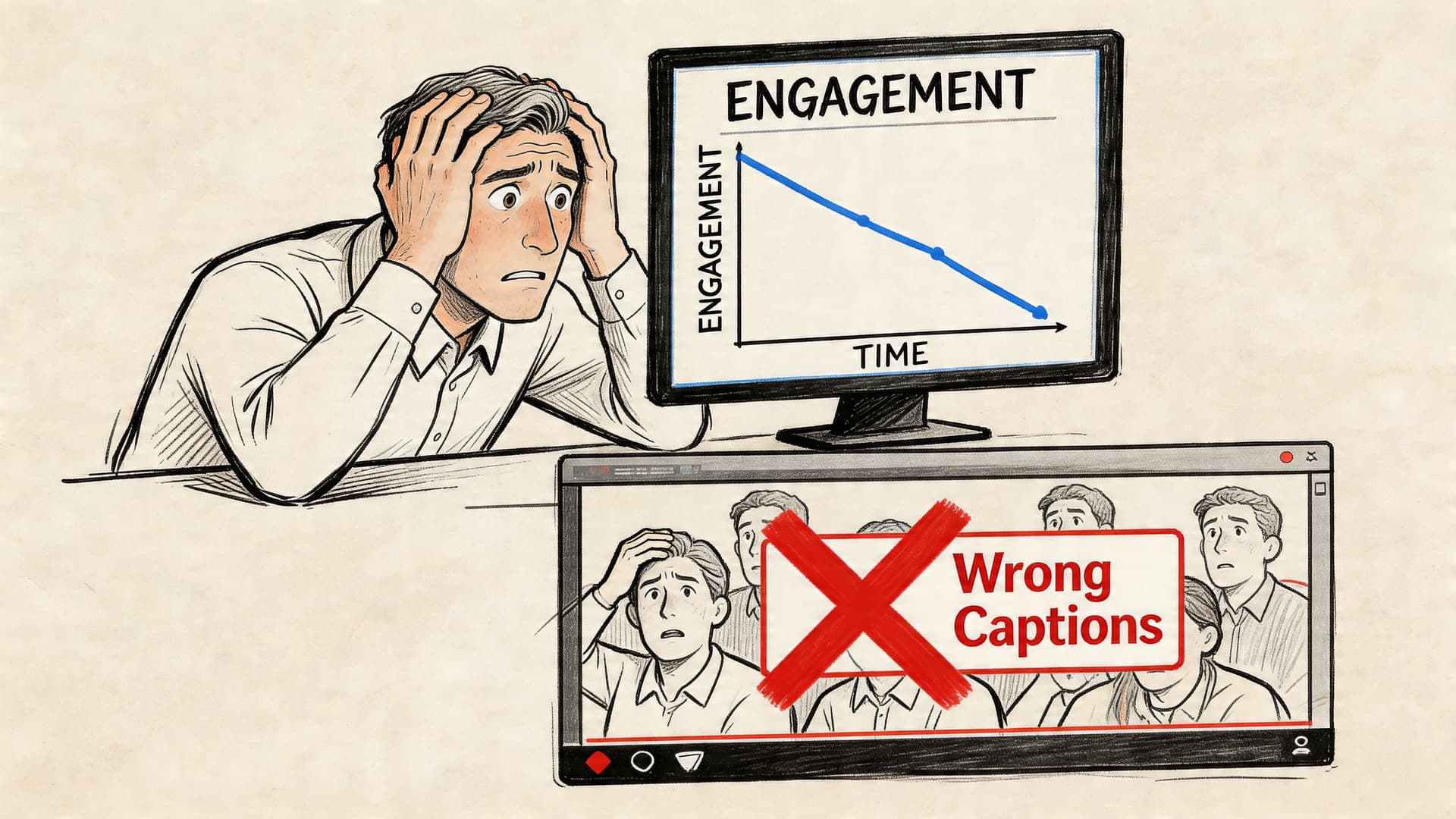
This isn’t a niche feature for a small audience segment anymore. A 2023 YouGov survey found that 63% of adults aged 18 to 29 use subtitles for native-language content, more than double the rate of viewers over 45. The same roundup notes that 85% of Facebook videos are watched with the sound off, which changes what “watchable” means for brands and publishers (CaptioningStar).
For a marketing manager, that means text on video isn’t only about accessibility. It’s also about message delivery when audio never starts.
For a broadcaster, it means audience expectations have moved faster than many production workflows.
The business risk is usually hidden until launch
The most common failure isn’t that a team forgets text entirely. It’s that they ship the wrong type of text.
A translated subtitle track may help a hearing viewer understand another language. It does nothing for a deaf viewer if it omits speaker changes, music cues, alarms, crowd noise, or off-screen speech. On the other hand, a heavily formatted subtitle file may look fine in review and still fail a compliance check because the requirement was for closed captions.
If your team uses “subtitles” as a catch-all term, that language problem usually turns into an operational problem.
Why this matters in 2026 planning
Procurement, legal, accessibility, and social teams often touch the same video asset for different reasons. If they aren’t aligned on terms, you get predictable issues:
- Wrong deliverable selected: An editor exports a subtitle file when the distributor asked for captions.
- Accessibility gaps missed: Reviewers focus on dialogue accuracy but miss non-speech audio.
- Rework late in the process: Teams add speaker IDs and sound cues manually after QC.
- Platform friction: One version works for social, another is needed for broadcast or OTT delivery.
Closed captions vs subtitles isn’t an academic distinction. It’s a production decision with downstream consequences.
Defining The Key Terms Subtitles Captions and SDH
The fastest way to avoid mistakes is to treat these as three different tools, not three names for the same thing.
Subtitles
Subtitles are primarily for viewers who can hear the audio but need help understanding the spoken language. That usually means translation, though some teams also use subtitles for same-language dialogue display in consumer settings.
If a French interview is published for an English-speaking audience, subtitles tell viewers what was said. They generally assume the viewer can hear tone, music, sirens, laughter, and other audio context.
A simple way to think about them: subtitles answer “What are they saying?”
If your team is working with delivery assets and naming conventions, it helps to keep a reference on what a subtitle file typically contains and how it’s used in a publishing workflow.
Closed captions
Closed captions are an accessibility feature. They’re built for viewers who are deaf or hard of hearing, and they represent more than spoken dialogue.
That means a proper caption track can include:
- Speaker identification: So viewers know who is talking when it isn’t visually obvious.
- Sound effects: Such as
[door slams],[phone buzzing], or[applause]. - Music and tone cues: Such as
[somber music]when that audio changes the meaning of a scene. - Background audio context: Including off-screen sounds that affect comprehension.
Closed captions answer a broader question: “What is happening in the audio?”
The word closed means the viewer can turn them on or off, unlike burned-in text.
SDH
SDH stands for Subtitles for the Deaf and Hard of Hearing.
Often, teams get confused because SDH sits between the other two categories. It combines the translation function of subtitles with the accessibility function of captions.
An SDH file can translate spoken language for an international audience while also preserving non-speech audio information in the target language. That makes SDH especially useful when you need both localization and accessibility in the same deliverable.
The easiest practical distinction
Use this shorthand with your team:
- Subtitles: Translation-first
- Closed captions: Accessibility-first
- SDH: Translation plus accessibility
Practical rule: If the text doesn’t communicate meaningful non-speech audio, don’t call it closed captions.
That one rule prevents a lot of bad assumptions in production meetings, vendor briefs, and platform handoffs.
A Detailed Technical Comparison
Teams usually understand the conceptual difference quickly. The technical difference is where real workflow decisions get made.
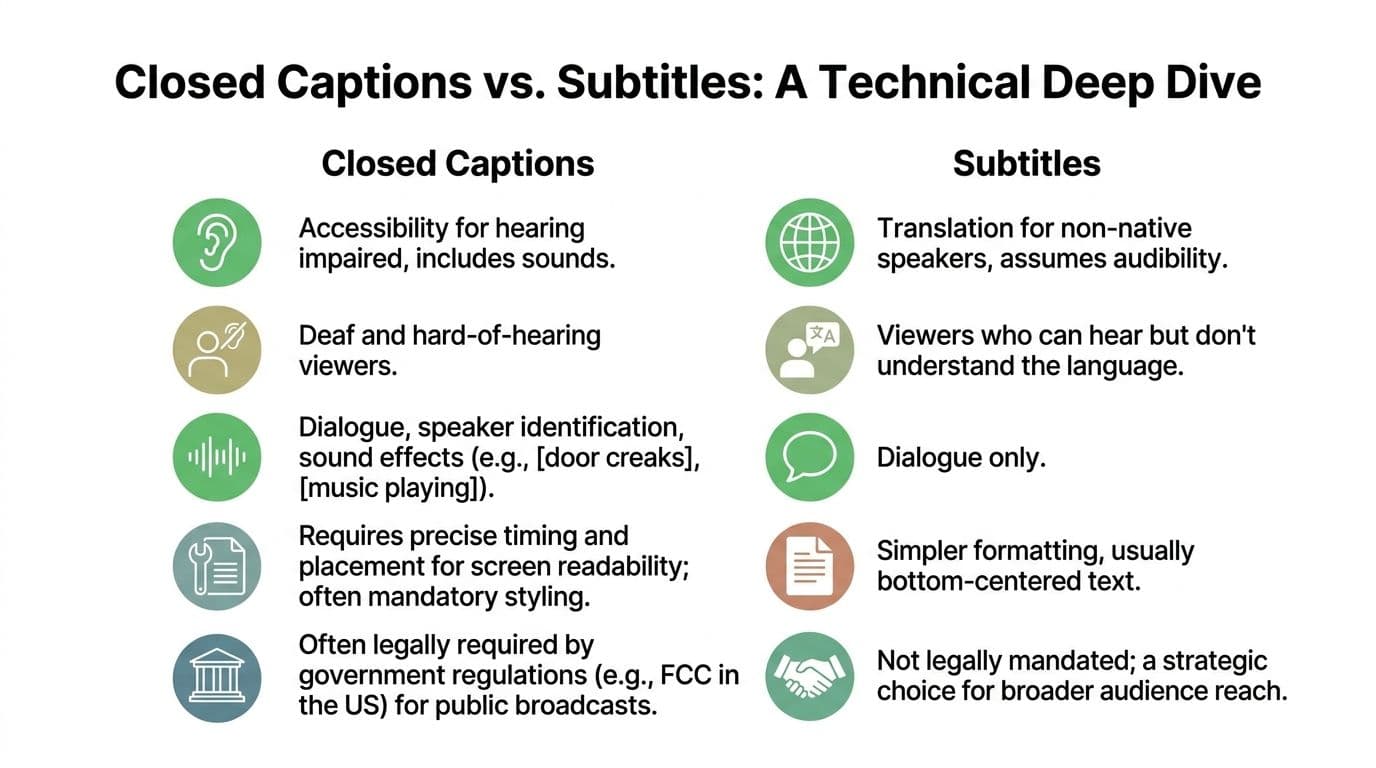
Closed Captions vs Subtitles vs SDH at a Glance
| Feature | Subtitles (Foreign Language) | Closed Captions (CC) | Subtitles for Deaf/Hard of Hearing (SDH) |
|---|---|---|---|
| Primary purpose | Translate spoken dialogue | Provide full audio access for deaf and hard-of-hearing viewers | Translate dialogue and preserve accessibility cues |
| Assumed audience | Viewers who can hear but don’t understand the language | Viewers who need text access to all relevant audio | International viewers who also need full audio context |
| Includes dialogue | Yes | Yes | Yes |
| Includes speaker labels | Usually no | Yes, when needed | Yes, when needed |
| Includes sound effects and music cues | Usually no | Yes | Yes |
| Placement and styling freedom | More flexible | More constrained by caption standards | Varies by platform and delivery spec |
| Typical use case | Foreign-language distribution | Broadcast and accessibility compliance | Global streaming and multilingual accessibility |
| Legal accessibility role | Usually not enough on its own | Built for accessibility requirements | Often useful where translation and accessibility must coexist |
Standards shape what’s possible
Closed captions aren’t just a text style. They’re tied to technical standards and delivery expectations.
According to Blend, CEA-608 closed captioning limits text to 32 characters per line and controls placement to avoid covering important on-screen graphics. By contrast, subtitles can run to 42 characters per line and allow more flexible styling, but they don’t include the non-speech cues that make captions fully accessible (Blend).
That difference matters in real production environments:
- Broadcast operations care about placement discipline, compatibility, and predictable display behavior.
- Marketing teams often care more about appearance and language variants.
- Accessibility teams care whether the file communicates the full audio experience.
CEA-608 and CEA-708 in practice
Legacy and digital caption standards still shape delivery.
- CEA-608: Older analog-era captioning rules. More restrictive visually.
- CEA-708: Digital captioning standard with support for advanced features and multiple streams.
If you’re delivering into broadcast systems, these distinctions affect ingest, rendering, and compliance review. A subtitle file that looks fine in a web player may not satisfy a television captioning requirement.
File format choice changes workflow
Not every file type fits every destination. In day-to-day work, teams usually run into these practical categories:
- SRT: Common, simple, broadly supported for subtitles and many web video workflows.
- VTT: Useful for web delivery where styling and positioning support matter more.
- SCC: Associated with broadcast closed-caption workflows.
The file itself doesn’t magically determine whether the content is accessible. A beautifully timed SRT can still be inadequate if it contains only dialogue when the requirement calls for full captioning.
What works and what fails
A few patterns show up over and over in review cycles.
What works
- Caption files written with speaker changes and non-speech cues from the start
- Separate deliverables for translation and accessibility when the use case requires both
- QC that checks content intent, not just sync
What fails
- Calling every on-screen text asset “subtitles”
- Using auto-generated dialogue text as if it were finished captions
- Exporting one universal file for social, OTT, broadcast, and archive use
If your production team is building automation into this process, it helps to understand the underlying recognition pipeline before you design review steps. This guide on how automatic speech recognition works step by step is useful for that handoff between editorial and technical teams.
The most important technical distinction is simple. Captions describe the soundtrack. Subtitles usually transcribe or translate the speech.
That one sentence is still the clearest quality-control test I know.
Navigating The Legal and Compliance Landscape
Once video moves from internal use to public distribution, terminology stops being harmless. If the law, the platform, or the contract requires closed captions, standard subtitles usually won’t satisfy that requirement.
In the US, mislabeling can become a financial issue
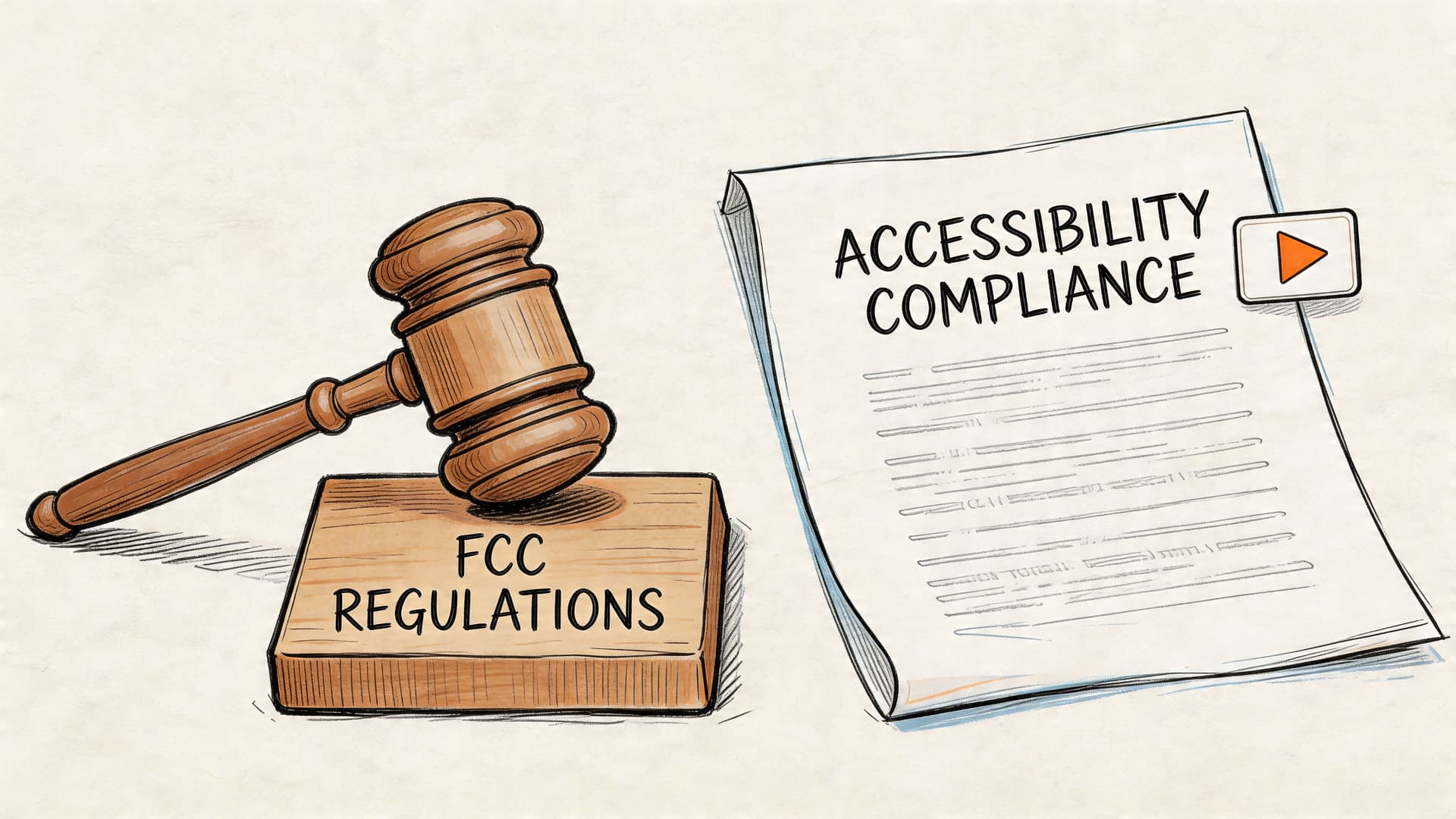
In the United States, the FCC can impose fines of up to $40,000 per violation for failing to provide closed captions where they’re legally required. The same source notes that a 2026 report found 70% of content creators mistakenly believe standard subtitles satisfy those accessibility requirements (Reverie).
That confusion is expensive because the compliance question isn’t “Did you put text on screen?” It’s “Did you provide the required form of accessibility?”
For teams managing broadcast, regulated education content, public sector video, or enterprise training libraries, that distinction belongs in your risk register.
Legal language usually favors captions, not generic text
The US framework around accessibility has developed around captioning obligations, not around a broad idea of on-screen transcription.
That matters because many internal briefs still say things like:
- “Add subtitles for compliance”
- “Export subtitles for legal review”
- “The platform has captions, so we’re covered”
Those phrases blur three separate questions:
- What does the regulator require?
- What does the platform accept?
- What does the audience need to understand the content?
If your policy documents still use subtitles and captions interchangeably, update the language before your next distribution cycle.
Europe and multinational distribution add another layer
The European AVMS Directive is framed around accessibility expectations that are distinct from translation-only subtitles, according to the verified data provided earlier. For businesses operating across multiple territories, that means a single “subtitles included” checkbox is not enough.
A multilingual release often needs separate planning for:
- accessibility by market,
- translation by language,
- platform-specific delivery specs,
- and retention of non-speech meaning.
That’s where global workflows tend to break down. One regional team requests localization. Another assumes accessibility is already handled. Neither side notices that the final asset only covers dialogue.
For teams building or auditing policy, a practical resource is this WCAG compliance checklist, which helps turn broad accessibility requirements into review criteria your production and QA teams can use.
Platform policy is tightening too
Even when a regulator isn’t directly involved, platforms are moving toward stricter accessibility expectations. That means the commercial risk can appear before the legal risk does.
A video can stay online and still underperform, be flagged internally, fail an accessibility audit, or create procurement issues with enterprise buyers who require documented accessibility practices.
Later in the workflow, platform policy and accessibility expectations become operational, not theoretical:
A practical compliance checklist for business teams
If you publish video regularly, ask these questions before release:
- Who is the audience: Hearing viewers in another language, deaf viewers, or both?
- What is the destination: Social feed, OTT platform, corporate LMS, broadcast outlet, or public website?
- What is the requirement: Translation, accessibility, or both?
- Who signs off: Legal, accessibility, platform ops, or editorial?
- What is the proof: File format, content review, and archive record showing what was delivered?
When compliance fails, the root cause is often mundane. A team chose the wrong asset type early, and everyone downstream assumed the label was correct.
That’s avoidable. But only if the organization treats closed captions vs subtitles as a governance issue, not just a post-production detail.
When to Use Each Type A Use Case Guide
The right choice depends on what the viewer needs and what the distribution channel expects. Here’s the practical version.
Use subtitles when translation is the job
Subtitles are the right tool when your viewer can hear the audio but doesn’t understand the language being spoken.
Common examples:
- A product demo recorded in German and distributed to an English-speaking sales audience
- A documentary clip with short passages in another language
- International social content where preserving the original voice matters
In these cases, subtitles keep the original performance while making the dialogue understandable. They’re not a substitute for accessibility when non-speech audio carries meaning.
Use closed captions when accessibility is non-negotiable
Closed captions belong anywhere the viewer may need a full text equivalent of the soundtrack.
Typical business scenarios include:
- Broadcast distribution: Where technical and accessibility standards are stricter
- Public-facing training content: Especially when the audience is broad and unknown
- Customer support video libraries: Where people watch in noisy environments or with muted playback
- Corporate communications: Where comprehension matters more than visual minimalism
A lot of teams discover too late that “dialogue only” isn’t enough for explainers, tutorials, webinars, and interviews. If the speaker changes off camera, if a warning tone matters, or if audience reaction changes interpretation, captions carry information subtitles often omit.
SDH is the smart option for global accessibility
This is the format more businesses should be considering in multilingual environments.
According to 3Play Media, SDH adoption surged by 40% on major streaming platforms in non-English markets, and SDH boosted retention among d/Deaf viewers by 25% compared to traditional subtitles. The same source says only 12% of creators know the difference (3Play Media).
That gap matters because SDH solves a real business problem. It doesn’t force you to choose between translation and accessibility.
Use SDH when:
- You’re distributing across multiple language markets
- Your audience includes deaf or hard-of-hearing viewers outside the source-language market
- You want one localized asset that preserves non-speech meaning
- Your platform supports that workflow well enough to maintain quality
A simple decision model
If you need a quick rule for production meetings, use this:
- Choose subtitles if the problem is language.
- Choose closed captions if the problem is audio access.
- Choose SDH if both problems exist at the same time.
Where teams still get tripped up
The hardest cases are hybrid publishing environments.
For example, a streaming promo might need open on-screen text for social, a subtitle track for international marketing, and a proper caption or SDH file for the full episode or hosted video version. Treating those as one asset usually creates a compromise that serves nobody well.
If your social team is trying to improve short-form video performance while keeping assets usable across channels, this piece on reel captions for Instagram is a practical reference for that narrower use case.
If your content crosses borders, SDH often becomes the least wasteful option because it preserves accessibility during localization instead of adding it later as rework.
That’s the forward-looking answer for many global media teams.
How to Generate Compliant Captions with Vatis Tech
Most captioning failures happen in the handoff between transcription and compliance. The transcript exists. The timing is mostly fine. But the file still isn’t a proper caption asset because nobody added the missing accessibility information or exported the right format.
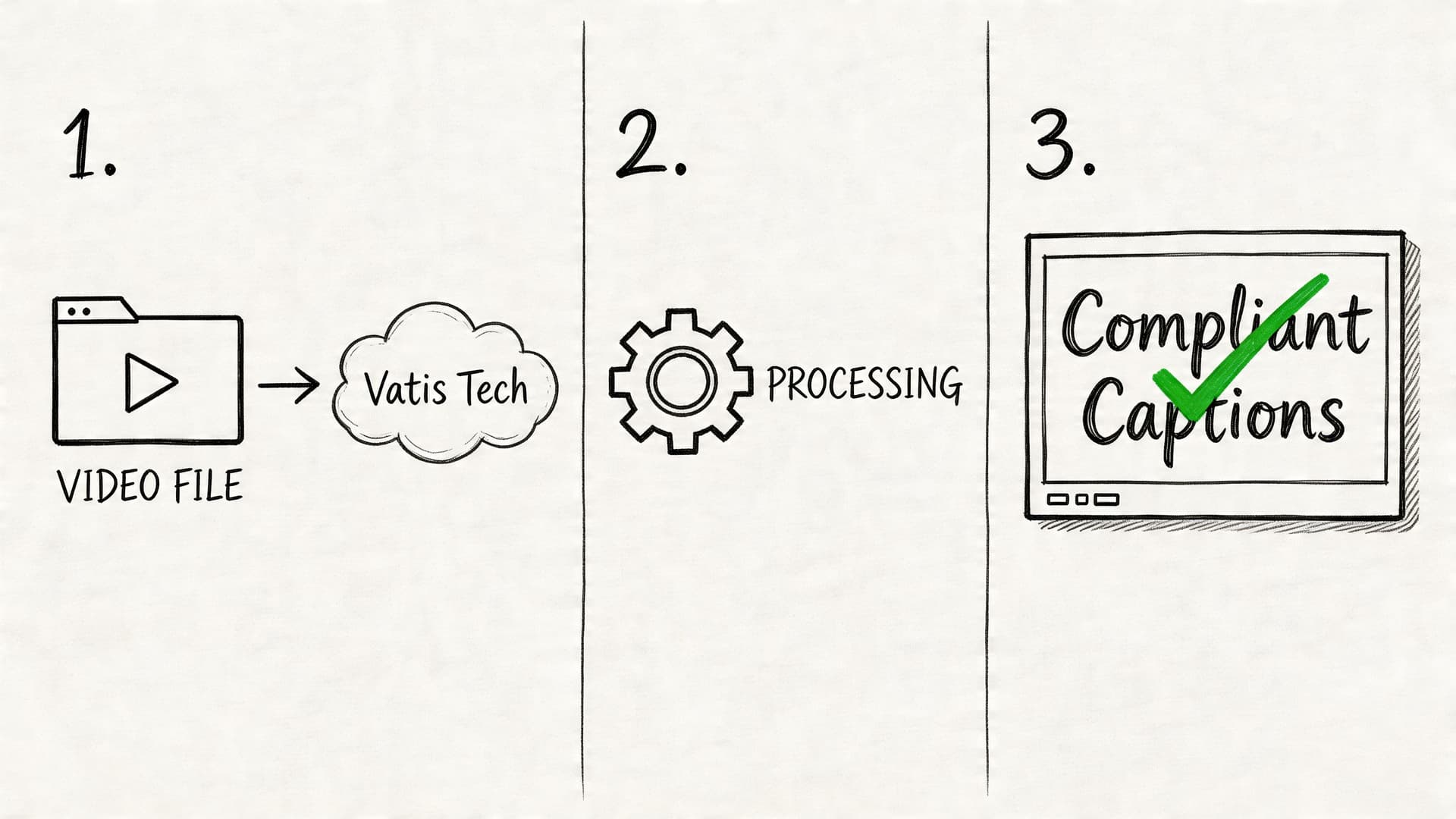
A workable production flow
A tool can speed this up, but the process matters more than the brand name. The workflow below is what teams should aim for.
- Start with the source media
Upload the video or audio file, or ingest it from the system where your team stores working assets. The goal at this stage is to create a timestamped transcript that editors can review. - Generate the transcript and timing
Vatis Tech can generate transcripts with 95%+ accuracy and supports speaker diarization, timestamps, and exports such as SRT and VTT, based on the publisher information provided for this article. That gives teams a structured draft instead of starting from an empty caption file. - Edit for actual caption compliance
This is the step teams skip. Review the text for speaker changes, meaningful sounds, music cues, interruptions, and off-screen audio. If the end product needs to function as closed captions, this context has to be written into the file. - Match the output to the destination
Export the format your platform, player, or distributor requires. SRT and VTT are common for digital workflows. More specialized destinations may need a different path. - Run a final QA pass
Check sync, readability, naming conventions, and whether the file type and content type match the business requirement.
What to review before export
A fast compliance review should include:
- Accuracy of speech: Proper nouns, product names, and industry jargon
- Speaker identification: Especially in interviews, panels, and training videos
- Non-speech audio: Alarms, laughter, music, and environmental cues that affect meaning
- Timing and segmentation: Enough time to read, without text hanging too long
- Destination fit: Web player, social upload, archive, or broadcast handoff
What automation helps with and what it doesn’t
Automation is useful for speed, scale, and first-pass timing. It does not automatically understand which sounds are legally or editorially important in every context.
That’s why the best workflow is hybrid. Let software handle the heavy lift of transcript generation and time alignment, then have an editor or reviewer add the accessibility intelligence.
If your team is comparing captioning workflows or file outputs, this caption generator guide is a helpful reference for implementation details.
A good operating rule
Don’t approve a file as closed captions just because the transcript looks clean. Approve it only when the file communicates the parts of the soundtrack a deaf or hard-of-hearing viewer would otherwise miss.
That standard keeps your workflow honest.
Frequently Asked Questions
What’s the difference between closed captions and open captions
Closed captions can be turned on or off by the viewer. They’re delivered as a separate text layer or caption track.
Open captions are burned into the video image and can’t be disabled. They’re common on social platforms where teams want text visible by default.
For accessibility programs, open captions can help visibility, but they don’t replace every use case for closed caption files. If a distributor, platform, or archive needs a separate text asset, burned-in text won’t be enough.
Are auto-generated subtitles good enough for compliance
Usually not without review.
Auto-generation is useful for creating a first draft quickly. But compliance depends on more than speech recognition. It depends on timing, speaker identification, meaningful sound cues, formatting, and whether the output matches the requirement in the first place.
A file that captures dialogue accurately can still fail as closed captions if it omits non-speech audio.
Is SDH the same as closed captions
Not exactly.
Closed captions are typically associated with accessibility in the source language. SDH combines accessibility information with subtitle-style translation or localization for deaf and hard-of-hearing audiences in another language.
If your content stays in one language and the requirement is accessibility, closed captions may be the cleaner option. If the content is crossing language markets and accessibility still matters, SDH is often the better fit.
Which format should a marketing team request from production
Request the format based on the destination and the purpose, not on habit.
Ask these questions:
- Is this for translation, accessibility, or both?
- Will viewers need a toggleable track, or should text be burned in?
- Does the platform prefer SRT, VTT, or another format?
- Does the legal or accessibility team require full audio representation?
That brief is much more useful than merely asking for “subtitles.”
Do subtitles help when people watch with the sound off
Yes, but there’s an important distinction.
Any readable on-screen text can help a muted viewer follow dialogue. The question is whether your business goal is simple comprehension, full accessibility, or both. For muted social playback, open captions or subtitle-style text may be enough. For accessibility obligations, you still need to evaluate whether closed captions are required.
How should teams name files internally to avoid confusion
Use names that describe purpose, language, and destination.
Examples:
product-demo_en-US_CC.vttwebinar_es-ES_subtitles.srttraining-video_fr-FR_SDH.vtt
That naming discipline sounds minor, but it prevents expensive handoff mistakes between production, localization, legal, and publishing teams.
If your team needs a faster way to turn video and audio into editable transcripts, caption files, and searchable records, Vatis Tech is worth evaluating. It supports speech-to-text workflows in 50+ languages, speaker diarization, timestamps, and exports such as SRT and VTT, which can help teams move from raw media to review-ready caption assets with less manual setup.