A Practical Guide to Spanish to English Translation
When AI is enough, when a human must review, and the workflow for documents, subtitles and voice-over — glossary first, QA checklist last, API when it repeats.
15 min read
•
March 27, 2026
Written by
Adrian Ispas
Embarking on a Spanish to English translation project means you're immediately faced with a critical choice: do you prioritize the speed of AI or the nuanced precision of a human expert? There's no single right answer—it all comes down to balancing your project's need for speed, cost, and authentic communication.
Choosing Your Translation Approach
Starting a translation project can feel overwhelming. The most important decision you'll make is picking the right method, as it directly impacts your budget, timeline, and final quality.
This isn't just a theoretical choice; it's a practical one. Let's look at two real-world scenarios:
- Scenario 1: Speed is Key. A fast-growing tech startup needs to analyze thousands of Spanish customer support tickets. They use an AI service to get the gist of user feedback in minutes, not days, allowing them to quickly identify bugs and improve their product.
- Scenario 2: Precision is Paramount. A law firm is handling a high-stakes international case. They rely exclusively on certified human translators for legal documents. In this context, every word matters, and contextual accuracy is non-negotiable.
The Trade-Offs: Machine vs. Human
To make the right call, you must understand the core differences between these two paths. It’s the classic triangle of speed, cost, and quality.
Here’s a quick breakdown to help you decide which is a better fit for your Spanish-to-English project.
Machine vs Human Translation: A Quick Comparison
| Factor | AI Machine Translation (e.g., Vatis Tech) | Professional Human Translation |
|---|---|---|
| Speed | Extremely fast. Translates hours of content in minutes. | Slower. A human can translate 2,000-3,000 words per day. |
| Cost | Low. Significantly cheaper, especially for high volumes. | High. Billed per word or per hour; a premium service. |
| Accuracy | Good to excellent for gist. Can reach 95%+ but may miss nuance. | Highest. Captures context, idioms, and cultural subtleties. |
| Nuance & Context | Limited. Struggles with sarcasm, humor, and cultural references. | Excellent. Understands and adapts tone and cultural meaning. |
| Best For | Internal docs, customer feedback analysis, initial content drafts. | Legal contracts, marketing copy, published works, subtitles. |
While AI gives you incredible scale, human translation offers a depth that machines just can't replicate yet.
"Translation is about more than swapping words. It is about capturing culture. In Spanish, we love the word sobremesa. It describes that special time spent talking around the table long after a meal has ended, the connection that happens between the lines."
That quote really gets to the heart of it. An AI might translate the dictionary definition of sobremesa, but a human translator captures the feeling—the connection.
The Rise of the Hybrid Model
Thankfully, you don't always have to choose one or the other. A hybrid model is fast becoming the standard for teams that want both speed and accuracy.
The workflow is simple and effective:
- Step 1 (AI Draft): AI generates a solid first-pass translation in minutes.
- Step 2 (Human Review): A human expert then swoops in to review, edit, and perfect it.
Media companies use this exact process to create subtitles for Spanish films, and compliance teams use it to audit massive archives of recorded calls.
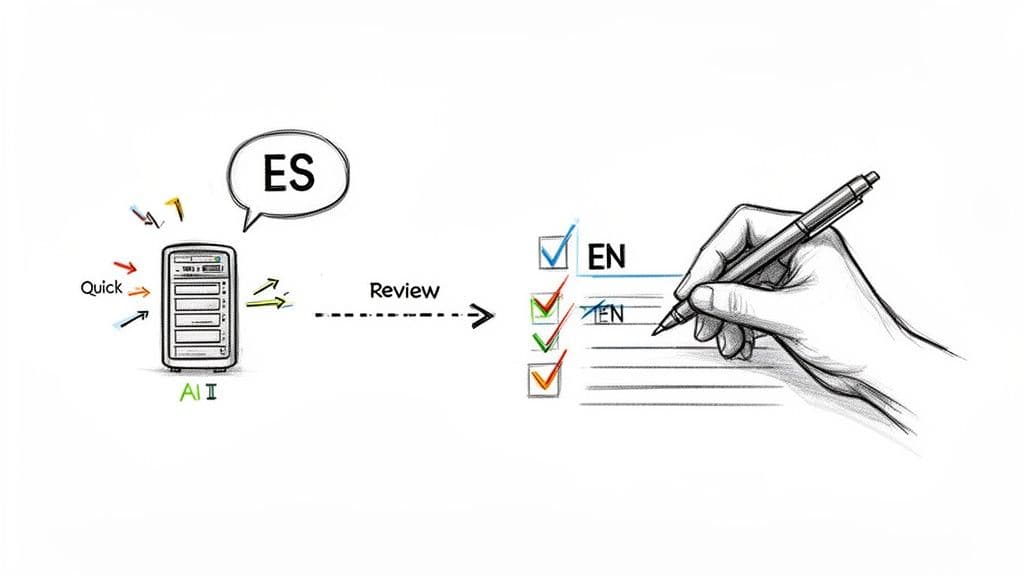
This kind of setup, where a reviewer can compare the original and translated text side-by-side, is a game-changer for efficiency.
The numbers back this up. Automated Spanish-to-English translation is on track to hit 94% accuracy by 2026. Already, 92% of companies are using machine translation for their initial drafts.
Advanced platforms are pushing this even further. For instance, Vatis Tech’s API can reach 95%+ accuracy, turning a task that once took days into something that takes mere moments. The result is an editable, time-stamped transcript with a real-time translation, completely transforming workflows in everything from healthcare to legal review.
Your Workflow for Translating Text Documents
Translating documents from Spanish to English is much more than a simple word-for-word swap. If you're working in legal, corporate, or healthcare, you know that a single mistake can have serious consequences. A rock-solid workflow isn't just nice to have—it's essential for delivering accurate, consistent, and contextually sound Spanish to English translation.
Here is a step-by-step workflow you can follow:
Step 1: Prepare Your Document and Terminology
The real work starts before you even think about translating. Good preparation is what separates a professional translation from a garbled mess.
First, clean up the source document. Stray characters, inconsistent formatting, or a jumble of fonts can throw off even the best AI tools. Spending a few minutes standardizing your text will save you hours of cleanup later.
With a clean document in hand, it's time to build a simple glossary. This is a game-changer, especially for technical content. Go through the Spanish source and pull out any key terms, brand names, or industry jargon. Then, define their exact English equivalents.
For example, a legal contract might use the term “apoderado” repeatedly. Your glossary should lock in whether this translates to "attorney-in-fact," "proxy," or "representative." This decision gets applied consistently across the entire document.
This simple list ensures a term like “historia clínica” always becomes “medical record,” preventing it from being accidentally translated as “clinical history” or “patient file.”
A clean source document and a basic glossary are the two most powerful tools in your translation toolkit. They act as a guide for both the technology and the human reviewer, stopping common errors in their tracks.
Step 2: Generate the First Pass with AI
Now that you've done the prep work, you’re ready for the first draft. Using a platform like Vatis Tech, you can upload your document and get a translation back almost instantly. This first pass, often hitting over 95% accuracy, gives you an incredible head start.
The AI will automatically apply the custom vocabulary from your glossary, making sure your key terms are translated correctly right from the beginning. A process that used to take days can now be done in the time it takes to make a coffee. If you want to dive deeper into the nuts and bolts of this process, check out this complete guide to Spanish English document translation.
Step 3: Conduct the Critical Review and Editing Phase
This is where the magic happens. The AI has done the heavy lifting, but now a human expert needs to step in to handle the subtleties and nuances that machines still miss. This review stage is what elevates a good translation to a great one.
Your review should zero in on a few key areas:
- Verifying Idioms and Cultural Nuances: AI often takes figurative language literally. A phrase like “no tener pelos en la lengua” might be translated as “to not have hairs on the tongue,” which makes no sense in English. A human reviewer knows to adapt this to “to be blunt” or “to speak one’s mind.”
- Checking Critical Data: You have to be meticulous here. Double-check every single name, date, address, and monetary figure. A misplaced comma or a swapped digit can be a disaster in a legal or financial document.
- Ensuring Consistent Tone: Did the original Spanish document have a formal, legalistic voice or a casual, marketing-driven one? The English version has to match. The reviewer's job is to tweak the phrasing to hit the right note for the intended audience.
A simple checklist can help you stay organized during the review.
| Review Checklist Item | Example Action |
|---|---|
| Cultural Adaptation | Convert date formats from DD/MM/YYYY (common in Spanish) to MM/DD/YYYY (US standard) if that's your target audience. |
| Idiom Correction | Change a literal translation of “estar en la luna” to its proper English equivalent, “to have your head in the clouds.” |
| Data Verification | Place the translated document and the original side-by-side and cross-reference every number and proper noun. |
| Tone Alignment | Soften overly direct Spanish phrases that might come across as abrupt in an English-speaking business context. |
Finally, with the review done, give the formatting one last check. Make sure the layout, headings, and paragraph breaks mirror the original document for a polished, professional look. Use this project to update your glossary with any new terms or corrections—it’ll make your next translation even faster.
Translating Spanish Audio and Video Content
Moving from text to multimedia opens up a whole new set of challenges. For anyone in broadcasting, content creation, or media monitoring, getting the Spanish to English translation of your audio and video right is non-negotiable. It all starts with one critical asset: a clean, accurate transcript.
Step 1: Transcription - The Essential Foundation
The very first step is to get the Spanish audio into text. A service like Vatis Tech can generate a precise transcript, complete with timestamps and speaker labels. This isn’t just a wall of text; it's a structured, editable blueprint for the entire project.
Once you have that high-quality Spanish transcript, you can either translate it directly using an AI platform or export it for a human specialist. Each choice has its own workflow, especially when you get to the nitty-gritty of creating subtitles and voice-overs.
At its core, the translation workflow follows a clear, repeatable process.
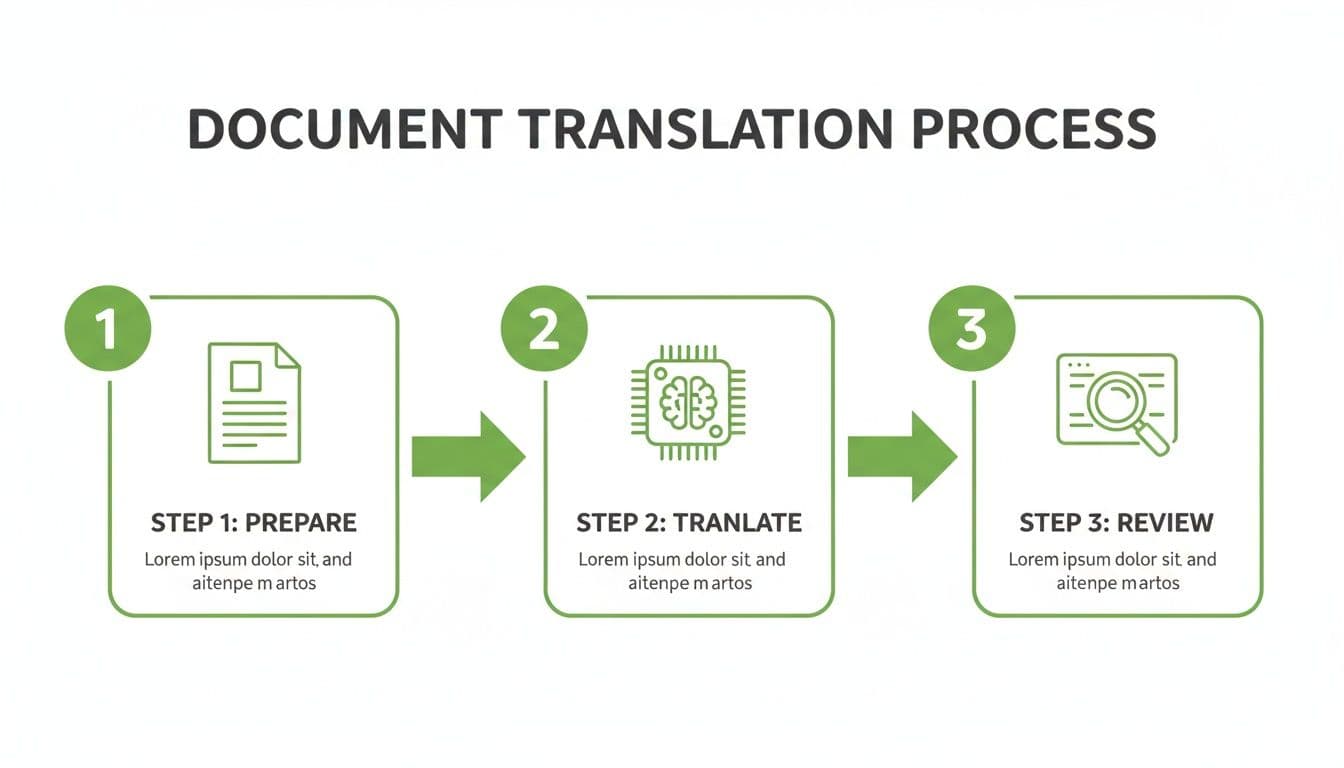
This process—prepare, translate, and review—is the foundation for any project, whether it's a simple document or a complex video.
Step 2: Crafting Subtitles That Work
Subtitling is an art. It’s not just about what the words say, but how they look and feel on screen. The real goal is seamless readability, which means you have to nail the timing and formatting. You'll primarily be working with file formats like SRT or VTT, which package the text with start and end times for every single line.
Here are a few practical tips for creating effective subtitles:
- Character Limits: Keep each line of subtitles to around 42 characters. This ensures the text is easy to read without cluttering the screen.
- Two-Line Maximum: Never use more than two lines for a single subtitle. This is a universal standard for professional-looking video.
- Synchronization: The timing has to be spot-on. Subtitles should appear the moment someone starts talking and vanish just after they finish. Even a slight lag can feel jarring and pull the viewer out of the experience.
The best subtitles are helpful without being distracting. They should feel like a natural part of the video, guiding the viewer through the dialogue without stealing focus from the action itself.
Step 3: Going Beyond Subtitles with Voice-Overs and Localization
While subtitles are great, some content demands a full voice-over, or dubbing. This is a much more involved process where a translated script is recorded by professional voice actors and mixed into the video’s audio track. For premium Spanish content, using a dedicated Spanish voice over can make a huge difference. This is especially true for documentaries, training modules, and animated films where immersion is everything.
A truly professional job doesn’t stop there. You have to think about localization—adapting all on-screen elements for the new audience.
This often means:
- Translating On-Screen Text: A news report from Madrid might have a chyron in Spanish; for an English audience, that needs to be replaced with an English graphic.
- Adapting Cultural References: A joke that lands perfectly in Spain might completely miss the mark in the United States. Good localization finds a culturally relevant equivalent that keeps the original intent and humor intact.
This is what separates a basic translation from professionally localized media that truly resonates. The demand is massive. The translation services market is projected to hit $36.35 billion by 2030, with a strong 5.9% CAGR. This boom is fueled by global trade and digital media, where Spanish content plays a major role. As the percentage of English content on the web slowly declines, high-quality translation becomes a must-have. You can discover more insights about these language trends to grasp the sheer scale of the opportunity.
How to Guarantee Quality and Context in Your Translation
A literal, word-for-word Spanish to English translation is almost always a recipe for failure. Real quality comes from digging into the context, culture, and intent behind the words. The goal is to create something that doesn't just read correctly, but feels right to a native English speaker.
The truth is, language is deeply personal. For millions, Spanish isn’t just a language; it’s tied to heritage and emotion. This sets a high bar for translation. The final English text has to hit the same emotional notes as the original, not just match dictionary definitions.
Going Beyond Words With Localization
This is where you see the huge difference between simple translation and true localization. Translation swaps the words. Localization adapts the entire experience. It’s about tweaking everything from humor and idioms to date formats and cultural references so the content truly connects with an English-speaking audience.
Let's look at some practical examples:
- Adapting Regional Dialects: Spanish isn't monolithic. A term common in Mexico (e.g., “platicar” for "to chat") might need a different English equivalent than a term from Spain (“charlar”) to convey the right level of formality.
- Adjusting Cultural Norms: The direct, passionate communication style common in Spanish business can come across as too aggressive in a UK or US professional setting. A good localization will soften the tone to be more diplomatic.
- Updating Visuals and References: That marketing photo with a famous Spanish celebrity? You'll likely need to swap it for someone an American audience actually recognizes to have the same impact.
Good translation feels accurate. Great localization feels authentic. You want the audience to completely forget they’re even reading a translation.
This isn't just a "nice-to-have." With around 42 million speakers, Spanish is the most commonly spoken non-English language in the United States, fueling a massive demand for high-quality translation. For businesses like contact centers, getting this right prevents costly miscommunications.
Maintaining Consistency With a Terminology Database
If your organization is translating content regularly, consistency is a major challenge. The single best way to solve this is with a terminology database (also known as a termbase or glossary).
Think of it as a living document that lists the officially approved English translations for your specific Spanish terms. It becomes the single source of truth for your AI tools and human editors.
Example Use Case: A finance firm might insist that “renta variable” is always translated as “equities,” and never “variable income.” This rule, stored in the termbase, prevents confusion and ensures every report and client email uses the exact same language.
A Quality Assurance Checklist for Perfection
The last line of defense is a solid quality assurance (QA) process. A simple checklist can keep your review focused and make sure nothing slips through the cracks before you hit publish.
Here’s a practical QA checklist to guide your final review:
| QA Check Area | What to Look For | Real-World Example |
|---|---|---|
| Grammar & Spelling | Perfect English grammar, punctuation, and spelling. | Fixing a common error where “información” (singular in Spanish) is incorrectly translated to "informations" in English. |
| Contextual Accuracy | Making sure idioms and cultural phrases are adapted correctly, not literally. | Changing the literal translation of “costar un ojo de la cara” to its actual meaning: “to cost an arm and a leg.” |
| Tone Preservation | Checking that the translated content matches the original's tone (formal, casual, etc.). | A formal legal document shouldn't use slang; the English version must be just as professional and authoritative. |
| Native Speaker Review | A final pass by a native English speaker to catch awkward or unnatural phrasing. | A native speaker would flag that "make a decision" is far more natural than the direct translation "take a decision" from “tomar una decisión.” |
By running your work through a checklist like this, you go way beyond a merely "correct" translation. You end up with a polished, professional product that’s perfectly tuned for your target audience.
Integrating Translation into Your Technology
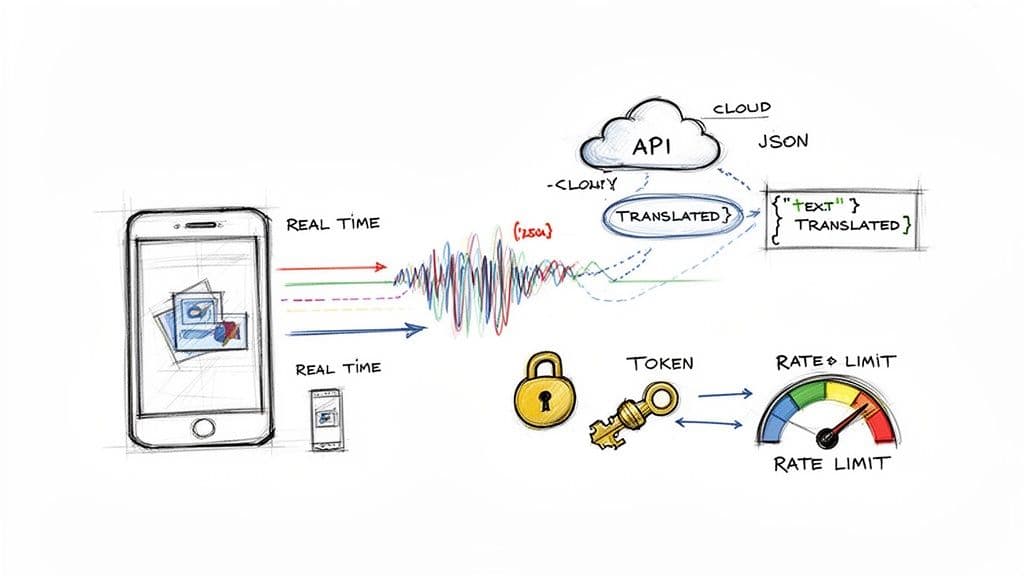
For any modern tech product, manual translation workflows are a non-starter. They just don't scale. To build features like real-time multilingual support or in-app chat, you have to bake Spanish to English translation directly into your tech stack using an API.
By plugging into a translation API, your application can send Spanish audio or text and get an English translation back in milliseconds. Think of a global e-commerce platform using an API to instantly translate Spanish product reviews for its English-speaking support team, helping them spot issues the moment they appear.
Key Developer Considerations for API Integration
Working with APIs isn't just about making a connection. It’s about building a robust system that accounts for performance, stability, and data flow.
Here are the key steps for a successful integration:
- Handle Authentication Securely: Most APIs use tokens or keys. Store these credentials securely on your server or using a secrets management service. Never hard-code them in your client-side app where they can be exposed.
- Respect API Rate Limits: These are caps on how many requests you can make in a set time (e.g., 100 requests per minute). Implement logic like exponential backoff to handle "429 Too Many Requests" errors gracefully and avoid service disruptions.
- Plan for Failure: Network issues happen. The API might be temporarily down. Your code must be able to handle failed requests without crashing your application.
- Parse the Response: The API will send back data, usually in JSON format. Your app needs to parse this response to pull out the translated text, timestamps, and any other useful metadata. To see exactly how this works, you can dig into the documentation for a modern speech-to-text API and see how these responses are structured.
Successful API integration is less about the initial connection and more about building a resilient system around it. This means planning for failures, understanding usage limits, and securing every endpoint.
Protecting Data with Security and Compliance
When you send data to an external API, you're handing over potentially sensitive information. Security isn't an optional extra; it's a fundamental requirement.
First, always insist on end-to-end encryption (E2E). This guarantees data is encrypted on your end and can only be decrypted by the translation server. Beyond that, look for APIs that offer PII (Personally Identifiable Information) redaction. This feature automatically finds and strips out sensitive details like names, addresses, and credit card numbers before the data is even processed.
Finally, do your homework on the provider’s security credentials.
- SOC 2: Shows the provider has strict controls for managing customer data based on security, availability, confidentiality, and privacy principles.
- ISO 27001: An international standard for information security management, proving the company has a formal system to protect its data.
- GDPR/HIPAA Compliance: If you're in Europe or the healthcare space, you need a provider that meets these specific, stringent data protection rules.
Choosing a provider with these certifications doesn't just lower your risk—it gives your users and stakeholders peace of mind.
Common Questions About Spanish Translation
When teams dive into translating content from Spanish to English, the same core questions always surface. You're trying to do it quickly, accurately, and without losing your brand's essence. Let's tackle the most common hurdles.
How Long Does Spanish to English Translation Take?
The timeline for any translation project hinges on one big decision: your method. The difference between using AI and a human translator isn't just a few hours—it's night and day.
- AI Translation: A top-tier AI tool can process a one-hour audio file or a 10,000-word document in minutes. You get a high-quality first draft, ready for review almost instantly.
- Human Translation: A professional linguist is thorough, but human speed has its limits. Expect a daily output of around 2,000-3,000 words. For specialized content like legal or medical texts, this process slows down even more.
This massive speed gap is why a hybrid workflow—using AI for the initial heavy lifting and human experts for the final polish—has become standard practice.
Can I Use AI for Official Legal Documents?
While AI provides a stunningly accurate first draft, it cannot replace a certified human translator for official documents like contracts, immigration filings, or court evidence.
Legal and government bodies require a formal certification of accuracy—a guarantee that only a qualified, certified human can legally provide.
The practical workflow is a hybrid approach: Use AI for a quick, cost-effective initial translation. Then, have a certified human expert review, edit, and formally attest to its accuracy. You get speed, savings, and a fully compliant document.
For example, any document submitted to USCIS has to meet exacting standards. An AI can get the words right, but the official certification of that accuracy must come from a person.
What Is the Real Difference Between Translation and Localization?
People often use these terms interchangeably, but they represent two very different levels of effort. Confusing them can cause a great campaign to fall completely flat.
- Translation is the science of converting words from Spanish to English. The primary goal is linguistic accuracy.
- Localization is the art of adapting the entire experience so it feels native to an English-speaking market. This goes way beyond words to include adjusting humor, cultural references, imagery, and even date formats (like DD/MM/YYYY vs. MM/DD/YYYY).
Imagine you're localizing a marketing campaign from Mexico for an audience in the UK. You wouldn't just translate the text. You'd change the slang, swap out visuals that don't resonate, and adjust the call-to-action to fit British consumer habits. That’s localization.
How Do I Keep My Brand Voice Consistent in Translation?
Protecting your brand's unique voice across languages is a common fear, but it's entirely manageable with a clear strategy.
- Create a Style Guide and Glossary: This is non-negotiable. Define your key terminology, the brand's tone (e.g., formal, playful, authoritative), and list specific phrases to always use or avoid.
- Provide Assets to Your Translator: Hand this document over to your translation provider. If you're working with an AI tool that offers custom vocabularies, upload your glossary directly. This ensures the machine starts with a clear understanding of your brand.
- Perform a Final Brand Review: The most important step: have a native English speaker who truly understands your brand conduct the final review. They are your ultimate quality check, ensuring the translated content sounds like you, not a robot.
Ready to put these insights into action? Vatis Tech provides an AI-powered platform with 95%+ accuracy, real-time translations, and a full suite of tools to handle everything from transcription to subtitle generation. Start your free trial today and experience the future of translation.
Published via Outrank