How to Transcribe Voice Memos Accurately & Fast (2026)
Four ways to turn iPhone and Android voice memos into text, how to prepare audio so accuracy holds, and a batch pipeline for sensitive recordings.
17 min read
•
April 13, 2026
Written by
Adrian Ispas
You finish a week of interviews, customer calls, field notes, or medical dictation and open your phone to a pile of voice memos. The information is valuable, but it’s trapped in audio. Finding one quote, one decision, or one action item means scrubbing through files and hoping you remember where it was said.
That’s why professionals transcribe voice memos. Text turns recordings into something you can search, review, redact, route, and archive. It also changes the speed of the work. Professional-grade AI transcription tools can achieve accuracy levels up to 98% and process an hour of audio in as little as five to ten minutes, according to iFLYTEK’s overview of modern voice memo transcription.
That headline number matters, but workflow is the primary consideration. Clear, single-speaker audio is easy. Legacy recordings, overlapping speakers, compliance-sensitive memos, and batch processing are where projects succeed or fail. In practice, the difference isn’t which app you pick. It’s how you record, how you edit, what you automate, and where your audio goes after upload.
Teams in journalism, legal, healthcare, contact centers, and research know this. They don’t only need a transcript. They need a transcript that’s usable. Searchable. Exportable. Sometimes court-safe. Sometimes HIPAA-conscious. All of that at once.
From Audio Overload to Actionable Insights
Friday afternoon is where voice memo debt shows up. A reporter has twelve interview clips to verify before filing. An operations lead needs one decision from a board memo recorded three days ago. A clinic administrator is trying to confirm dictated follow-up instructions without replaying ten separate files. The recordings are useful, but the useful part is buried inside minutes or hours of speech.
That delay creates real cost. Staff spend time re-listening instead of reviewing. Names and figures get copied from memory. Sensitive details end up scattered across inboxes, shared drives, and note apps because there is no controlled text record.
Transcription fixes the retrieval problem, but only if the output is good enough to use.
For clear audio, current speech engines are accurate enough to produce a solid first draft. In production environments, the question is not whether a transcript exists. The question is whether the transcript can survive legal review, support a clinical audit trail, feed a case file, or move into downstream systems without another round of manual cleanup.
That distinction matters. A clean personal memo and a low-bitrate archive recording from 2019 are not the same job. Neither are an internal brainstorm and a memo that contains protected health information. Professionals in journalism, legal operations, healthcare, research, and customer support get the most value when they treat transcription as a workflow design problem, not an app download.
Why transcription belongs in the operating process
Audio becomes useful text when the team can search it, verify it, redact it, and route it to the right system without replaying the whole file.
In real projects, that changes more than note-taking. It shortens QA review. It gives compliance teams something they can inspect. It makes old recordings usable again, especially when the source audio is messy enough that someone needs to clean it before transcription. It also creates a better base for summarization, entity extraction, and API-driven automation later.
That is why mature teams standardize the path from recording to transcript. They use consistent file names, timestamped exports, review checkpoints, and storage rules. If the transcript is going to feed a document repository or workflow engine, the format has to stay predictable. A general-purpose note app can be fine for one-off memos. A dedicated transcription software platform for searchable, exportable workflows makes more sense once volume, review requirements, or retention rules increase.
What holds up under real workload
A process that works at scale has four parts:
- Controlled intake: Capture or import files with enough signal quality and enough metadata to identify speakers, dates, and context later.
- Fast draft generation: Use AI for the first pass so reviewers are correcting text, not typing from scratch.
- Focused human review: Check terminology, names, numbers, timestamps, and speaker attribution. This detail is essential for legal, medical, and technical transcripts.
- Governed output: Export the transcript into the right format and store it in the right place, with access controls that match the sensitivity of the memo.
The last step is where many teams fail. They can produce text, but they cannot move that text into a case management system, EHR-adjacent process, newsroom archive, or CRM without copy-paste work. That breaks chain of custody, creates version confusion, and exposes private material to the wrong people.
The fastest transcript is the one that needs few corrections and reaches its final system cleanly.
Choosing Your Transcription Workflow and Tools
A compliance officer drops 200 voice memos into your queue on Friday afternoon. Half came from phones, some were forwarded through email, a few are old meeting recordings with speaker overlap, and several contain health or HR details that cannot be pushed through the wrong service. At that point, transcription is no longer a convenience feature. It is an operating decision about speed, review burden, data handling, and how much cleanup your team can absorb.
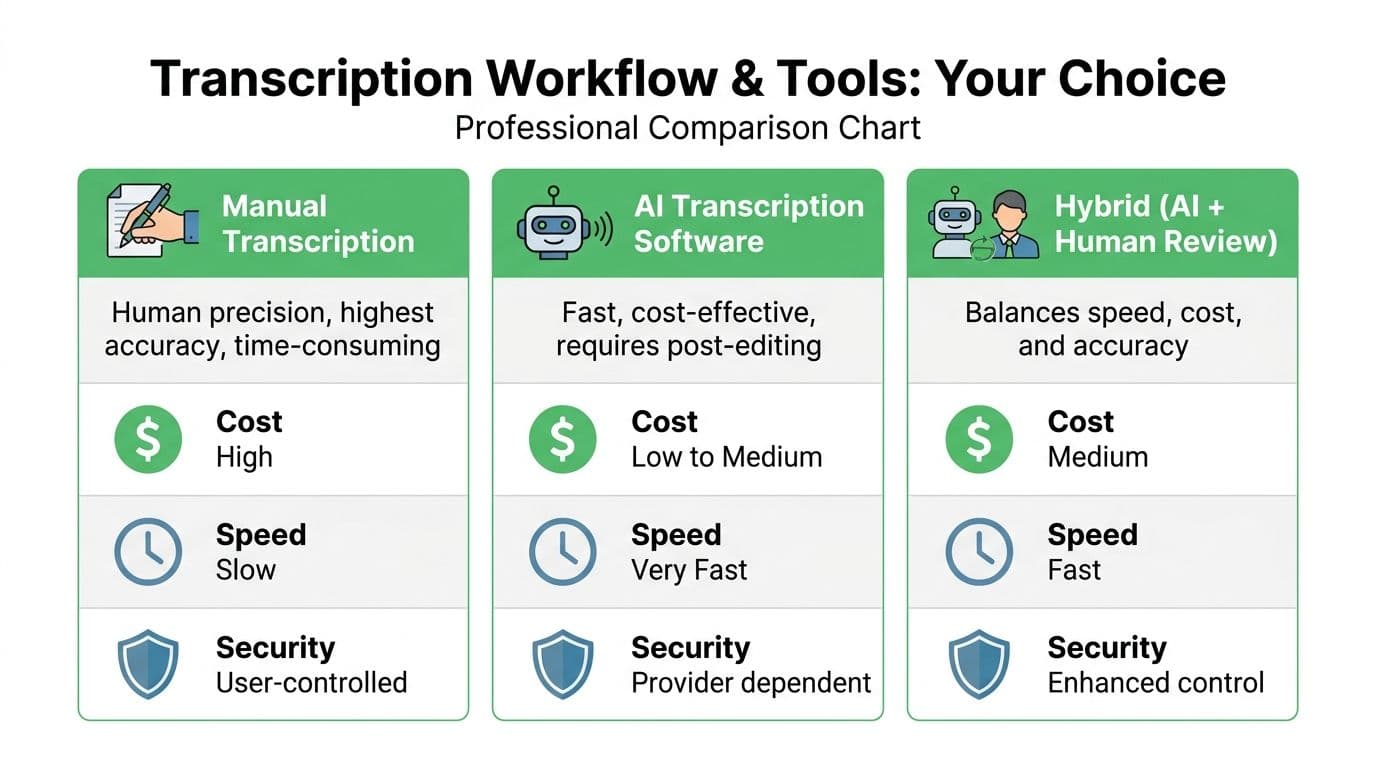
There is no single best workflow. The right setup depends on memo volume, audio quality, regulatory exposure, and where the finished transcript needs to go next. I separate the choice into four paths: manual, built-in tools, desktop software, and platform-based AI with review controls.
The four common paths
Manual transcription
Manual transcription still has a place, especially for short recordings where wording, tone, and speaker intent matter more than speed. Legal teams, executive offices, and investigators still use it because a human reviewer can catch hesitation, ambiguity, and domain-specific language that an automated pass may flatten or misread.
It also reduces exposure if policy requires local handling and no third-party processor.
The cost is labor. An hour of poor audio can consume several hours of review time, and that math breaks quickly once memos start arriving daily. Manual work is also hard to standardize across reviewers unless you define style rules, timestamp conventions, and redaction procedures up front.
Built-in mobile features
Built-in transcription in phones and office suites is useful for low-risk memos and personal productivity. Microsoft documents its transcription feature in Word for Microsoft 365, including supported workflows and service limits, in its official Word transcription support documentation. Apple also documents transcript support in Voice Memos on current systems in its Voice Memos user guide. Those options are convenient because the user already has the app and account.
Convenient is not the same as production-ready. Built-in tools fall short on reviewer permissions, speaker labeling controls, batch intake, audit trails, and structured exports. They are fine for one memo you need to read quickly. They are less suitable for a records process that has retention rules or approval steps.
Desktop software
Desktop or offline-first transcription tools are a reasonable fit when cloud use is restricted, internet access is inconsistent, or the team wants local control over source files. I recommend them often for consultants, journalists, and small internal teams dealing with moderate volume and clear ownership.
Their weak point is coordination. Once several reviewers need access, version control becomes messy unless the organization already has disciplined file naming, shared storage rules, and a defined handoff process. Desktop software can also struggle with large backlogs unless it supports queueing, hardware acceleration, and consistent export formats.
Advanced AI platforms
Platform-based AI works better once transcription becomes repeatable operational work instead of an occasional task. The useful differences are not limited to raw speech recognition. Good systems support bulk uploads, timestamps, diarization, commentable review screens, status tracking, and API-based handoffs into document systems or internal workflows. OpenAI, for example, documents file upload limits and supported audio formats for its speech-to-text API in its Audio and speech API reference, which matters if you plan to automate larger jobs instead of uploading files one at a time.
This approach also gives teams a realistic way to handle ugly source material. Legacy board recordings, field interviews, voicemail exports, and mixed-device archives need more than a transcript box and a download button. They need triage, retries, human correction, and in some cases preprocessing before the speech model gets a fair shot.
For organizations building a repeatable review process, transcription software with searchable timestamps, speaker labeling, and export controls is the point where scattered memo handling turns into a controlled workflow.
Comparison of Voice Memo Transcription Methods
| Method | Typical Accuracy | Cost | Best For |
|---|---|---|---|
| Manual transcription | Highest when done carefully, but depends on reviewer skill | High in time and labor | Legal review, sensitive interviews, short critical memos |
| Built-in mobile tools | Good for clear speech, less consistent in messy conditions | Low | Personal notes, quick reminders, casual use |
| Desktop software | Varies by engine and local setup | Medium | Offline review, controlled local workflows |
| Advanced AI platforms | Strong on clear audio, with better workflow tools for review | Low to medium per file or subscription | Teams, repeated workloads, searchable archives, batch jobs |
How to choose without overbuying
Choose based on failure cost, not feature lists.
If a missed drug name, contract term, or personnel detail creates real risk, keep a human reviewer in the loop even if AI produces the first draft. If the memo is routine and the transcript only needs to be searchable, speed and batch handling matter more than perfect punctuation. If the recording contains protected health information, employee complaints, or client-confidential material, confirm where audio is processed, what the vendor retains, whether data is used for model training, and whether your legal team accepts the contract terms.
A simple decision rule works well:
- One-off personal memo: Built-in transcription is enough.
- Short recording with high wording sensitivity: Manual transcription, or AI followed by line-by-line review.
- Team-based recurring workload: Use a system with shared editing, timestamps, and governed exports.
- Large backlog, multiple departments, or system-to-system handoffs: Use AI plus human QA, then automate intake and delivery with an API.
Tool selection gets easier once you stop chasing headline accuracy claims. Real workloads include mumbled phone audio, old compressed files, clipped peaks, jargon, names, overlapping speakers, and retention requirements. The best workflow is the one your team can run consistently under those conditions, without creating security problems or a cleanup backlog.
Preparing Audio Files for Maximum Accuracy
A bad recording creates expensive cleanup. The transcript may look readable at first pass, then fail where it matters: drug names, account numbers, speaker attribution, or the one sentence legal asks about six months later.
That is why audio prep belongs upstream. In enterprise projects, I would rather spend ten minutes fixing capture and file handling than spend three reviewers' time correcting errors the microphone baked in from the start.
Fix capture problems at the source
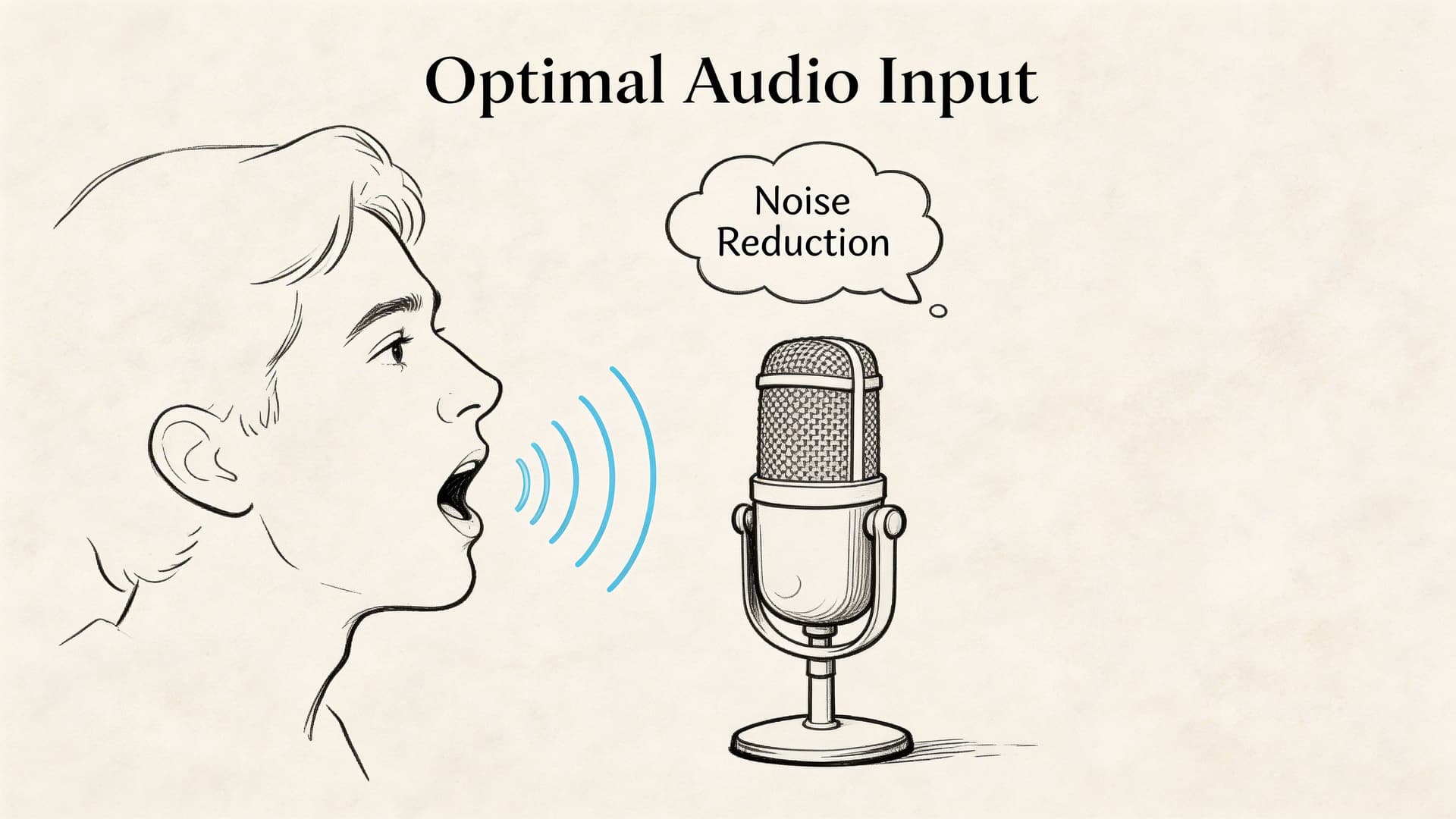
Microphone distance and room acoustics matter more than the app you choose. Guidance for clinical speech recognition from NHS England's recommendations on digital dictation and speech recognition stresses close, consistent microphone placement and controlled recording conditions because speech systems degrade quickly once background noise and room reflections get into the signal.
Use these rules first:
- Keep the mic close: About 6 to 12 inches is a practical target for handheld or desktop capture. Farther away, room sound starts competing with speech.
- Choose the room before you hit record: Glass walls, bare tables, HVAC vents, and hallway spill all smear consonants.
- Stop overlap early: Two people speaking at once hurts both word recognition and speaker labeling.
- Use separate mics if the memo has real downstream value: Interviews, compliance notes, witness statements, and executive debriefs justify lavaliers or individual USB mics.
For phone recordings, a quiet room with disciplined turn-taking beats a conference room with a better microphone placed too far away.
If one device has to capture two speakers, put it between them, keep it stationary, and have each speaker pause before responding. That small change reduces rework more than many software settings.
Choose formats that preserve usable speech
Transcription does not require studio audio. It requires a file that preserves intelligible speech and moves cleanly through your workflow.
M4A from phones is fine. WAV is the safer archival choice if the source is difficult, if restoration is likely, or if the memo may become evidence or a medical record attachment. MP3 works, but repeated exports can soften consonants and add artifacts to audio that is already weak.
If your team receives iPhone recordings regularly, a direct workflow for converting M4A voice memos to text avoids unnecessary format changes and keeps batch intake simpler.
One caution from real projects: do not convert everything because a legacy system prefers one format. Every extra handoff creates another place for metadata loss, naming errors, or accidental duplication.
Pre-process rough audio without damaging it
Cleanup helps, but heavy-handed cleanup can make recognition worse. I see this often with legacy memos pulled from old phones, voicemail exports, and compressed call recordings.
Use a light touch:
- Trim silence at the beginning and end. This keeps jobs cleaner and reduces irrelevant processing.
- Reduce steady noise, not everything at once. Fan hum, air conditioning, and line noise respond well. Aggressive denoising often creates metallic or watery artifacts.
- Normalize inconsistent levels. Aim for even speech, not maximum loudness.
- Split files when the acoustic conditions change. A memo that starts in a car and ends in an office should not be treated as one uniform source.
- Save a clean original before processing. For regulated work, this matters operationally and defensibly.
That last point is easy to skip. It matters when a reviewer needs to verify whether a word was misheard by the model or removed by your cleanup pass.
Prepare multi-speaker files with diarization in mind
Single-speaker dictation is forgiving. Meetings, interviews, bedside notes, and field recordings are not.
For multi-speaker audio:
- Capture speaker names near the start if identification matters later.
- Get a clean sample from each voice early before side conversations begin.
- Keep the first minute orderly because many systems use early segments to stabilize speaker separation.
- Retain timestamps from ingestion so QA teams can jump to disputed lines quickly.
Readable text is not the same as a reliable record. If the memo may feed HR investigations, legal review, clinical documentation, or API-driven downstream systems, prepare the audio as if someone will challenge the transcript later. In practice, someone does.
Mastering the Editing and Exporting Process
A transcript is born rough and finished through editing. That isn’t a failure of the software. It’s normal. The fastest teams accept that the first pass is a draft and build an editor workflow around that reality.
The editing stage is where the transcript becomes useful to humans, not solely generated by a model.
Edit in passes, not all at once
Trying to correct everything in one sweep is inefficient. A better sequence is:
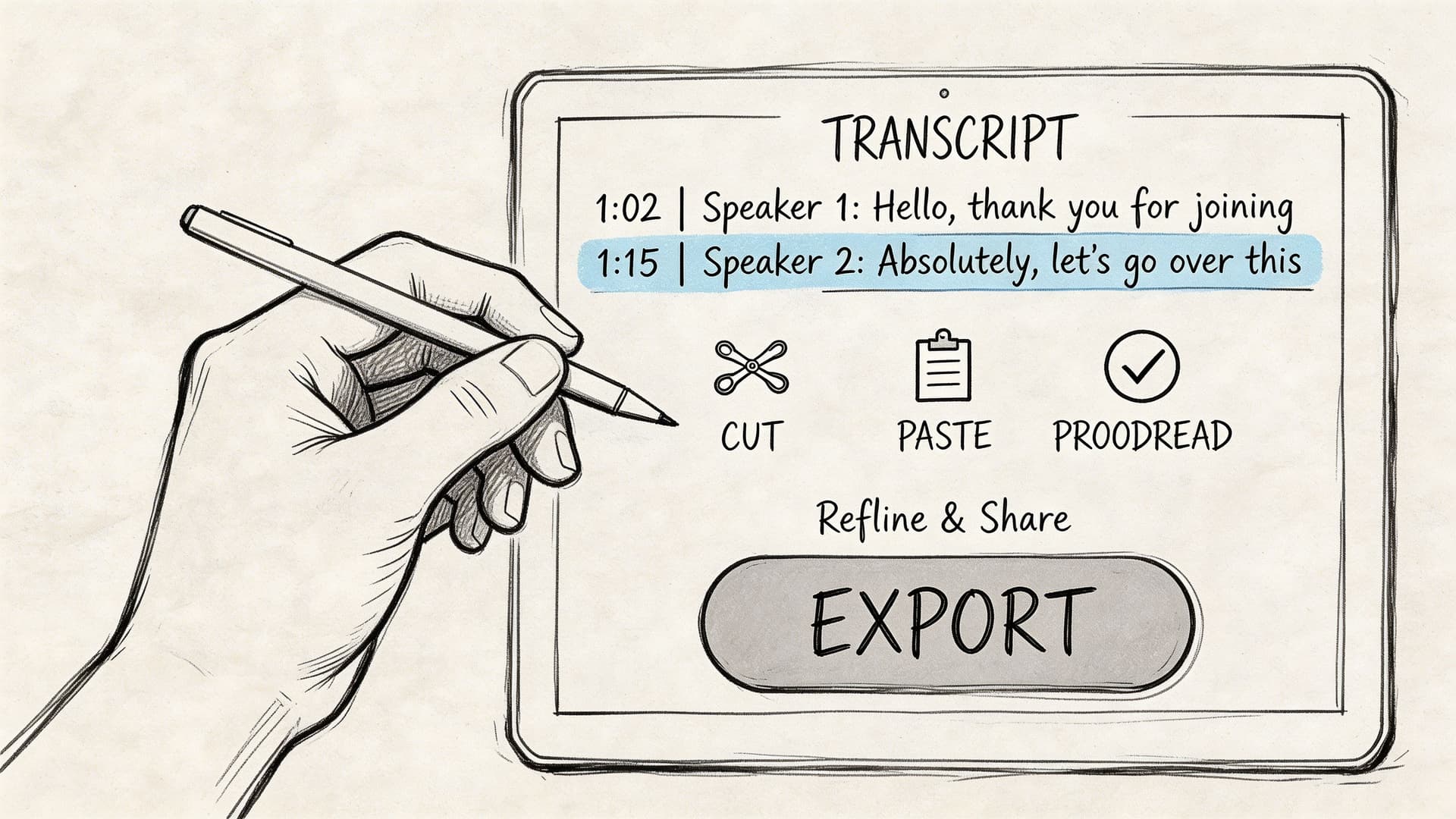
- Check structure first. Are the speakers split correctly? Are timestamps aligned? Did the tool skip sections?
- Correct high-impact errors. Names, dates, medication terms, product names, legal phrases, account references.
- Fix recurring mistakes globally. Search and replace is your friend when the engine keeps choosing the wrong spelling.
- Polish for the final use. Verbatim for evidence and research. Light cleanup for meeting notes or internal summaries.
This approach matters more with degraded files. A 2025 analysis found that 68% of professional voice memos suffer from accuracy degradation due to noise or accents, and combining AI pre-processing with a human-in-the-loop editing workflow can improve accuracy by 15-20% on degraded audio, according to SpeakWrite’s analysis of voice memo transcription challenges.
That matches what experienced reviewers already know. The fastest route to a trustworthy transcript isn’t endless retrying. It’s one strong pass by a human who knows what to fix.
Use timestamps and speaker labels aggressively
Interactive timestamps are more than a convenience. They let you jump to uncertainty instead of replaying whole sections. Good editors also let you relabel speakers, split a paragraph where attribution drifted, and leave uncertain text flagged for later review.
When diarization gets messy, don’t start by correcting every word. Fix the speaker structure first. Once the right person owns the right block, the wording frequently becomes easier to interpret.
Editorial shortcut: If a transcript has repeated errors on names or jargon, create a correction list before line editing. You’ll move faster and miss less.
How to salvage poor-quality legacy recordings
Many basic guides are insufficient at this stage. Real archives contain old device recordings, muffled interviews, courtroom hallway memos, speakerphone captures, and files with noise baked in.
A practical salvage workflow looks like this:
- Duplicate the original file first. Never edit the only copy.
- Create a restoration version. Apply light denoise, gentle EQ, and level balancing.
- Transcribe both the original and restored versions. Sometimes the cleaned file helps, sometimes the artifacts make things worse.
- Compare uncertain regions manually. Don’t assume one pass is definitive.
- Add custom spelling references externally. Keep a list of names, acronyms, locations, and domain terms beside the editor.
Accents add another layer. If the transcript is semantically close but phonetically wrong, review by context, not by isolated words. The point is to reconstruct meaning accurately, not to force the engine’s nearest guess into the final record.
A quick walkthrough helps if your team hasn’t built this muscle yet:
Export for the downstream job
Different outputs serve different teams.
| Output format | Use case |
|---|---|
| DOCX | Interviews, reports, legal review, collaborative editing |
| TXT | Clean archival text, ingestion into other tools, lightweight storage |
| SRT | Subtitles, clips, newsroom video workflows |
| VTT | Web video captions and platform-specific publishing |
Export only after the transcript is fit for purpose. A rough draft may be acceptable for internal search, but not for court filings, patient records, or quoted publication.
Advanced Transcription for Automation and Scale
A transcription workflow feels manageable at ten files a week. It breaks at ten thousand. Voice memos start coming in from mobile devices, call systems, field staff, and shared inboxes, and control of the process becomes the central problem. Which files failed. Which transcript version is final. Which jobs need human review. Which records can legally leave your environment.
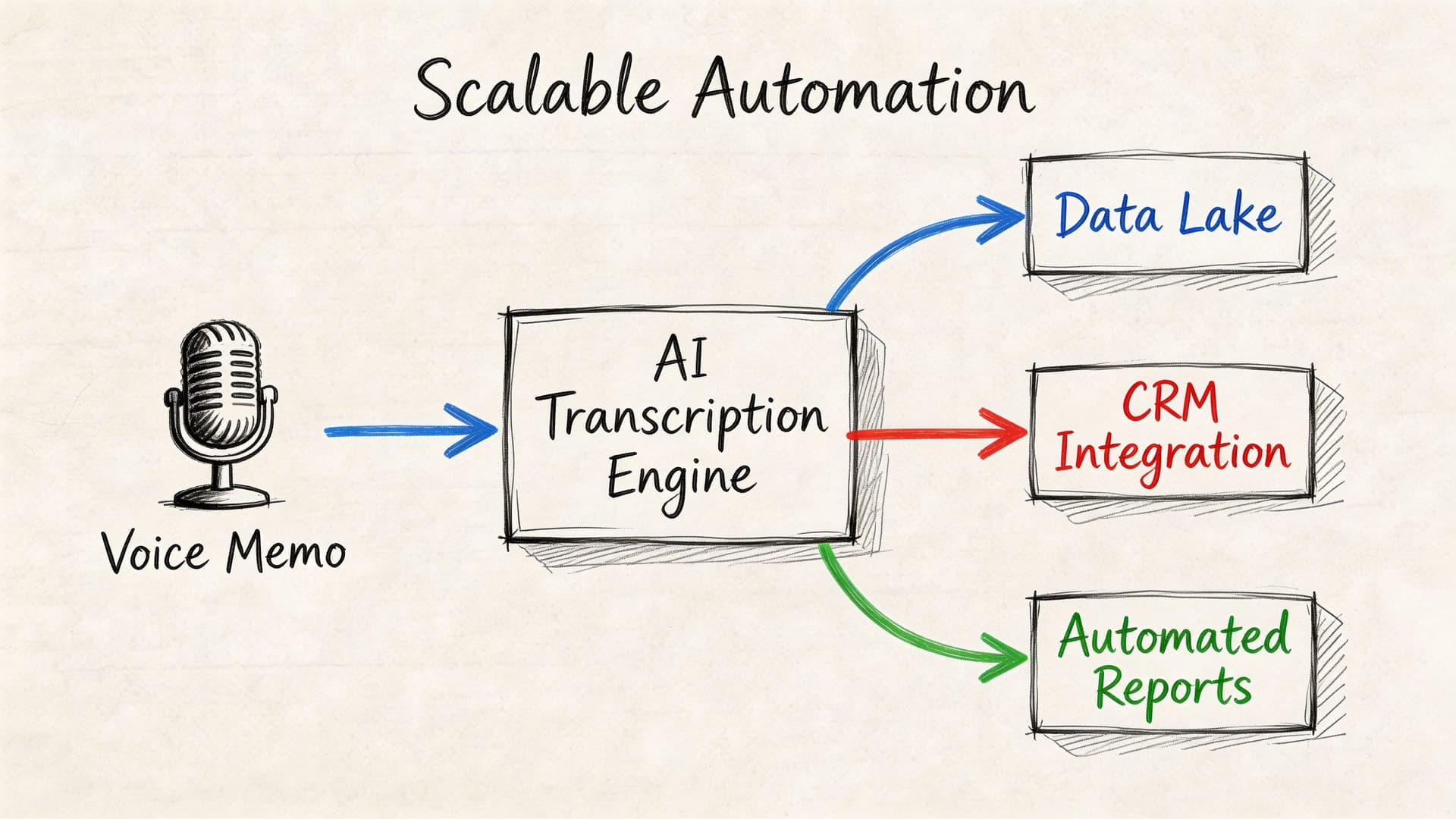
That is why large transcription programs are built as pipelines, not upload screens. The speech engine is only one component. Around it, teams need storage, metadata, QA routing, retention rules, audit logs, and delivery into systems such as case management, CRM, EHR, or analytics.
Batch volume changes the engineering decisions
Single-file workflows hide failure points. At scale, they become expensive. You need consistent input formats, queueing, status tracking, retries, dead-letter handling for failed jobs, and a clear exception lane for audio that falls below your accuracy threshold.
Vocabulary is the first thing that causes trouble. Generic ASR performs poorly in clinical dictation, legal intake, insurance claims, and internal support operations because proper nouns, acronyms, and coded language do not appear often enough in general training data. As noted earlier in the article, healthcare is a clear example. Error rates can become unacceptable without domain tuning and human review. The same pattern shows up in law, finance, journalism, and customer operations.
The practical lesson is simple. If the model does not know your terms, your editors become the model.
A pipeline that works in production
A usable automation pattern follows this sequence:
- Ingest: Collect memos from mobile apps, monitored folders, telephony systems, or internal tools.
- Normalize: Convert formats, standardize sample rates where needed, and attach metadata such as department, language, speaker role, or case ID.
- Transcribe: Send the audio to a speech-to-text API with timestamps, diarization, and custom vocabulary where supported.
- Enrich: Add summaries, entities, topic tags, sentiment, or redaction based on the business requirement.
- Review: Route low-confidence segments or regulated content to trained reviewers.
- Deliver: Push approved output into the destination system and retain the audit trail.
For operations teams that already handle phone intake, voicemail to email solutions can centralize spoken messages before they enter the transcription queue. That reduces intake sprawl when voicemail and mobile memos need the same downstream process.
Example integration logic
The code will vary by provider, but the structure is consistent.
# Pseudocode for a transcription pipeline
audio_file = upload_from_storage("memo.m4a")

job = transcribe(
    file=audio_file,
    diarization=True,
    timestamps=True,
    custom_vocabulary=["drug name", "client surname", "case reference"],
    pii_redaction=True
)

if job.status == "completed":
    transcript = job.transcript
    save_to_document_system(transcript)
else:
    route_to_review_queue(job)
In JavaScript, the same pattern holds. Submit the file, poll or receive webhook events, then write the transcript, metadata, and confidence markers into the systems that need them.
What to automate, and where to keep a human in the loop
Automate the predictable parts first. Intake, naming, metadata assignment, timestamps, speaker labels, routing, and export are good candidates because they are repetitive and easy to validate.
Keep human review for the expensive mistakes. That includes poor audio, overlapping speakers, heavy jargon, patient or legal content, and any memo that will feed a formal record. In regulated environments, the review step also needs policy controls around retention, access, and redaction. If a vendor processes personal data on your behalf, the contract terms matter as much as the API features. A clear data processing agreement for speech and transcription workflows should be part of vendor review, not an afterthought.
If you are building product features around speech, a platform mention is justified here. Vatis Tech offers a speech-to-text API and SDKs for upload, transcription, timestamps, speaker diarization, custom vocabulary, and PII redaction. That fits teams that need transcription infrastructure inside a larger system rather than a one-off desktop tool.
Ensuring Privacy and Compliance with Sensitive Memos
A free transcription app can be adequate for shopping lists and personal notes. It can also be a liability if the file contains patient details, legal strategy, source identities, customer account data, or internal investigations.
Sensitive voice memos demand a risk review before they demand a transcript.
The risk is not theoretical
The obvious failure mode is interception or unauthorized access. The quieter failure mode is provider logging, retention, or unclear downstream processing. Once a memo leaves your control, you need to know where it’s stored, who can access it, whether it’s retained, and what protections apply to the transcript as well as the audio.
A 2026 report found that 25% of transcription-related data leaks in healthcare were caused by unencrypted memo services, and with the EU AI Act now in force, demand for compliant tools with features like PII redaction has risen by 35% in major markets, according to this discussion of secure voice memo transcription and compliance.
That should change how you evaluate vendors. Convenience is not a security model.
Questions every regulated team should ask
Where is the data processed
Cloud processing isn’t automatically unsafe, but “cloud” is too vague. Ask where data is stored, whether it’s encrypted in transit and at rest, and whether private cloud or on-premise deployment is available.
What happens to retention
Some services keep uploads longer than users assume. You need explicit answers on retention windows, deletion controls, and whether audio is used for model training.
Can the system remove sensitive entities
For regulated workflows, PII redaction isn’t a nice extra. It’s part of the handling requirement. If the system can automatically detect and redact names, identifiers, and other sensitive elements before broader sharing, risk drops meaningfully.
What contractual protections exist
A compliance-friendly product should make its legal and processing terms accessible. If you’re reviewing how a provider handles personal data, the data processing agreement is the kind of document you should inspect before procurement, not after rollout.
Uploading a sensitive memo to an unknown service because it’s fast is the transcription equivalent of emailing a case file to a personal account.
Compliance choices that hold up in practice
For healthcare, legal, government, and enterprise environments, a safer default includes:
- End-to-end encryption: Audio and transcripts shouldn’t travel unprotected.
- Role-based access: Not everyone who can see one memo should see all of them.
- Auditability: Teams need to know who accessed what and when.
- Redaction controls: Sensitive details should be masked before wider distribution.
- Private deployment options: Some organizations need the audio to stay inside their own boundary.
What doesn’t hold up is relying on marketing language like “privacy-first” without checking terms, logging behavior, and retention controls. If a memo would be risky to leave on a train, it’s risky to upload blindly.
Troubleshooting Common Transcription Headaches
Even a well-run workflow produces the occasional bad transcript. The trick is to diagnose the failure before you retranscribe the file three more times with the same settings.
Common problems and practical fixes
| Problem | Likely cause | Solution |
|---|---|---|
| Clear audio, but lots of wrong words | Wrong language or dialect setting, poor domain fit | Reprocess with the correct language setting and add a custom vocabulary list for names and jargon |
| Speaker labels are wrong | Short turns, interruptions, similar voices | Merge or split speaker blocks manually, then retrain your process by improving turn-taking on future recordings |
| Timestamps drift or jump | File metadata issue or upload problem | Re-export the source audio cleanly, then run it again instead of editing around broken timing |
| One key term is always mistranscribed | The model doesn’t know the term | Use search and replace on the current file, then add the term to a reusable vocabulary list |
| Transcript reads well but misses meaning | Accent, emotion, or context ambiguity | Review against the audio in short segments and correct by sentence meaning, not isolated phonetics |
A quick triage routine
When a transcript looks worse than expected, use this order:
- Check the source file first. Make sure the uploaded audio is the version you intended.
- Inspect the first minute. Many model decisions about speakers and language get shaped early.
- Look for a pattern. Is the issue technical, linguistic, or structural?
- Decide whether to edit or rerun. If the error is global, rerun. If it’s localized, edit.
When to stop fixing and change the process
If the same problem appears across many files, the transcript isn’t the underlying issue. The workflow is.
Examples are easy to spot. A newsroom that keeps getting bad attribution during hallway interviews needs better mic discipline. A clinic that keeps fixing medication names needs a domain vocabulary strategy. A support team that can’t trust exports may need API-based routing instead of ad hoc copy-paste.
Don’t treat recurring transcript errors as isolated annoyances. Treat them as production signals.
If your team needs to transcribe voice memos in a way that supports editable transcripts, speaker diarization, timestamps, scalable API workflows, and stronger data handling controls, Vatis Tech is worth evaluating as part of your stack.