Otter AI vs Vatis Tech: The 2026 Transcription Showdown
Otter.ai is built around English meeting notes. Where multilingual coverage, deployment control or developer APIs matter more, the shortlist changes.
16 min read
•
April 25, 2026
Written by
Adrian Ispas
Your team probably already knows the feeling. Sales calls live in Zoom. Support conversations sit in a contact center platform. Editorial interviews pile up in cloud drives. Internal meetings generate action items that nobody can find a week later. The problem isn’t just transcription. It’s operational retrieval, trust, and fit.
That’s why otter ai keeps showing up on shortlist conversations. It’s widely known, easy to deploy, and closely associated with meeting notes and live summaries. But buyers who work in legal, healthcare, media, and multilingual operations usually hit a second layer of questions fast. Can it handle domain vocabulary? Does it fit compliance reviews? What happens when teams need deployment control rather than a standard SaaS workflow?
The Search for an AI Transcription Solution
A common buying pattern starts with one team, not a companywide mandate. A revenue team wants meeting notes. A newsroom wants faster transcript turnaround. A care coordination team wants searchable call histories. Then the pilot works, adoption spreads, and a lightweight productivity tool suddenly becomes part of the organization’s knowledge infrastructure.
Otter.ai has earned that visibility. It processed over 50 billion minutes of transcribed audio by February 2024, and its transcribed minutes grew at an average annual rate of about 128.9% since July 2019. Its user base also expanded to over 25 million by 2025, which tells you it has moved well beyond early-adopter status into mainstream use across organizations of many sizes, according to Contrary’s company analysis of Otter.
That reach matters because market penetration often signals something practical. The product is easy enough for broad adoption, familiar enough that employees won’t resist it, and useful enough to become habitual. For many buyers, that alone is enough to justify a trial.
But popularity doesn’t answer every procurement question.
Where the shortlist usually splits
In most evaluations, I see two distinct buying motions:
- Productivity-led adoption: A team wants real-time meeting notes, summaries, and quick search across conversations.
- Operations-led adoption: A business unit needs transcription as infrastructure for compliance, multilingual service delivery, captioning, or downstream automation.
That distinction matters because the best meeting assistant isn’t always the best transcription platform.
If you’re still mapping the broader software environment, a curated list of best AI tools for productivity can help frame where meeting assistants sit relative to writing, automation, and collaboration tools.
The wrong buying lens creates most transcription software regrets. Teams buy for convenience, then discover they actually needed governance, language coverage, or workflow control.
For a startup running internal calls in English, otter ai may be enough. For a contact center serving multiple regions, a broadcaster producing subtitles, or a law firm managing sensitive records, the evaluation gets more demanding. That’s where a side-by-side comparison becomes useful.
Otter AI and Vatis Tech At a Glance
At a high level, these platforms solve related problems from different starting points.
Otter.ai is best understood as a meeting intelligence product first. Its strengths center on live capture, summaries, action items, and fast adoption inside teams that already work in Zoom, Microsoft Teams, and Google Meet environments. It’s the tool many business users can start using without much change management.
Vatis Tech is better framed as a speech-to-text platform built for organizations that need stronger control over transcription as a business process. That includes multilingual media workflows, developer-led product integrations, and security-sensitive environments where deployment flexibility matters.
Executive comparison
| Feature | Otter.ai | Vatis Tech | Key Takeaway |
|---|---|---|---|
| Core identity | Meeting notes and meeting intelligence | Speech-to-text platform and API | One is optimized for meeting workflows, the other for broader transcription operations |
| Best-fit user | Knowledge workers, internal teams, meeting-heavy organizations | Contact centers, media teams, legal, healthcare, developers | The buyer profile is different from the start |
| Language orientation | Strongest in English-centric meeting environments | Built around 50+ languages | Language scope changes suitability fast |
| Deployment model | Standard cloud workflow | Cloud, private cloud, and on-premise options | Deployment affects security reviews and data governance |
| Developer posture | Expanding enterprise integrations and API direction | API and SDK-led platform model | Product teams may value implementation control |
| Typical buying trigger | Better notes, summaries, and searchable meetings | Scalable transcription, captions, compliance, multilingual accuracy | The use case should drive the decision |
What this means in practice
If your primary pain is “people leave meetings without aligned notes,” Otter.ai fits naturally. The product category match is obvious.
If your pain is “audio must become structured data inside existing operations,” the evaluation shifts. A media company may need subtitle-ready outputs. A legal team may need deployment options and stronger documentation for procurement. A support organization may need multilingual consistency more than meeting summaries.
Consultant’s shortcut: Ask whether you’re buying a note taker for employees or a transcription layer for the business. That answer usually narrows the field quickly.
There’s also a budget governance angle. Team-led software often wins because it’s frictionless to adopt. Enterprise-grade software wins when the cost of a mismatch is high. That mismatch could be transcript cleanup, failed compliance checks, weak language support, or engineering rework later.
So the key comparison isn’t “which tool has more features.” It’s “which architecture aligns with the way your organization uses spoken data.”
Head-to-Head The Core Transcription Engine
The transcription engine is where brand familiarity stops mattering and operating reality begins. This is the section most buyers should spend the most time on, especially if transcripts feed customer interactions, compliance records, subtitles, or product features.
Accuracy under real conditions
One hands-on 2026 review that tested Otter.ai across roughly 50 meetings reports 96% to 97% accuracy in optimal conditions, 90% to 93% in typical meetings, and 80% to 85% in challenging audio such as phone recordings, heavy accents, and background noise. The same review notes that accuracy degrades with heavy technical jargon, and that the errors left over are mostly names, acronyms, and domain terms that custom vocabulary can address. In contrast, platforms positioned around multilingual accuracy, including Vatis Tech, are described as supporting 50+ languages and often maintaining 95%+ accuracy across broader language scenarios, according to this hands-on Otter.ai review.
That data says something important beyond the headline numbers. Otter.ai performs best when the environment looks like a standard business meeting. Clear English. Predictable turn-taking. Decent microphones. Limited specialist terminology.
That profile matches a lot of modern work. It does not match every environment.
Otter.ai vs. Vatis Tech Feature Comparison (2026)
| Feature | Otter.ai | Vatis Tech | Key Takeaway |
|---|---|---|---|
| Accuracy in ideal English audio | 96% to 97% in one hands-on 2026 review | Positioned around 95%+ accuracy | Both can work well in clean audio, but the edge depends on use case |
| Performance with jargon | Degrades on heavy technical jargon; custom vocabulary helps | Better suited to domain-heavy workflows | Technical language changes transcript cleanup cost |
| Language coverage | Six languages: English, Spanish, French, plus German, Japanese, and Chinese (Simplified) | 50+ languages | Global teams should treat this as a major differentiator |
| Real-time behavior | Real-time follow-along with low latency in testing | Supports real-time multilingual workflows | Real-time matters differently by business model |
| Speaker handling | Useful, but reliability varies in complex conversations | Strong diarization emphasis | Multi-speaker environments need testing before rollout |
| Developer use | Growing enterprise integration story | API and SDK focus | Product teams may prefer the platform-centric option |
| Export and editing | Strong meeting review workflow | Broader production-oriented editing and export options | Media and compliance workflows often need more than notes |
| Best fit | Internal meeting productivity | Operational transcription at scale | Match the engine to the downstream workload |
English meetings versus multilingual operations
Otter.ai’s practical strength is clear. It’s well suited to live English-language meetings where users want to follow along, search a transcript quickly, and get a summary soon after the call. For internal collaboration, that’s a strong package.
The limitation appears when language complexity becomes operational rather than occasional. Otter.ai does not publish language-by-language accuracy benchmarks, and two of its six languages are still in beta. That makes life harder for buyers in global environments who need predictability before rollout.
A few examples make the distinction concrete:
- Contact center: A support team handling English, Spanish, and other regional conversations needs consistent output across queues, not just decent performance in one language.
- Media production: An editor may need subtitle files and transcript quality that hold up across interviews, phone recordings, and mixed accents.
- Healthcare intake: Teams often depend on terminology accuracy and clear speaker separation when conversations involve specialists, staff, and patients.
If your business treats transcription as evidence, content inventory, or customer record, “good in ideal meetings” isn’t enough.
Technical vocabulary and transcript cleanup
Total cost starts to hide within the product decision.
Otter.ai’s reported drop in technical contexts matters because low-confidence transcripts create rework. In a software company, a transcript that misses platform terms can still be serviceable for internal recap. In legal review, medical documentation, or product research, the same error pattern can make the transcript unreliable enough that someone has to verify it line by line.
That doesn’t mean Otter.ai is a poor product. It means the tolerance for cleanup varies by department.
A sales manager may accept light edits if the summary and action items are right. A compliance officer won’t.
Real-time utility versus production utility
Otter.ai shines when speed of understanding matters inside the meeting itself. Users can follow a conversation live, search key points, and distribute summaries soon after. That’s a business productivity win.
A different class of buyer asks a different question. Can the platform produce structured outputs for downstream systems, subtitle pipelines, research archives, or application features? That’s less about live convenience and more about pipeline design.
For developer-led teams, it’s useful to review how Vatis Tech’s v7 transcription model is positioned, because model architecture and product direction often reveal whether a vendor is building for end-user notes or for programmable speech workflows.
Speaker diarization and meeting complexity
Otter.ai’s speaker identification is useful in normal meetings, but reviewers report that reliability can vary as conversations get messier. That matters in interviews, cross-functional workshops, hearings, and panel-style discussions where multiple people interrupt or overlap.
A transcript with shaky speaker attribution creates second-order problems:
- Legal review gets slower because attribution matters as much as the spoken words.
- Research interviews lose analytic value when remarks can’t be tied confidently to the right participant.
- Editorial teams spend more time editing before publishing captions or excerpts.
Editing, exports, and workflow fit
Not all transcript users end at the transcript. Some need searchable meeting notes. Others need SRT or VTT subtitle files, polished DOCX outputs, or machine-readable data flowing into internal tools.
This is why buyers should test the entire workflow, not just the recognition engine. Ask simple but revealing questions:
- Who edits transcripts after first pass?
- Where do final transcripts go?
- What file formats matter to the business?
- Does the team need API access or just a browser interface?
- Will custom vocabulary become a recurring administrative task?
Practical rule: If your transcript is a handoff artifact, test exports first. If your transcript is a collaboration artifact, test summaries and search first.
My bottom-line view on the engine
Otter.ai is a strong fit for English-centric meeting intelligence. It’s mature, familiar, and practical for teams that want immediate value from conversations without heavy setup.
Vatis Tech is the stronger fit when the transcription engine must operate across more languages, more structured outputs, more deployment constraints, or more demanding production environments.
That difference sounds subtle until procurement starts. Then it becomes decisive.
Security Compliance and Deployment Deep Dive
Security reviews often derail transcription purchases late, especially when the original buyer came from a business team and not IT or compliance.
For low-risk internal meetings, a standard cloud model may be acceptable. For regulated industries, that assumption can fail quickly. The issue isn’t whether a vendor takes security seriously in general. It’s whether public documentation gives procurement, legal, and security teams enough detail to assess fit without a long escalation cycle.
Certifications versus deployment control
Otter.ai documents its compliance posture publicly. Its security page covers SOC 2 Type 2, GDPR, and CCPA, and states that its security policies are built on the ISO 27001/2 framework; Otter also announced HIPAA compliance in 2025, available on Enterprise plans under a business associate agreement, as set out on Otter.ai’s privacy and security page. What it does not offer is a choice of deployment. Otter runs as a managed cloud service, with no on-premise or self-hosted option, and its recent enterprise push stays within that model. Vatis Tech offers cloud, private cloud, and on-premise deployment, alongside GDPR alignment and ISO 27001, with SOC 2 Type II in progress.
For a buyer, the practical issue is speed and certainty. Certifications you can read on a public page clear a security review quickly, and on that count both vendors give procurement something to work with. The deployment model is the constraint that survives the review: if your legal or security team requires audio to be processed inside your own environment, cloud-only ends the conversation no matter how complete the paperwork is.
Why deployment model changes the answer
A cloud-only tool can still be the right choice. But certain sectors have structural reasons to prefer private cloud or on-premise deployment:
- Healthcare organizations may need stronger control over where sensitive records are processed and stored.
- Legal practices often scrutinize where client conversations reside and who can access them.
- Government and public sector teams may face data sovereignty requirements that narrow acceptable architectures.
- Financial services groups often want tighter control over retention and internal review pathways.
Those buyers don’t just want features. They want architecture choices.
A compliance-friendly buying process usually starts with documentation, not a demo.
What to verify before procurement
Ask vendors for these items early:
- Security documentation: Request clear descriptions of encryption, access controls, retention, and incident handling.
- Compliance posture: Confirm whether public claims are backed by accessible documentation and current legal terms.
- Deployment options: Determine whether cloud-only is mandatory or whether private environments are available.
- Data processing terms: Review the contractual framework before the pilot grows.
For buyers comparing operational risk, reviewing the vendor’s data processing agreement is often more informative than reading a product page.
A short explainer on enterprise AI controls can help frame the questions procurement should ask next.
Industry fit by risk profile
Otter.ai can still make sense in enterprise settings where the primary need is meeting productivity and the organization is comfortable with a standard SaaS operating model.
The answer changes when transcription becomes part of a regulated workflow. In those cases, deployment flexibility and clearer compliance signaling can outweigh convenience features. Security posture isn’t a side category here. It determines whether the software can be approved, expanded, and retained.
Analyzing Pricing and Total Cost of Ownership
Most transcription evaluations start with subscription pricing and end with labor economics.
That’s because the invoice rarely captures the true cost of the tool. The true cost includes correction time, rollout friction, security review overhead, and whether the platform reduces work in the teams that use it most.
Otter.ai’s ROI case
Otter.ai reports that it generates over $1 billion in annual ROI for customers, and says the average enterprise customer sees a 10:1 ROI. It also states that a 1,000-user organization can save over $6 million annually, based on its customer ROI calculations, according to Otter.ai’s enterprise ROI announcement.
Those are the vendor’s own figures rather than independently audited ones, but they’re a meaningful signal because they tie transcription to labor recovery rather than note-taking convenience. In plain terms, Otter.ai is making the case that meeting capture reduces enough manual work to justify enterprise rollout.
TCO isn’t just software spend
When I model transcription TCO for clients, I usually separate four cost layers.
- Direct platform spend
This is the easy part. Subscription tier, seats, usage limits, and enterprise contract terms. If you’re comparing vendors, start with published information such as the Vatis Tech pricing page, then normalize around your actual workload. - Human correction cost
Lower transcription confidence results in higher costs. If teams must clean transcripts after every call, the labor burden can effectively erase any licensing advantage. - Workflow fit cost
If a platform doesn’t support the exports, integrations, or language coverage your operation needs, staff compensate with manual workarounds. Those costs don’t show up on the vendor quote, but they show up in payroll and slower throughput. - Governance and compliance cost
A tool that triggers long approval cycles or requires exceptions from security teams can be more expensive to adopt, even if the list price looks favorable.
The cheapest transcription plan is often the one that creates the most expensive downstream process.
How to think about value by department
Different teams create value in different ways:
- Sales and customer success care about searchable calls, summaries, and CRM follow-up.
- Media teams care about editing speed, subtitle readiness, and multilingual coverage.
- Legal and healthcare teams care about transcript trustworthiness, auditability, and governance fit.
- Product teams care about API maturity, reliability, and implementation flexibility.
That’s why one organization can see strong ROI from a meeting-centric product while another gets more value from a transcription platform with deeper control. The “right” cost profile depends on whether your primary savings come from reducing note-taking, reducing transcript correction, or avoiding workflow fragmentation.
My TCO view
If your use case is internal meetings in a mostly English environment, Otter.ai’s ROI story is compelling because the value arrives quickly and with limited process change.
If your environment is multilingual, compliance-heavy, or developer-led, TCO should be modeled around fit, not just price. In those scenarios, the wrong platform can look inexpensive at purchase and costly in operation.
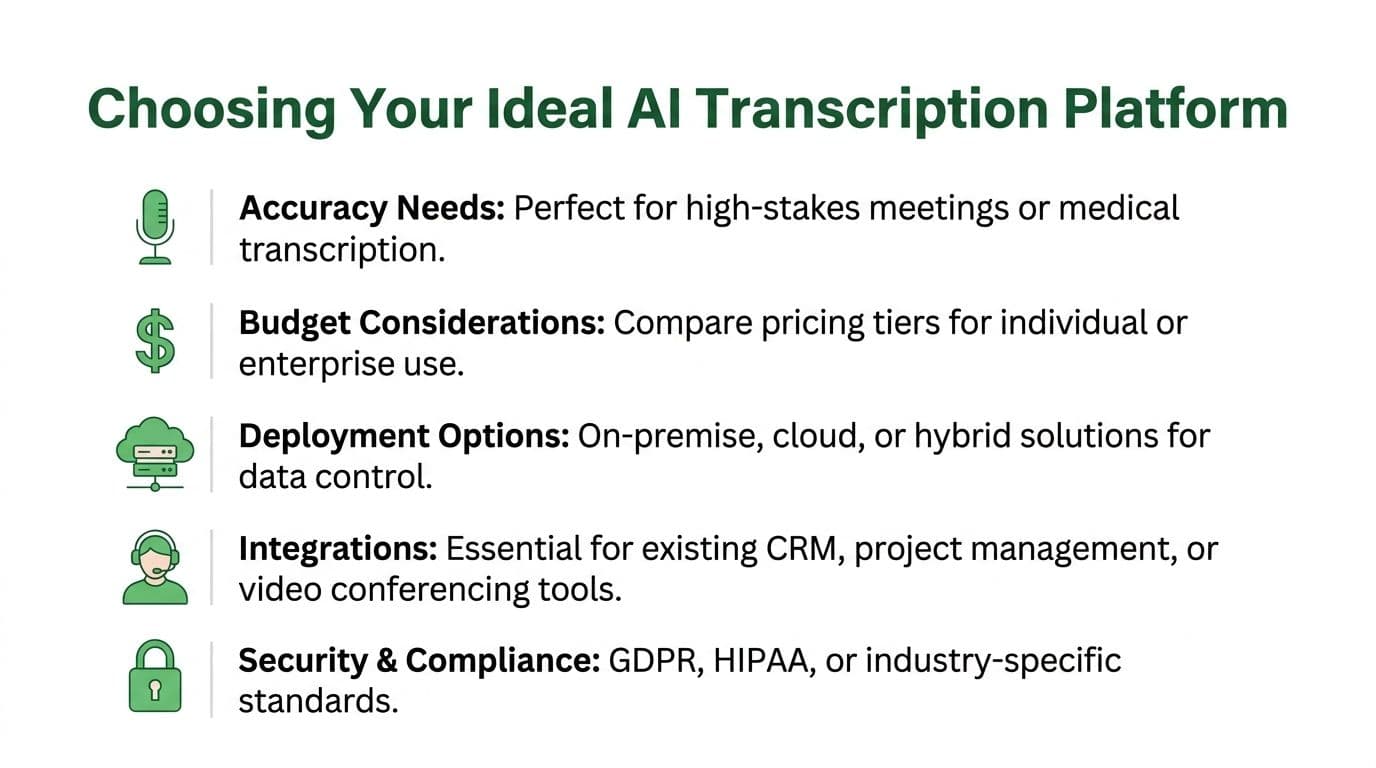
Which AI Transcription Platform Is Right for You
The best answer depends less on headline features and more on what failure looks like in your environment.
If failure means “our team didn’t capture meeting notes cleanly,” the threshold is one thing. If failure means “we mishandled sensitive data,” “we can’t support multiple languages,” or “our transcripts require constant correction,” the threshold is much higher.
Contact centers and customer experience teams
Choose the platform that best supports multilingual consistency, structured outputs, and privacy-sensitive workflows.
A contact center manager should prioritize language breadth, domain vocabulary support, and the ability to move transcripts into QA, analytics, or CRM systems. If the operation spans regions or handles sensitive customer information, deployment and governance can matter as much as recognition quality.
Otter.ai can still help with internal team coordination, training reviews, and English-heavy meeting workflows. But if the transcription layer sits inside customer operations, I’d lean toward the platform built for broader speech infrastructure.
Broadcasters and media teams
Media teams should optimize for production throughput, not meeting comfort.
Editors, journalists, and subtitle teams usually need reliable timestamps, strong speaker separation, and export options that fit publishing pipelines. Interviews rarely happen in ideal audio conditions. They happen on location, over remote calls, and around inconsistent microphones.
For that reason, I’d favor the platform that better supports multilingual content, caption workflows, and editing-ready outputs.
Legal professionals
Legal buyers should be conservative.
The deciding factors tend to be deployment control, transcript trustworthiness, and procurement clarity. A law firm may like Otter.ai for internal administrative meetings, especially where speed and convenience matter. But when client confidentiality, privileged communications, or case-related material enter the workflow, public transparency and deployment flexibility weigh much more heavily.
In legal settings, convenience is useful. Defensibility is mandatory.
Healthcare providers
Healthcare teams should evaluate transcription through the lens of documentation risk and governance.
If the software is supporting staff meetings or internal coordination, a meeting-first tool may still fit. If it touches patient-related workflows, then compliance posture, terminology handling, and deployment model become central questions. Buyers in this category should involve compliance and IT early rather than after a business pilot succeeds.
Developers and product teams
Developers should choose based on programmability and downstream control.
If your goal is to add meeting notes to internal collaboration, Otter.ai’s product direction around enterprise features and integrations is promising. If your goal is to build transcription into an app, content workflow, or analytics system, the more API-centric platform will usually be the cleaner fit.
My recommendation by profile
- Choose Otter.ai if your company wants fast value from meeting notes, summaries, and English-first collaboration.
- Choose Vatis Tech if your operation depends on multilingual accuracy, deployment flexibility, or transcription as a production capability.
- Use a hybrid approach if internal teams want easy meeting capture but regulated or external-facing workflows need a more controlled transcription stack.
That’s the practical way to think about the 2026 showdown. This isn’t really a battle between two brands. It’s a choice between two operating models.
A Practical Migration Checklist
Once a team picks a direction, migration usually fails for procedural reasons, not technical ones. The work is straightforward if you sequence it well.
Start with the data you already have
Export existing transcripts, summaries, and meeting records from the current system. Separate what must be retained for compliance from what’s only useful for team reference. This avoids dragging unnecessary clutter into the new environment.
Create a simple inventory with three labels:
- Keep and migrate: Content needed for legal, operational, or knowledge reasons.
- Archive only: Material that should be retained but doesn’t need to move into active workflows.
- Retire: Low-value content that can be removed under existing policy.
Run a controlled pilot
Don’t migrate the whole company first. Start with one team that reflects a representative workload. For example, a newsroom should test editorial interviews, not just internal standups. A healthcare group should test the exact documentation scenario they care about, with compliance oversight.
During the pilot, review:
- Transcript quality in normal operating conditions
- Speaker labeling and editing workload
- Export compatibility with downstream systems
- User adoption and training friction
- Security and approval checkpoints
Migrations go smoother when the pilot includes the hardest real use case, not the easiest demo case.
Build the operating model before full rollout
After the pilot, configure user roles, billing ownership, naming conventions, retention settings, and any custom vocabulary your teams need. Then train users based on their actual role. Editors need different guidance than account executives. Compliance teams need different documentation than general staff.
Finally, phase out the old platform deliberately. Keep a clear cutover date, retain archived exports, and document who owns support after launch. That prevents the common problem where two systems run in parallel and nobody trusts either one.
Frequently Asked Questions
Is otter ai mainly a meeting tool or a full transcription platform
It’s best understood as a meeting intelligence product with transcription as its foundation. That’s why it feels strong in live notes, summaries, and meeting follow-up. Buyers needing a broader operational transcription layer should test whether that focus matches their real workload.
How good is otter ai for non-English work
Publicly available benchmark detail is much stronger for English use cases than for multilingual enterprise scenarios. If your business depends on multiple languages, don’t assume performance from marketing language alone. Run a pilot using the actual languages, accents, and audio conditions your teams handle every day.
Can either platform fit regulated industries
Yes, but the evaluation standard changes. Regulated buyers should review deployment options, data processing terms, and public compliance documentation before they look at convenience features. A good demo won’t compensate for missing governance detail.
What matters more, live summaries or transcript quality
That depends on the workflow. Internal collaboration teams often get more value from summaries and searchable notes. Legal, media, and healthcare teams usually care more about transcript fidelity, speaker attribution, and export reliability.
How do I avoid vendor lock-in
Keep your transcript exports organized from the start. Standardize naming, retention, and file ownership. During procurement, confirm export formats and API portability. The simplest lock-in defense is operational discipline.
Should I run one platform companywide
Not always. Some organizations benefit from a split model where general employees use a meeting-centric tool and higher-risk or multilingual workflows use a platform built for stricter operational requirements. That approach can reduce friction without forcing every team into the same tradeoff.
If your team needs transcription that goes beyond meeting notes into multilingual workflows, developer integrations, and tighter deployment control, take a closer look at Vatis Tech. It’s a practical option for organizations that need speech-to-text to fit real operational and compliance requirements, not just basic meeting capture.