VTT vs SRT: Which Caption Format to Choose in 2026?
SRT travels everywhere; VTT earns its complexity only when your HTML5 player uses positioning, chapters or metadata. Syntax, styling and compliance compared.
18 min read
•
May 8, 2026
Written by
Adrian Ispas
You already have the transcript. The words are right, the timing is close, and the editor is asking a question that sounds trivial: should we export .srt or .vtt?
That choice rarely stays trivial for long. A broadcaster may need one caption file to survive old playout systems, affiliate uploads, and social distribution without surprises. A product team may need captions that can move around the screen, avoid covering UI, and support chapter navigation inside an HTML5 player. A legal or healthcare team may care less about styling and more about whether the file stays neutral, parseable, and easy to archive.
The usual vtt vs srt comparison stops at feature lists. In practice, teams feel the consequences later. They feel it when a browser respects cue positioning but a downstream archive strips it. They feel it when an analyst tries to ingest caption files into a search pipeline and discovers that richer structure also means more parsing work. They feel it when a compliance reviewer asks whether colored speaker labels help users or introduce clutter.
If your team needs a blunt starting point, it's this: SRT is the compatibility-first default, while VTT is the web-first format with more expressive control. SRT originated from DVD ripping software and became the practical standard for broad subtitle compatibility across media players and platforms, largely because its structure is so simple, as noted in Happy Scribe's overview of SRT and VTT differences.
That simplicity is not a limitation in every workflow. Sometimes it's the whole point.
Your Caption Choice More Than a File Extension
A subtitle export setting looks harmless until the file starts moving through real systems. One team uploads to a website. Another sends the same asset to a newsroom archive. Someone else pushes it into an LMS, a compliance repository, or a media monitoring workflow. The caption format now affects much more than playback.
SRT and VTT represent two different assumptions about where captions live. SRT assumes captions need to travel well. VTT assumes captions need to do more once they arrive. That difference shapes accessibility, design control, automation effort, and how much cleanup your team inherits later.
Where teams usually get tripped up
The common mistake is choosing VTT because it sounds newer, or choosing SRT because it sounds safer, without checking the actual destination.
A marketing video on a modern web player may benefit from positioned cues and styling. A court hearing archive probably won't. A contact center team exporting transcripts into analytics tools may prefer the plainest possible structure. A training team building interactive lessons may want chapters and richer track behavior.
Choose the format for the system that must trust the file most, not the system that merely creates it.
That one decision rule resolves a lot of internal debate. If the most fragile part of your workflow is a legacy player, archive, or parser, SRT is often the safer default. If the most important part is the browser experience itself, VTT earns its complexity.
A quick side by side view
| Feature | SRT (SubRip Text) | VTT (Web Video Text Tracks) |
|---|---|---|
| Primary strength | Broad compatibility | Web-native features |
| Structure | Plain text, numbered cues | WEBVTT header, web-oriented cue model |
| Timestamp style | Comma-separated milliseconds | Dot-separated milliseconds |
| Styling | Minimal to none | Supports styling and positioning |
| Metadata | No | Yes, including chapters and metadata tracks |
| Best fit | Distribution, archives, legacy systems | HTML5 players, interactive web video |
| Automation impact | Easier to parse in many pipelines | More capable, but can require richer tooling |
Teams often want one answer for every workflow. There usually isn't one. There is only the right trade-off for the job.
Understanding SRT The Universal Standard
SRT is the file format many editors can read in seconds. Open it in Notepad, VS Code, Sublime Text, or any other plain text editor and the structure is obvious.
A standard SRT block contains three parts: a sequence number, a start and end time, and the caption text itself.
What an SRT file looks like
1
00:00:01,000 --> 00:00:04,500
Welcome to the training session.

2
00:00:05,200 --> 00:00:08,000
Please keep your microphones muted.

3
00:00:08,700 --> 00:00:12,100
We'll begin with the compliance overview.
That structure does a lot of work precisely because it doesn't try to do much else.
- Sequence number keeps cue order explicit.
- Time range uses the familiar
start --> endpattern. - Caption text stays plain, without layout rules, metadata blocks, or styling instructions.
Why SRT survives everywhere
SRT became the default subtitle handoff format because nearly every video workflow has encountered it before. Old editors, LMS players, social tools, media asset systems, and internal utilities are all more likely to tolerate simple text than richer web-specific instructions.
That's why SRT remains the practical fallback for mixed environments. If your caption file may pass through multiple teams, unknown tools, or older software, plain structure lowers the odds of a failed import or a strange render.
Practical rule: If you need one caption file that can move across the most systems with the fewest assumptions, start with SRT.
The format also works well for fast operational workflows. Newsrooms, post-production assistants, and social teams often need to inspect or patch a caption file quickly. SRT makes that easy because almost anyone on the team can spot a broken timestamp or missing line break.
What SRT does not do well
SRT is not a web presentation format. It doesn't give you native chapter markers, metadata tracks, cue positioning, or CSS-style display controls. Some platforms may accept lightweight formatting conventions, but those behaviors aren't the reason teams choose SRT and they aren't dependable across tools.
That limitation matters when captions must avoid covering names, lower thirds, charts, or product UI. It also matters when a web experience relies on chapters or track-based metadata.
When SRT is the right answer
Use SRT when your priorities look like this:
- Maximum compatibility: You're distributing to many platforms and don't control every player.
- Fast manual editing: An editor may need to patch text directly in a plain text editor.
- Legacy interoperability: The caption file has to coexist with older systems and export chains.
- Neutral presentation: You want captions to carry words and timing, not visual interpretation.
SRT's strength is restraint. In a lot of production environments, restraint is what keeps the workflow stable.
Exploring VTT The Modern Web Format
VTT was built for the web rather than adapted into it. That's the key mental model. If SRT is the durable shipping container, VTT is the browser-aware format that can carry more intent.
It's the W3C HTML5 standard for timed text and supports capabilities that plain SRT does not, including styling, positioning, chapter markers, metadata, and description tracks. Its timestamps use dot-separated milliseconds such as 00:00:00.000, and its native role in modern browser playback is one reason teams choose it for contemporary web delivery, as explained in Kukarella's guide to transcript formats.
What a VTT file looks like
WEBVTT

00:00:01.000 --> 00:00:04.500
Welcome to the training session.

00:00:05.200 --> 00:00:08.000 line:85% position:50%
Please keep your microphones muted.

chapter-1
00:00:08.700 --> 00:00:12.100
Compliance overview
The first visible difference is the required WEBVTT header. After that, the file can remain simple, or it can carry extra instructions that affect how a player behaves.
What VTT unlocks in practice
For product teams and web publishers, VTT's extra features are not cosmetic extras. They solve practical problems.
- Caption positioning: A player can render text where it won't cover burned-in graphics, lower thirds, or interface controls.
- Styling support: Teams can control emphasis and readability when the player supports those rules.
- Chapter markers: Viewers can move through long-form video more easily.
- Metadata tracks: Developers can connect timed events to the player experience.
- Description tracks: Accessibility workflows can carry more specialized information.
The structure matters as much as the features
VTT can include optional sequence numbers, cue settings, cue IDs, and metadata-oriented uses that don't map cleanly to basic subtitle assumptions. That flexibility is useful when your front end is designed to take advantage of it. It's less useful when your player, CMS, analytics pipeline, or conversion utility ignores those features.
This is why teams overestimate VTT so often. They see the feature list and assume the workflow will benefit automatically. It won't. Those features only matter when the destination system reads them.
VTT is powerful when the player is part of the product. It's wasted complexity when captions are only being passed through.
A few concrete examples
A learning platform can use VTT chapter cues to make long lectures easier to follow. A streaming player can position subtitles to avoid covering score bugs or speaker labels. A multilingual site can benefit from VTT's stronger support for right-to-left languages in web contexts.
A legal archive, by contrast, may gain very little from any of that. If the file is destined for storage, search, review, and later export into other systems, the richer structure can become friction rather than value.
Where teams misapply VTT
The most common mistake is exporting VTT for every workflow just because the player accepts it. That's not a strong enough reason on its own.
Use VTT when at least one of these is true:
| Good reason to choose VTT | Why it matters |
|---|---|
| You control the HTML5 player | The player can respect VTT-specific features |
| You need positioning | On-screen text must avoid covering important visuals |
| You need chapters or metadata | Navigation and timed events are part of the product |
| You support advanced accessibility tracks | The use case goes beyond plain subtitle text |
Use VTT cautiously when your workflow includes multiple handoffs, archiving requirements, or tools that flatten everything to plain text anyway. In those environments, the extra structure doesn't disappear gracefully. Someone has to manage it.
A Detailed Comparison of VTT vs SRT
Teams usually feel this choice a few weeks after launch, not on export day. The file that looked fine in a player starts failing in QA, needs one more conversion for an archive, or breaks a parser in a search pipeline. That is the fundamental difference between VTT and SRT.
SRT is easier to pass through mixed systems with fewer surprises. VTT gives web teams more control, but that extra control comes with more rules, more parser behavior to test, and more opportunities for one tool to ignore what another tool wrote.
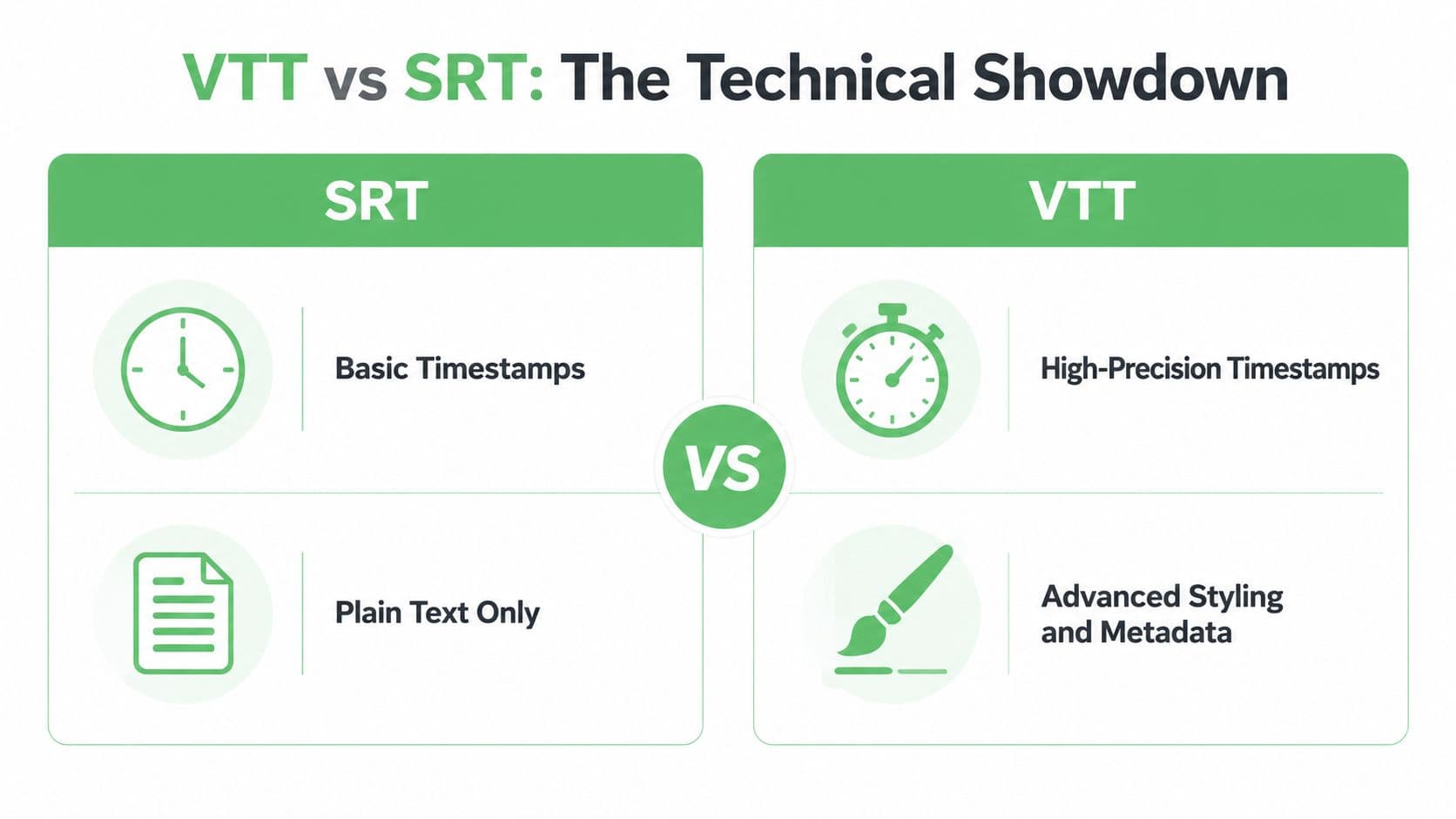
Feature Comparison SRT vs VTT
| Feature | SRT (SubRip Text) | VTT (Web Video Text Tracks) |
|---|---|---|
| Timestamp syntax | 00:00:00,000 | 00:00:00.000 |
| Required header | No | WEBVTT |
| Cue numbering | Standard and expected | Optional |
| Styling support | Minimal | Richer styling support |
| Cue positioning | No native standard behavior | Supported |
| Metadata and chapters | No | Supported |
| Browser orientation | Works when supported by platform | Designed for HTML5 web playback |
| Legacy system fit | Strong | Mixed |
| Parsing simplicity | High | Lower when advanced features are used |
Timestamp syntax affects more than display
The comma in SRT and the period in VTT look minor. In production workflows, they are not.
Validation scripts, subtitle converters, transcript exporters, and QA tooling often assume one syntax or the other. If your team works with search indexing, transcript alignment, or caption normalization, timestamp format becomes an operational detail you have to standardize early. Teams building those workflows should review how video timestamps structure media text workflows.
SRT has an advantage here because its expectations stay narrow. VTT is still machine-readable, but once cue settings, IDs, or note blocks enter the file, the parser has more than one thing to interpret.
Styling support versus rendering consistency
VTT is the stronger format if caption presentation is part of the product. It supports cue positioning, alignment, and other presentation instructions that modern web players can use to keep subtitles readable and out of the way of UI elements.
That flexibility is useful, but it is not free. Player support varies. Some platforms honor positioning but ignore styling. Some preserve the text and strip the settings. If your design depends on those settings being respected, test the actual playback stack, not just the file.
SRT avoids most of that uncertainty by carrying less information. You lose layout control, but you also remove a class of rendering disputes between authoring tools, hosting platforms, and players.
Metadata changes the workload
VTT can carry chapter cues, note blocks, and metadata-style tracks. That makes it useful for interactive players, custom navigation, and front-end applications that treat timed text as structured input instead of simple subtitles.
The trade-off shows up later. More structure means more cases to validate, more chances for export tools to flatten data unexpectedly, and more cleanup when a downstream system only wants plain spoken text with timestamps.
I have seen teams choose VTT because the player accepted it, then spend engineering time stripping VTT-specific elements before feeding the same file into analytics, archives, or review systems. That is the tooling tax in plain terms.
Compatibility is really about who owns the workflow
SRT stays safer when captions move across departments, vendors, or older systems. Editorial tools, archive platforms, compliance repositories, and partner delivery pipelines are more likely to accept SRT without debate because the format asks less of them.
VTT works best when the playback environment is controlled and web-first. If the same file will be reused outside that environment, every extra VTT feature becomes something another tool may ignore, flatten, or reject.
This matters more in regulated work. In healthcare, legal, and similar settings, the caption file is often reviewed as a record, not just displayed as UI. A plain, predictable format is easier to inspect, easier to preserve, and easier to defend if someone later asks how the text was stored and presented.
Accessibility and compliance are not always aligned
VTT gives accessibility teams more options. In the right implementation, that improves readability and user experience.
Compliance teams often care about different things. They need captions that remain consistent across exports, preserve meaning without player-specific behavior, and survive handoffs into storage or review systems. Rich formatting can help on-screen, but it can also introduce ambiguity if one system renders speaker cues or positioning differently from another.
For AI pipelines, the same rule applies. SRT is often easier to tokenize, normalize, and map into plain text corpora because there is less non-dialogue structure to remove. VTT can still work well, especially if you use metadata intentionally, but someone has to maintain that parsing logic.
The practical dividing line
Choose SRT if the main goal is reliable transport across mixed tools, archives, vendors, or compliance-sensitive systems.
Choose VTT if the captions are part of a web product and your player actively uses positioning, metadata, chapters, or other timed-text behavior.
Neither format wins by default. The better choice depends on whether your biggest risk is losing expressive features or spending time cleaning up files after every handoff.
Practical Use Cases and Situational Recommendations
A team ships captions to a web player, a legal archive, a search index, and a machine learning pipeline. The file extension looks like a small decision until one system drops styling, another fails on parsing, and a reviewer asks for a text record that matches what appeared on screen.
That is usually where VTT versus SRT becomes an operational decision, not a formatting preference.
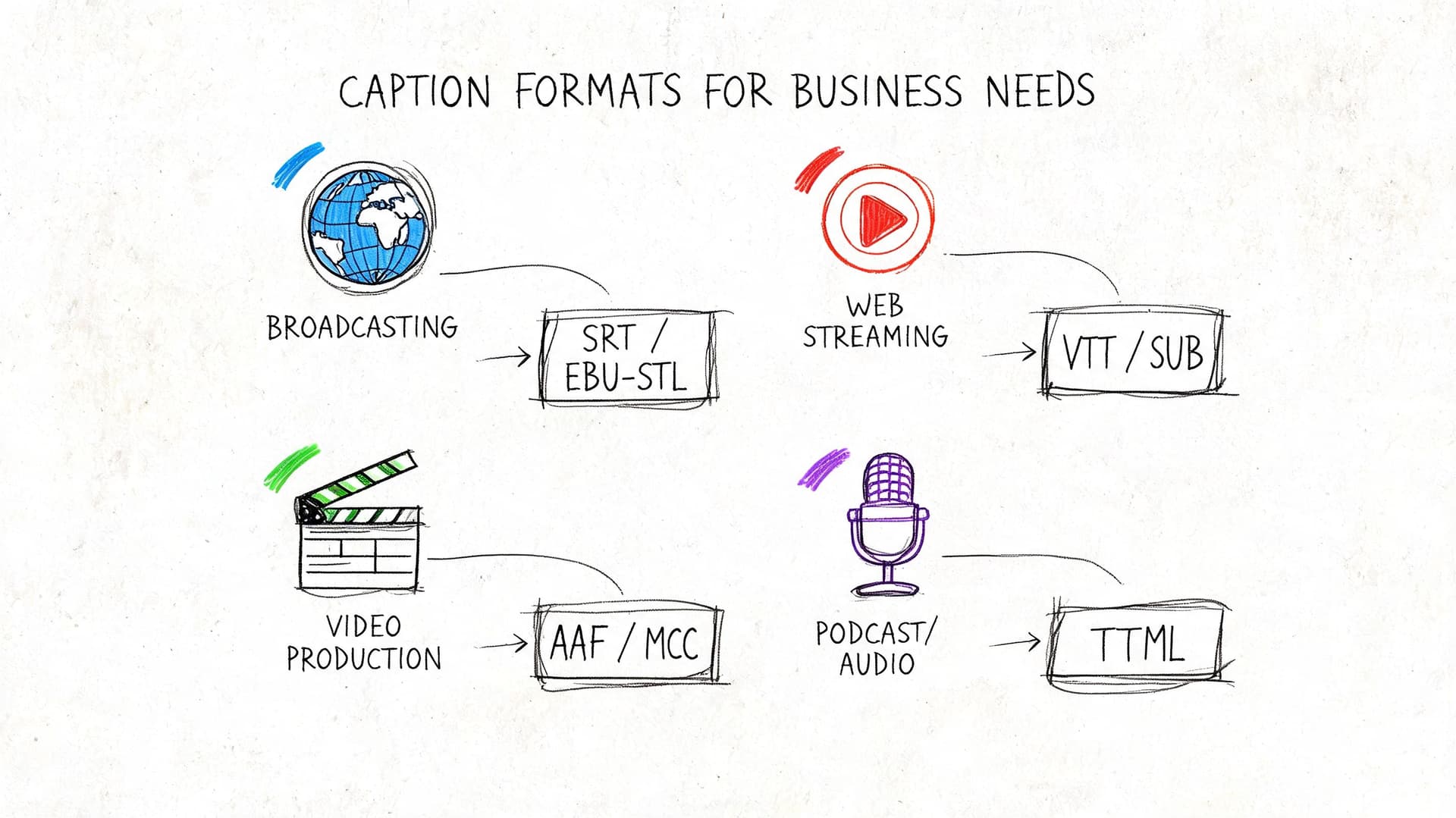
When SRT is the smarter operational choice
I default to SRT when the caption file has to survive handoffs between different vendors, older systems, and internal tools that were built for plain timed text.
That pattern shows up in broadcast operations, contact centers, litigation support, and healthcare administration. In those environments, captions are rarely used once. They get exported, checked, quoted, archived, transformed, and ingested again by a different system. Every extra feature in the file creates one more place for parsing logic to fail or for rendering to change.
The hidden cost is the tooling tax. VTT often needs stricter parsing, better validation, and more deliberate normalization before it can move cleanly through analytics or automation workflows. SRT usually asks less from the stack. Teams can inspect it in a text editor, diff it in version control, and convert it with fewer surprises. That matters if your downstream work includes search indexing, transcript alignment, QA sampling, or AI training data prep.
I would choose SRT first for cases like these:
- Broadcast and syndication workflows: Files move through affiliates, archives, clipping systems, and review tools with uneven format support.
- Legal review and evidence handling: Teams need a stable text record that is easy to quote, compare, and preserve.
- Healthcare documentation and patient education libraries: Readability and consistency matter more than presentation features.
- Large subtitle conversion jobs: Operations teams need something fast to validate, batch transform, and re-export.
For teams building caption workflows at volume, this caption generator guide for production teams is useful because format decisions only hold up when the transcript, segmentation, and timing are already under control.
When VTT earns the extra complexity
VTT is the better choice when the player behavior is part of the product.
This is common in e-learning, product demos, media apps, and branded web experiences where captions do more than display dialogue. If the team needs cue positioning to avoid UI overlap, chapter cues for navigation, or metadata tracks tied to custom playback events, VTT gives the product team tools SRT does not have.
The trade-off is maintenance. Once a team depends on VTT-specific behavior, they also depend on player support, QA coverage across browsers, and a caption pipeline that preserves those features from authoring through delivery. If that support is in place, VTT is worth it. If not, those features turn into cleanup work.
A simple way to decide:
| Scenario | Better fit | Reason |
|---|---|---|
| Interactive course player | VTT | Chapters and browser-based behavior add user value |
| Product demo with on-screen UI | VTT | Cue positioning can keep captions off controls and callouts |
| Internal archive for broad reuse | SRT | Simpler storage, review, and reprocessing |
| Multi-platform distribution | SRT | Fewer assumptions about renderer support |
| Browser-controlled branded experience | VTT | The player can use styling and metadata intentionally |
Regulated industries should optimize for defensibility
Healthcare, legal, and other regulated teams should treat caption files as records first and display assets second.
That does not rule out VTT. It changes how VTT should be used. In practice, the safest VTT deployments in regulated settings are restrained. Minimal styling. Predictable speaker labeling. Limited use of positioning. Clear rules for how exports are stored and reviewed. If a caption file may be printed, quoted in a case file, attached to a medical workflow, or fed into downstream analysis, extra visual behavior needs a reason.
I have seen teams create avoidable risk by decorating captions for readability in one player, then discovering that the exported file is harder to review, harder to normalize, and less consistent once it leaves that player. Compliance problems often start there, in the gap between what looked fine in the browser and what survived the handoff.
Use these checks before choosing VTT in a regulated workflow:
- Will another system strip or reinterpret styling?
- Will reviewers need a plain-text equivalent for audit or citation?
- Will the file enter an AI or search pipeline that expects predictable dialogue text?
- Can the team validate output in every system that touches the file?
Teams publishing directly to YouTube should also review best practices for YouTube closed captions, because platform-specific handling often affects readability, review, and export quality.
A practical walkthrough can help when teams need to see caption choices in context:
The recommendation I'd give most teams
Choose SRT if the file will travel across departments, vendors, archives, or automation systems and no one can guarantee full WebVTT support at every step.
Choose VTT if the captions live inside a web product, the player uses VTT-specific features on purpose, and the team is prepared to test and maintain that behavior.
If the workflow includes both product delivery and downstream reuse, keep both on the table. Use VTT at the front end where the player benefits from it. Keep SRT as the neutral interchange file for storage, compliance review, and machine processing. In real production environments, that split often lowers risk more than trying to make one format do everything.
How to Create High-Quality Captions with Vatis Tech
Most caption problems don't start at export. They start earlier, when the transcript still has bad speaker turns, loose punctuation, or timing that hasn't been reviewed against the actual media.
That's why the production workflow matters more than the final extension.
A practical workflow that avoids rework
Using a transcription tool is straightforward, but the sequence matters. Teams that edit in the wrong order usually create extra cleanup later.
- Upload the correct media version
Caption drift often comes from exporting against the wrong cut. Lock the file version first. - Review the transcript before styling anything
Fix wording, punctuation, speaker labels, and obvious segmentation issues while the file is still just text. - Check timestamps against fast speech and overlaps
Short cue durations and bunched dialogue can make either format hard to read. - Export for the destination, not for habit
If the file is heading into a browser-controlled experience, VTT may be appropriate. If it's going into archives, downstream processing, or broad distribution, SRT is often cleaner. - Run a post-export validation pass
Open the actual exported file in a text editor. A quick visual check catches malformed cues, encoding oddities, and accidental formatting artifacts.
Why format choice belongs at the end
Teams often decide on SRT or VTT before they've finished caption editing. That's backwards. The proper decision should come after the transcript has been corrected and the destination is confirmed.
For large-scale AI and machine learning workflows, SRT is often the stronger export. Technical benchmarking cited by YT VidHub reports that at 10,000+ videos, SRT achieved a 99.8% LLM data quality signal compared with 88.2% for VTT because SRT's more consistent structure requires less normalization before model ingestion, as described in their SRT vs VTT processing benchmark.
That matters for teams exporting captions into analytics, legal discovery, search indexing, or machine learning pipelines. Richer isn't better if another system has to strip it down before use.
Clean caption generation is really two jobs. First, make the transcript accurate. Then choose the export format that creates the least downstream friction.
Tool choice should match the output goal
If you're building a browser experience, choose a workflow that lets you inspect and export WebVTT cleanly. If you're feeding archives, AI pipelines, or enterprise repositories, prioritize predictable SRT output.
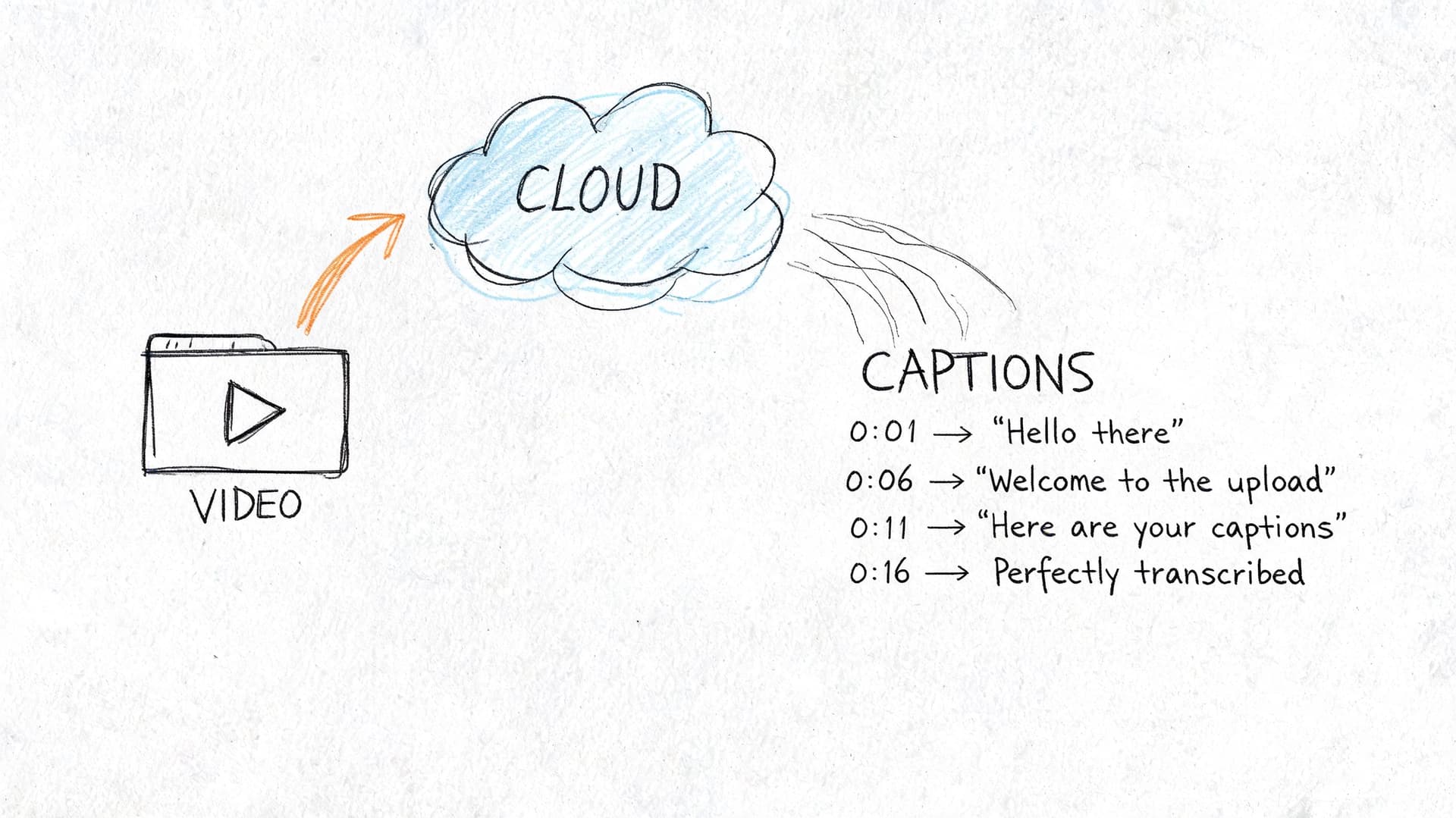
One practical option is Vatis Tech's transcription software, which lets teams upload audio or video, review transcript text and timing in an editor, and export to both SRT and VTT. The useful part is not that it supports both formats. It's that teams can correct the underlying transcript before deciding which output best fits the next system.
If your destination is YouTube specifically, it also helps to review these best practices for YouTube closed captions. Platform behavior, reading speed, and line breaks often matter as much as file format.
A simple decision split for operations and developers
Different teams inside the same company may need different exports from the same media.
- Front-end and product teams: Prefer VTT when the player can use positioning, chapter cues, or metadata.
- Data and automation teams: Prefer SRT when the file is headed into parsing, indexing, or model ingestion.
- Compliance and records teams: Usually want the most neutral, portable timed text representation.
- Editorial teams: Often benefit from whichever file is easiest to inspect and patch quickly.
The mistake is forcing one caption format to satisfy every consumer equally. Good workflows don't do that. They generate the clean transcript once, then export with purpose.
Frequently Asked Questions about VTT and SRT
Can you convert a VTT file to an SRT file
Yes. Conversion is straightforward, but the result is usually a simpler file. Cue settings, positioning, chapters, metadata, and styling cues in VTT do not usually survive the trip to SRT.
That is acceptable if the destination only needs timed subtitle text. It causes problems if those VTT features were controlling how captions appear in a browser player or carrying metadata used elsewhere in the workflow. Teams often treat this as a format swap, then discover later that they removed behavior the product relied on.
Which format is better for SEO
Neither format wins by default. The deciding factor is how your platform ingests caption files and whether it exposes that text to search systems, site search, or video indexing.
VTT can include extra structure such as chapters or metadata. SRT keeps the file narrowly focused on caption text and timing. In practice, the better SEO result usually comes from the format your publishing stack reads correctly and preserves end to end. Extra structure does not help if the CMS, player, or video host strips it out on upload.
How do screen readers interact with VTT styling
Screen readers generally benefit from clear text, correct language settings, and a properly implemented text track more than visual styling inside the caption file. Bold, color, and other presentation choices are mainly for sighted viewers, and support for those cues is inconsistent across players and assistive setups.
This matters in regulated environments. In healthcare, legal, and training content, teams should be careful about using styling to carry meaning that may not come through consistently. If emphasis changes the interpretation of a warning, medication instruction, or spoken disclaimer, that meaning should also be clear in the text itself. For compliance review, simpler captions are easier to validate and less likely to create accessibility disputes later.
Do SRT and VTT handle speaker labels differently
Both formats can display speaker labels, but the operational issue is preservation, not syntax. In SRT, labels are usually just text inside the cue. In VTT, labels can sit alongside richer cue behavior depending on the player and implementation.
That difference shows up downstream. If captions are headed into search indexing, AI training data, or transcript export, plain text labels in SRT tend to survive with fewer surprises. If the playback experience needs more control over presentation, VTT gives product teams more room to work.
Is VTT always better for web video
No. VTT is the better choice when the player uses web track features such as cue positioning, chapters, or metadata.
If the player only renders plain subtitles, SRT can be the cleaner operational standard. I have seen teams standardize on VTT because it sounded more modern, then spend extra engineering time normalizing exports for archive systems, localization vendors, and ingestion tools that really wanted basic timed text. That is the tooling tax people miss in early format decisions.
Is SRT better for automation and AI workflows
Often, yes. SRT is easier to parse because the structure is narrow and predictable. That makes it a better default for batch processing, transcript alignment checks, legacy media systems, and AI pipelines that only need timestamped text.
VTT works well in automation too, but only if the pipeline is built to handle its extra syntax correctly. If parsers ignore NOTE blocks, metadata cues, or cue settings inconsistently, you get dirty training data, broken segmentation, or failed imports. For machine processing, simpler input usually wins unless there is a clear reason to preserve VTT-specific features.
What's the simplest way to choose between them
Use the destination system as the deciding factor.
- Choose SRT when portability, predictable parsing, archival durability, or compliance review matter most.
- Choose VTT when the browser experience depends on positioning, chapters, metadata, or other web track behavior.
If the answer is still unclear, export both from the same reviewed transcript and test the full path, player, CMS, archive, analytics layer, and any AI or compliance systems that touch the file. Format debates usually end once the team sees which file creates less cleanup work.
If your team needs caption files that can be edited, reviewed, and exported for different downstream uses, Vatis Tech can help you generate transcripts and export them as SRT or VTT based on the workflow you have, not the one a feature list assumes.