How to Transcribe a Video A Complete 2026 Guide
Manual work runs 4-6 hours per hour of video; AI returns a draft in minutes. Six steps from upload to export, plus the QC pass and the developer API options.
17 min read
•
May 7, 2026
Written by
Adrian Ispas
Organizations often begin searching for how to transcribe a video when the backlog becomes impossible to ignore. There are webinar recordings nobody can search, interviews that need quotes pulled fast, customer calls locked inside video files, and training recordings that should be usable by more people than the small group who watched them live.
A video file looks rich, but operationally it's opaque until you turn speech into text. Once that transcript exists, teams can search it, review it, subtitle it, audit it, redact it, and repurpose it. That is a significant shift. Transcription is no longer a side task for interns or an occasional accessibility chore. It sits in the middle of media operations, compliance, customer insight, and content publishing.
Why Transcribing Video Is No Longer Optional
A lot of organizations already have the raw material. They just can't use it well. Sales teams record demos. Support teams archive screen shares. Newsrooms store interviews. Healthcare and legal teams handle sensitive spoken information that has to be reviewed carefully. Without transcripts, those libraries stay hard to search and even harder to govern.
The economics have changed too. The global AI transcription market reached $4.5 billion in 2024 and is projected to reach $19.2 billion by 2034, with AI processing audio at 3 to 5× real-time speed and automated transcription costing $0.10 to $0.30 per minute compared with $1.50 to $4.00 for manual services, which can mean up to 90% savings for high-volume work, according to GMR Transcription's market summary.
That doesn't mean manual transcription disappeared. It means the default changed. Organizations now typically start with automation, then decide where human review belongs.
What transcription unlocks in practice
- Searchable archives: Editors can find a quote, product mention, or policy statement without scrubbing through the timeline.
- Faster publishing: Producers can turn interviews into articles, clips, subtitles, and social assets.
- Accessibility: Captions and transcripts make video usable in more contexts and for more viewers.
- Compliance workflows: Legal, healthcare, and support teams can review language, disclosures, and sensitive data in text form.
Practical rule: If a video matters enough to store, it usually matters enough to transcribe.
The main operational question isn't whether to transcribe. It's how much quality control you need for the specific job. A marketing webinar can tolerate a few cleanup edits. A deposition, medical discussion, or complaint-handling call usually can't.
The old bottleneck is gone
Manual transcription still has a place, but it used to be the only serious option. That forced teams into long turnaround times and expensive queues. Modern AI systems changed the workflow from "wait for transcript" to "review the draft."
That is why this skill matters in 2026. Teams that know how to set up clean inputs, choose the right method, and review intelligently move faster without giving up control.
Preparing Your Video for Flawless Transcription
Most transcription problems start before the file ever reaches a tool. If the speaker is too far from the mic, if the room has hard echo, or if background music competes with dialogue, you'll pay for it in editing time later.
The fastest path to a clean transcript is a boring one. Capture clear speech, export a standard file, and remove obvious audio issues before upload.
Start with the audio, not the video
A transcript engine cares far more about speech clarity than visual quality. A sharp 4K frame with muddy audio will still produce a messy transcript. If you're planning future recordings, microphone choice and recording setup become most important. A practical guide to professional audio recording is worth reviewing if your team records interviews, training sessions, or voice-led videos regularly.
Use a simple pre-flight checklist before you transcribe:
- Mic distance: Keep the speaker close enough that the voice is direct, not room-dominant.
- Room noise: Turn off fans, notification sounds, and HVAC noise where possible.
- Speaker separation: In panel videos, avoid one mic in the middle of the table if you can isolate speakers better.
- Music beds: Remove intro music under dialogue if it isn't needed in the transcript source.
- Consistent levels: Quiet speakers followed by sudden loud ones make review slower.
Clean the file before upload
If the video is already recorded, do lightweight cleanup before transcription. You don't need a full post-production pass. You need speech that is easier to parse.
That usually means:
- Extract the audio.
- Trim dead air at the front and back.
- Reduce obvious hum or broadband noise.
- Normalize levels so one speaker isn't buried.
- Export to a common format your transcription tool handles reliably.
If you need a quick path for separating audio from the video file, this video audio extraction walkthrough is a practical reference for media teams handling MP4 and similar formats.
Clean source audio saves more time than aggressive transcript editing later.
Use safe, common file formats
For day-to-day work, a standard container and codec combination keeps things simple. MP4 is widely supported, and AAC audio is a safe choice in most workflows. If you're working from broadcast or archive systems, convert odd containers or legacy exports before uploading to a transcription platform.
A few habits reduce downstream friction:
- Name files clearly: Include project name, date, speaker, or episode reference.
- Version carefully: Don't upload "final-final-v2" if multiple editors are involved.
- Keep source and cleaned versions: If a cleanup step introduces artifacts, you'll want the original.
- Check for burned-in interruptions: Notification sounds, transition stingers, and screen-recording glitches often create transcript noise.
Transcription accuracy is often framed as a model problem. In production, it's usually an input problem first.
Choosing Your Transcription Method Manual vs AI vs Hybrid
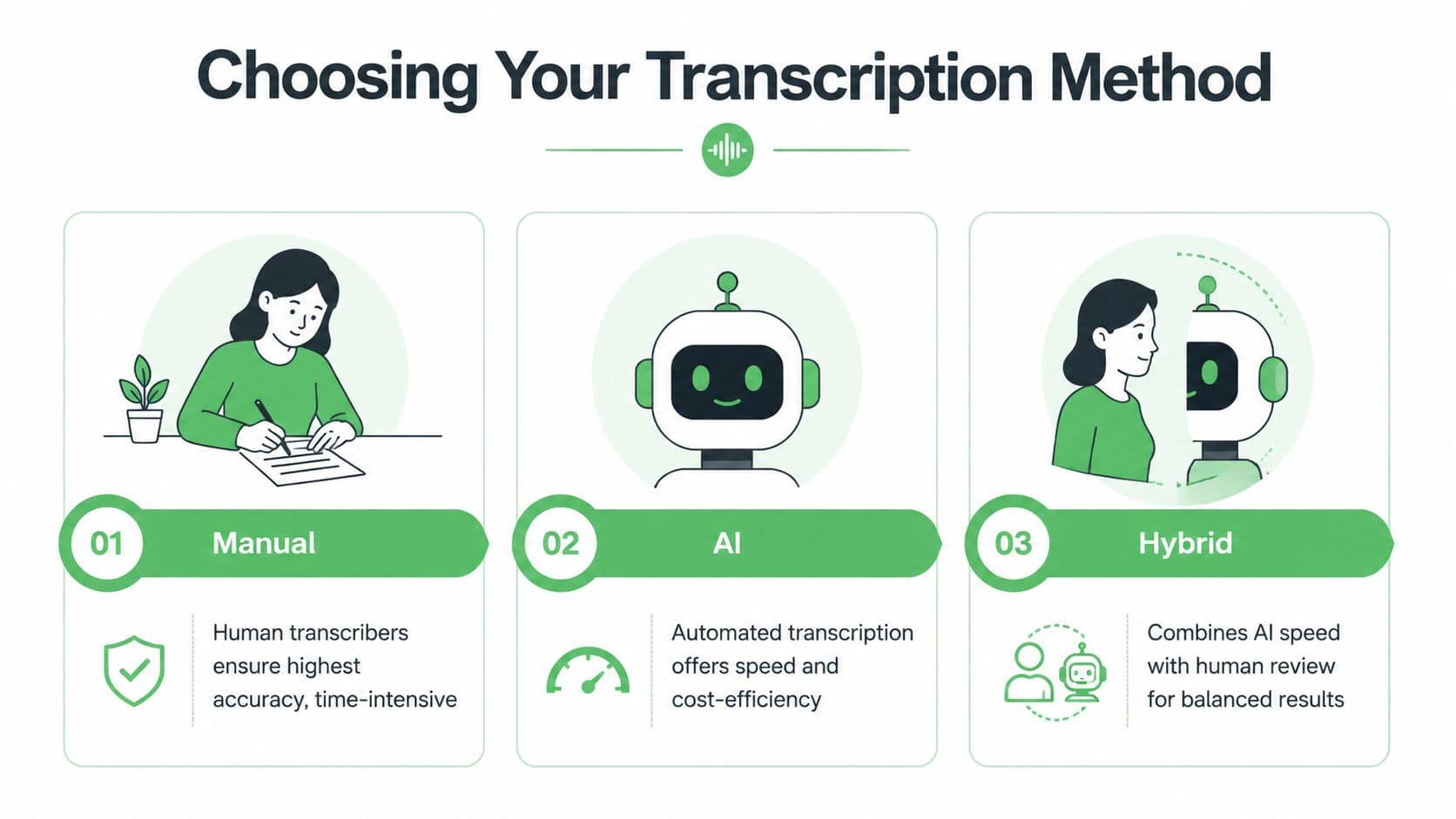
There isn't one correct transcription method. There is only the right method for the risk, deadline, and volume of the job. Teams get into trouble when they apply the same workflow to every video.
For a short executive interview headed to publication, you might accept a fast AI draft with a careful editorial pass. For research interviews or legal review, you may want a hybrid process with stronger verification. For archival oral history or nuanced qualitative work, full manual transcription can still make sense.
Transcription Method Comparison
| Method | Cost per Minute | Turnaround Time (for 1hr video) | Typical Accuracy | Best For |
|---|---|---|---|---|
| Manual | Higher than AI tools | 4 to 6 hours for 1 hour of video | Up to 99.2% on clear audio | Research, legal review, high-nuance journalism |
| AI | Lower than manual tools | Minutes to a short review cycle | Varies by audio quality and setup | High-volume content, internal ops, first drafts |
| Hybrid | Between AI and manual | Faster than manual with review time added | Around 97% in practical hybrid workflows | Teams balancing speed and quality |
The clearest benchmark in the source material comes from professional manual workflows. A manual process takes 4 to 6 hours for one hour of video and can achieve 99.2% accuracy on clear audio, while AI-hybrid methods can deliver 97% accuracy with 75% time savings, according to Happy Scribe's academic transcription workflow guide.
When manual transcription is worth it
Manual transcription makes sense when the transcript itself is a primary record, not just a convenience. That includes qualitative research, sensitive interviews, or proceedings where interruptions, pauses, filler words, and speaker behavior matter.
Use manual when you need:
- Verbatim detail: You want pauses, overlaps, and discourse markers preserved.
- Interpretive care: A trained human can resolve unclear phrasing with more context.
- Fine notation: Some academic and legal uses need formatting conventions that AI tools don't handle well out of the box.
Manual also helps when audio is difficult but still important. Heavy accents, crosstalk, low-volume speakers, and specialized language all increase the cleanup burden on automated drafts.
When AI is the practical choice
AI transcription is the default for operational scale. If you're transcribing webinars, meetings, internal updates, podcasts, social video, or large content archives, AI usually gets you to a usable draft quickly.
That speed changes what teams can afford to transcribe. Instead of reserving transcripts for a few "important" assets, they can make transcription part of the normal publishing or review pipeline.
AI is usually the right choice when:
- Volume is high
- Speed matters more than verbatim perfection
- You need searchable text fast
- The transcript will be edited anyway for captions or publication
The mistake is assuming "AI" means "no review." For many business cases, review is still where quality is won or lost.
Why hybrid often wins
Hybrid is what most mature teams end up doing. The system generates a first pass, then a person checks names, terminology, speaker changes, timestamps, and unclear segments.
The fastest reliable workflow is usually not full automation. It's automation with targeted human review.
This is especially true in regulated or reputation-sensitive environments. A healthcare team doesn't want a medication name guessed incorrectly. A legal team doesn't want a speaker attribution error in a critical exchange. A newsroom doesn't want a quote published with the wrong wording.
A simple way to choose
Use this quick rule set:
- Pick manual if the transcript is evidence, research material, or a near-verbatim record.
- Pick AI if the transcript is primarily for speed, searchability, captions, or internal use.
- Pick hybrid if the output will be published, audited, or relied on in a sensitive workflow.
A lot of teams overbuy accuracy where they don't need it, then under-review where they absolutely do. The method should follow the consequence of error, not just habit.
A Modern Walkthrough Using AI Transcription Tools
A common failure point looks like this. A team records a customer interview at 4 p.m., needs captions by 6, and uploads the raw file without checking language settings, speaker handling, or export format. The AI returns text fast, but the transcript still needs to survive review, publishing, search, and sometimes legal retention. At scale, the tool matters less than the workflow wrapped around it.
Most AI transcription tools follow the same path. You submit a file or URL, generate a draft, review it in a time-synced editor, and export text or subtitle files. What separates a usable system from a time sink is the feature set around that core flow, especially for teams dealing with volume, brand terminology, or regulated content.
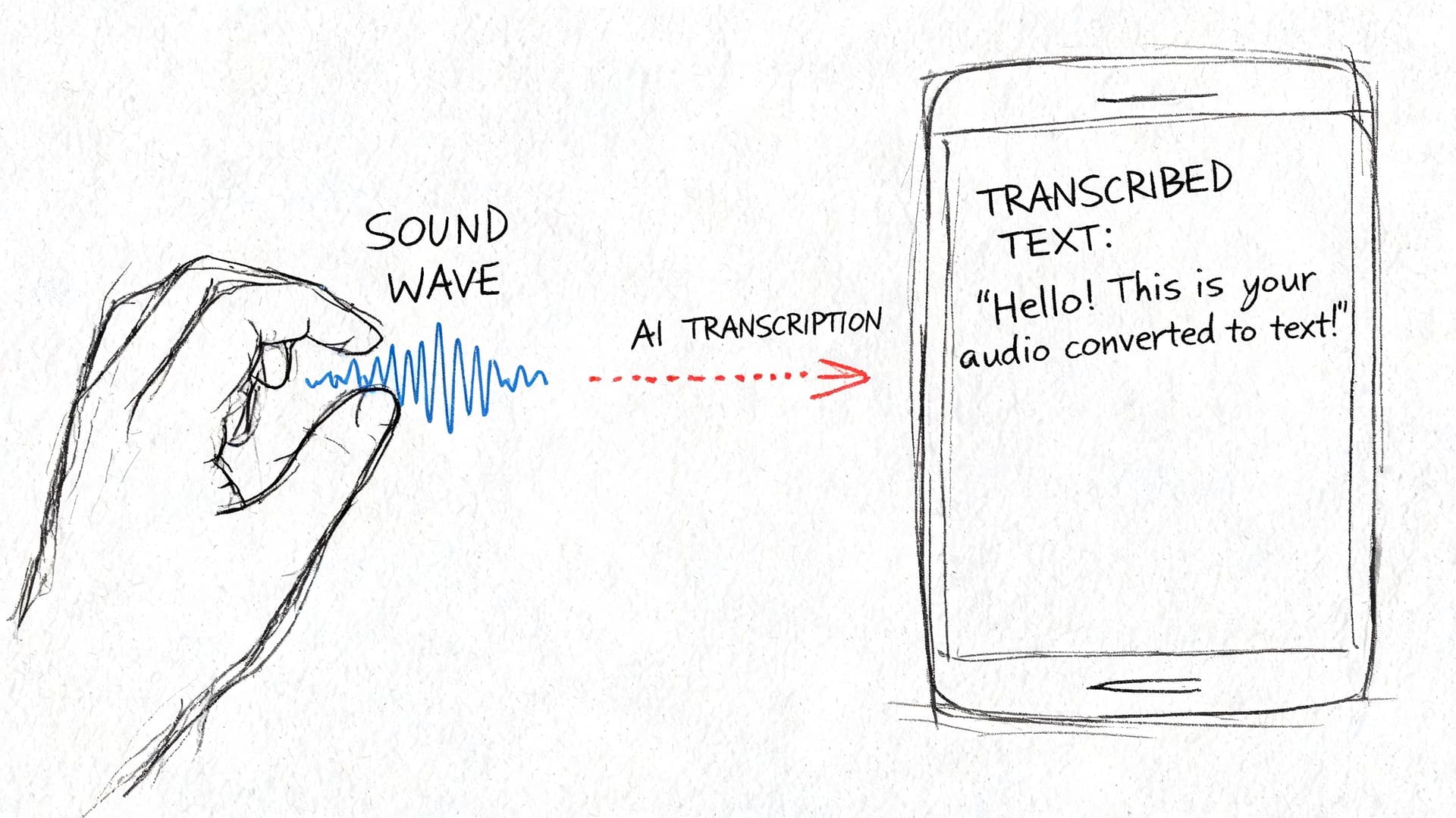
Step 1 Upload the cleanest source and route it correctly
Use the least-processed version of the file you have. If the source includes intro music, slate, duplicated segments, or long silence, remove those before upload. Every minute of irrelevant audio adds cost, review time, and another chance for the model to label noise as speech.
For one-off jobs, a direct upload is fine. For recurring production, set naming rules before files hit the transcription queue. Include project name, date, language, and version status in the filename. That small discipline prevents downstream confusion once transcripts start feeding captioning, publishing, archives, analytics, or model training.
Browser-based tools are often enough for editorial and marketing teams. Vatis Tech is one example. It supports file uploads and link-based processing, then lets teams export subtitle-ready outputs through its video to SRT workflow. For enterprise teams, the bigger question is operational fit. Check whether the platform supports SSO, audit logs, regional data handling, role-based access, and clear retention controls before you put customer calls, internal meetings, or protected content into it.
Step 2 Set the job up before you press transcribe
Accuracy starts before the first word is processed. If the platform lets you choose language, do it manually when you know the source. Auto-detection is convenient, but it can stumble on bilingual content, accented speech, or short clips.
Custom vocabulary matters even more in specialized environments. Add product names, acronyms, internal team names, client names, legal terms, medication names, or place names before processing if the tool supports it. I treat this as part of job setup, not cleanup, because fixing the same term fifty times in post is wasted labor.
A strong platform should also let you define speaker count, punctuation behavior, and caption preferences up front. Those controls save time later. If your team works with noisy webinar recordings or call audio, look for tools that accept cleaned audio inputs or fit into a preprocessing workflow with noise reduction before transcription begins.
Step 3 Use diarization, but verify it early
Speaker diarization assigns speech segments to different speakers. On a single-person training video, this barely matters. On interviews, earnings calls, depositions, podcasts, and team meetings, it affects readability, editing speed, and downstream analysis.
Good diarization gives reviewers structure. Weak diarization creates hidden errors that survive into publication or reporting. A transcript can look clean while still attaching the wrong quote to the wrong person.
Check these points first:
- Speaker splits make sense
- Turn changes happen at natural boundaries
- Interruptions and crosstalk are not merged into one voice
- Unnamed speakers can be relabeled quickly
- The tool keeps labels stable through the whole file
This step also affects reuse. Teams often start with captioning and end up using the same transcript for summaries, knowledge bases, call review, SEO support, or content repurposing. That broader business use is part of why transcription now sits inside larger operations stacks, including content and campaign workflows discussed by EvergreenFeed on AI applications.
Step 4 Edit in the timeline view
Production value shows up in the editor. Review against playback and timestamps, not in a plain text window. If clicking a sentence does not jump to the corresponding audio, review slows down and error rates rise.
Prioritize corrections that change meaning or create business risk:
- Names, brands, and organizations
- Numbers, dates, prices, and measurements
- Technical or regulated terminology
- Speaker identity
- Sentence boundaries that affect interpretation
A practical first pass is short and focused. Find dropped sections. Correct speaker names. Fix repeated terminology. Replay uncertain lines at slower speed. Then standardize punctuation based on the output type. Caption files, meeting notes, and legal review copies should not all be edited the same way.
This is also the point where teams see the trade-off between speed and finish quality. If the transcript is for internal search, a light edit may be enough. If it is headed to customers, regulators, or external publication, the editor is where the draft becomes dependable.
Step 5 Generate the output your next system expects
If the transcript is going back onto video, export subtitles such as SRT or VTT. If it is headed into review, DOCX or PDF may be better. If it is feeding search, archives, or downstream automation, plain text or structured output is often the better choice.
Subtitle export needs a separate check from transcript editing. A readable transcript can still produce poor captions if line breaks are awkward, timestamps drift, or speaker changes land mid-sentence.
For subtitle files, review:
- Line length
- Reading pace
- Timestamp alignment
- Speaker transitions
- Whether non-speech cues should stay in
Different destinations justify different levels of polish. Training content usually needs clear, stable captions. Social clips may need tighter phrasing and faster timing. Internal archives may only need searchable text with basic timestamps.
After you've seen a full walkthrough, this embedded demo helps connect the steps to an actual interface and review rhythm:
Step 6 Export for the final destination
Do not stop at TXT unless TXT is what the next team or system needs. Match the export to the next handoff.
Typical destinations include:
- DOCX or PDF for legal, editorial, or stakeholder review
- TXT for search, analysis, or archive storage
- SRT or VTT for subtitle publishing
- Structured transcript outputs for downstream automation, indexing, or application workflows
In enterprise environments, export is also a governance step. Confirm whether the file keeps timestamps, preserves speaker labels, removes deleted text from revision history, and lands in an approved storage location. If the transcript contains sensitive content, the workflow should also account for encryption, retention policy, and access logging.
AI gets the first draft on the screen quickly. The operational decisions around setup, diarization, editing, and export determine whether that draft is useful for one person once or reliable across a team, a product, or a regulated workflow.
Optimizing Accuracy and Post-Processing Your Transcript
A transcript usually fails in review, not in generation.
The pattern is familiar. A team gets a draft back fast, assumes the hard part is over, then publishes captions with the wrong speaker, sends legal text with a misheard name, or pushes a searchable archive full of inconsistent terminology. At small volume, that creates cleanup work. At scale, it breaks trust in the transcript pipeline.
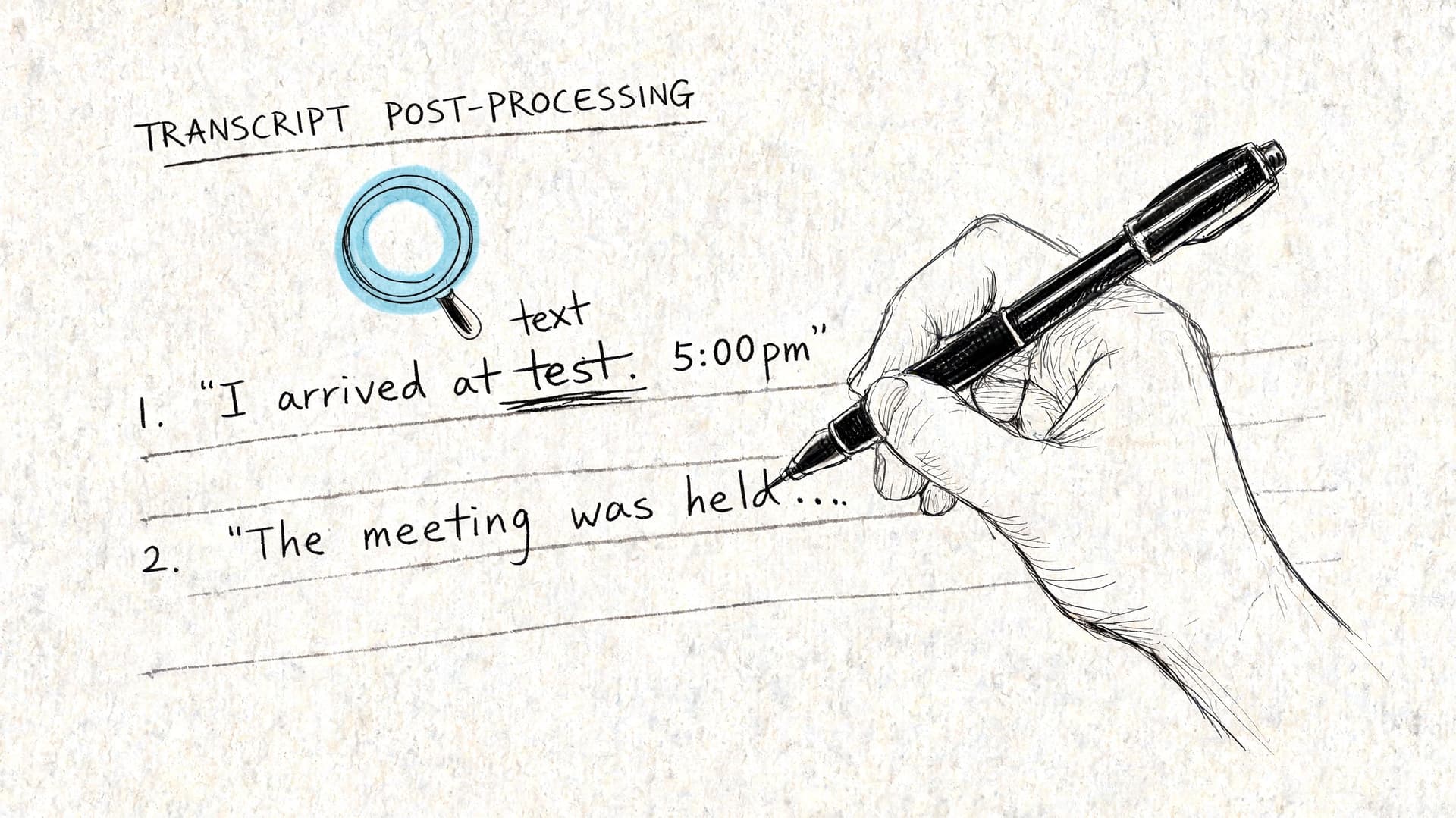
Review for impact, not for perfection
Start with the errors that change meaning or create operational risk. Grammar polish can wait. Misidentified speakers, wrong proper nouns, timing drift, and missing qualifiers cannot.
Rev's overview of automated transcription workflows points to a recurring problem in AI transcription. Teams often skip a defined verification step, even in legal and healthcare use cases where a small mistake can create real liability.
That is why review should follow a priority order:
- Terminology: product names, medications, legal terms, acronyms, internal phrases
- Proper nouns: people, companies, places, case names
- Speaker attribution: whether each statement is assigned to the right person
- High-risk language: consent, diagnosis, instructions, approvals, policy statements
- Timestamps and caption sync: whether the transcript lines up with playback
If the transcript feeds subtitles, check timing early. If it feeds legal, medical, or compliance review, check meaning early.
Build a repeatable QC pass
A good editing process is short enough to follow and strict enough to catch the failures that matter. In operations teams, consistency beats heroic one-off cleanup.
Use a review sequence like this:
- Check the glossary first. Confirm known terms, names, and branded language.
- Verify speaker labels early in the file. If diarization is wrong at the start, it often stays wrong.
- Listen to low-confidence segments. Do not guess from context if the line affects meaning.
- Apply formatting rules for the destination. A caption file, meeting transcript, and evidentiary record need different cleanup.
- Route sensitive files to second review. One reviewer may be enough for internal notes. Regulated content usually needs documented approval.
A claimed accuracy rate does not replace validation in your own audio conditions.
Accent variation, crosstalk, room echo, codec artifacts, and subject matter all change results. That trade-off matters when teams compare manual, AI, and hybrid workflows. AI is fast and inexpensive for first pass output. Human review is where organizations control risk.
Standardize cleanup rules before editing starts
Teams lose time when each editor makes different style choices on the same kind of file. Set the rules once and apply them across the queue.
| Output Type | Cleanup Standard |
|---|---|
| Internal archive | Readable text, light punctuation, basic speaker labels |
| Editorial support | Correct names, clean grammar, quote verification against audio |
| Captions | Short readable lines, accurate timing, minimal filler words where policy allows |
| Legal or medical record | Conservative edits, exact wording, strict speaker verification, documented changes |
A shared vocabulary list helps more than commonly expected. Keep one for recurring projects and update it as new names, acronyms, and product terms appear. If your volume is high, this is also the point where an API-based speech-to-text workflow starts to make sense, because you can centralize terminology, review rules, and downstream handling instead of fixing every file by hand.
Know when a file needs escalation
Some transcripts should not stay in the standard queue. Escalate files with overlapping speakers, distorted audio, multilingual switching, heavy background noise, or statements that carry financial, legal, or clinical consequences.
The right move is to mark uncertain sections clearly, check alternate recordings if they exist, and send the file to a higher-review path. For regulated teams, that may also include redaction review, approval logs, version control, and retention checks before the transcript leaves the editing environment.
Treat post-processing as QA with policy, ownership, and documentation. That is how transcription becomes reliable enough for teams, products, and regulated workflows.
Enterprise and Developer Transcription Workflows
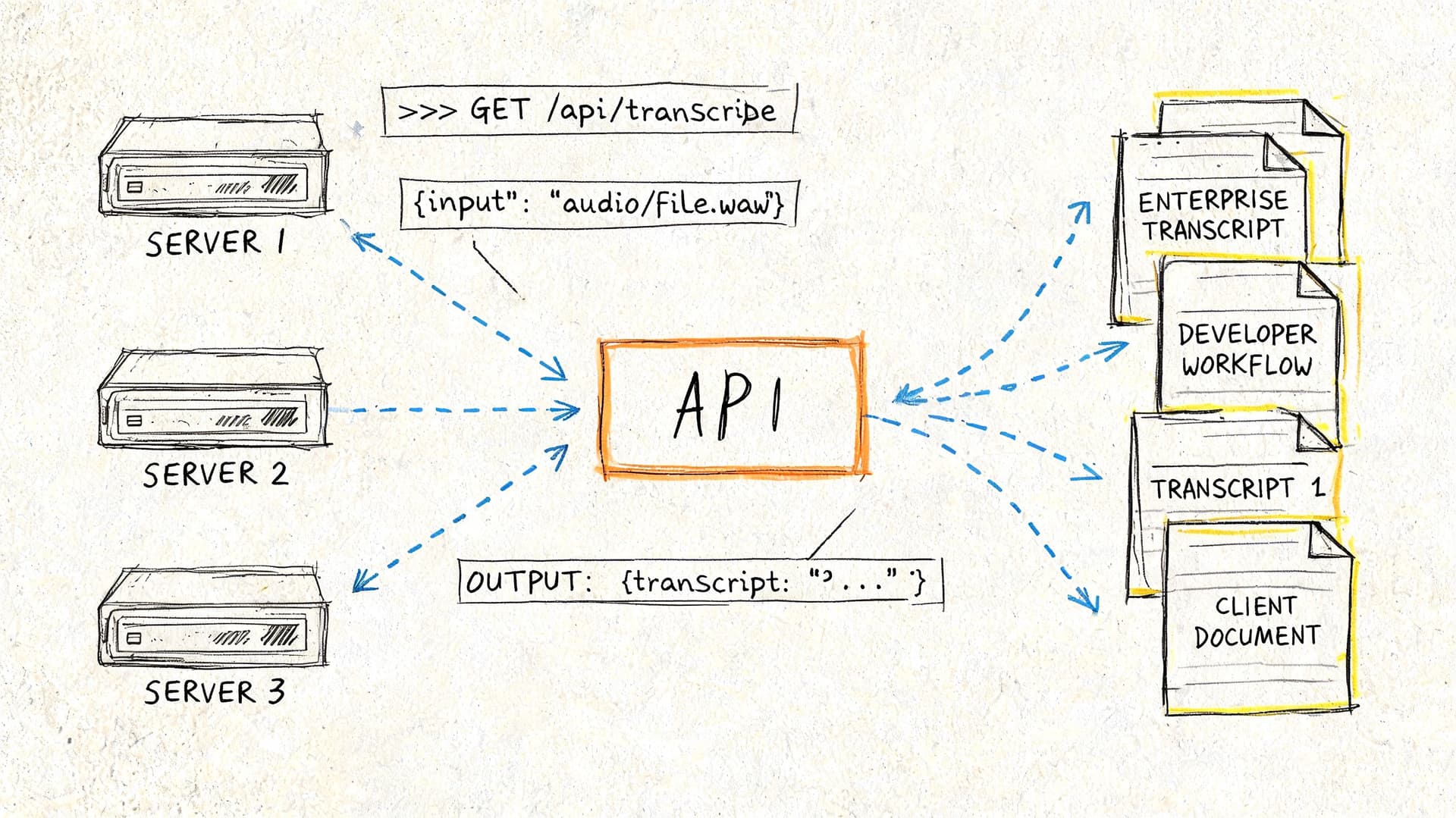
At enterprise scale, transcription stops being a standalone task and becomes infrastructure. Files arrive from call systems, media asset managers, telehealth platforms, mobile apps, or broadcast workflows. The primary work is connecting ingestion, transcription, review, redaction, storage, and downstream use.
Developers and operations leads usually care about different parts of that chain, but they need the same thing. A process that is repeatable, secure, and easy to govern.
What developers need from a transcription stack
For developers, the key question is whether the service supports the workflow you need:
- Batch processing for large libraries of stored video
- Streaming transcription for live events and real-time products
- Custom vocabulary
- Speaker diarization
- PII redaction
- Entity extraction and analytics
- Reliable export formats and webhooks
An API-first setup is often the right fit when transcription must happen automatically after upload or recording. If you're evaluating implementation options, a speech-to-text API workflow is the kind of architecture to look for when you need programmatic ingestion, structured outputs, and integration with internal systems.
A common batch workflow looks like this:
- Video lands in cloud storage.
- The system extracts or reads the audio track.
- The transcription service processes the file.
- The result is stored as transcript text plus subtitle or metadata outputs.
- A second step routes the result for review, analytics, or archive indexing.
For live content, the shape is different. Audio streams in, partial transcripts appear, then a finalized transcript replaces the rough live output after the event.
What enterprise teams should scrutinize
Security and compliance aren't side checkboxes. They determine whether the workflow can move beyond a pilot.
Review these points before procurement or rollout:
- Encryption practices: Understand how files are protected in transit and at rest.
- Deployment options: Public cloud may be fine for general media work. Private cloud or on-premise can matter for stricter environments.
- Access control: Limit who can upload, review, export, and delete transcripts.
- Retention controls: Sensitive transcripts shouldn't live forever by accident.
- Redaction capability: If personal or regulated information is spoken, the platform should support controlled handling.
- Auditability: Teams need a record of edits and approvals in regulated workflows.
Security review should happen before teams upload real customer, patient, or legal content, not after.
Industry workflows look different for a reason
The same core technology serves very different outcomes depending on the department.
Contact centers use transcription to review calls, coach agents, and surface recurring issues. Here, diarization, sentiment signals, and redaction matter more than publication-grade punctuation.
Broadcasters and newsrooms need fast transcripts for clips, quotes, and captions. Engagement matters too. Videos with captions achieve 91% completion rates compared to 66% without captions, and views can rise 12%, according to Sonix's video transcription statistics summary. For these teams, transcript speed and subtitle export directly affect distribution.
Healthcare teams care about terminology, privacy, and careful review. A transcript may support documentation, but it can't be treated casually if it includes protected information.
Legal teams usually prioritize chain of custody, verbatim fidelity where required, and documented review. They also need conservative editing standards because punctuation and attribution can change interpretation.
Scaling without chaos
The biggest operational mistake is letting every team invent its own transcription process. One team uploads manually. Another exports only TXT. Another edits names but not speakers. Another stores sensitive files in a shared folder with no retention policy.
A better model is to standardize the workflow while allowing different review levels by use case:
| Team | Priority | Recommended Workflow |
|---|---|---|
| Marketing and content | Speed and repurposing | AI draft, light editorial review, caption export |
| Support and CX | Search and QA | AI with diarization, redaction checks, analytics routing |
| Healthcare | Accuracy and privacy | Controlled upload, terminology review, secure retention |
| Legal | Evidence and auditability | Hybrid review, strict approval, documented export handling |
That balance matters. Enterprises don't need one universal transcript format. They need one governed system with clear review rules.
Frequently Asked Questions about Video Transcription
What's the best way to transcribe a video with poor audio?
Start by improving the source before transcription. Remove obvious background noise, normalize volume, and trim music or dead air. If the audio is still difficult, use an AI draft as a starting point and review the problem sections manually instead of trusting the full output.
How should I handle multiple speakers talking over each other?
Use a tool with speaker diarization, then review every overlap manually. Automated systems can separate many speaker turns well, but crosstalk still causes attribution errors. In interviews, panels, and meetings, fix speaker labels early before you clean the wording.
Should I choose manual, AI, or hybrid?
Choose based on the consequence of error. Use AI when speed and scale matter most. Use hybrid when the transcript will be published, audited, or used in a sensitive workflow. Use manual when the transcript needs to function as a close verbal record with nuanced detail preserved.
Can I transcribe videos in more than one language?
Yes, but mixed-language material needs extra care. Set the language explicitly when the platform allows it, add custom vocabulary where possible, and review switches between languages manually. Mixed-language content often needs more post-editing than a single-language file.
What file should I export after transcription?
Export for the next use, not just for convenience. Use TXT for archives and search, DOCX or PDF for review, and SRT or VTT for captions and subtitles. If another system will ingest the result, match its required format from the start.
Is it safe to use online transcription services for sensitive content?
It can be, but only if the provider's security model fits your requirements. Check encryption, retention controls, user permissions, deployment options, and compliance documentation before uploading sensitive files. If the content involves customer, patient, legal, or government data, involve your security or compliance team early.
If you're putting a repeatable transcription workflow in place, Vatis Tech is one option to evaluate for video and audio transcription, subtitle export, speaker labeling, and API-based automation. It fits teams that need editable transcripts plus developer-friendly integration without building the full speech pipeline from scratch.