Create Accurate Spotify Podcast Transcripts: Your 2026 Guide
Spotify shows transcripts in its mobile app but will not let you export them. Where to find one, and how to generate an editable SRT, DOCX or TXT instead.
15 min read
•
March 28, 2026
Written by
Adrian Ispas
Getting a Spotify podcast transcript is simple. While Spotify has its own auto-generated transcript feature for some shows, you'll need a third-party AI tool if you need high-accuracy text you can actually export and edit. With the right tool, you can turn a 30-minute episode into a near-perfect transcript in just 30 to 60 seconds.
Why Accurate Podcast Transcripts Are Essential
In the massive world of Spotify podcasting, just having great audio isn't enough anymore. A podcast transcript has gone from a "nice-to-have" extra to a must-have tool for making your show discoverable, accessible, and easy to repurpose. A text version of your audio is a genuine game-changer for growth.
This is especially true when you consider the scale you're competing on. Spotify is home to over 6 million podcast titles, and it's projected to have more than 100 million regular podcast listeners globally by 2026. That’s a ten-fold jump since 2019, making it harder than ever to stand out.
Boost Your Discoverability with SEO
Here's the thing: search engines like Google can't "listen" to your audio files. But they are fantastic at crawling and indexing text. When you publish a transcript, you're handing search engines a keyword-rich document that perfectly describes your episode's content.
This opens your show up to a huge audience searching for the specific topics you cover. Someone googling "advice on simplifying your life" might discover an episode of The Tim Ferriss Show, not through Spotify's internal search, but because Google pointed them directly to the transcript.
A transcript transforms your audio into a searchable asset. Every spoken word becomes a potential entry point for a new listener, turning your episodes into evergreen content that works for you long after publication.
Make Your Content Accessible to Everyone
Beyond just SEO, transcripts are the foundation of inclusive content. They make your podcast available to a much wider audience, including:
- The deaf and hard-of-hearing community, who can finally engage with your content on equal footing.
- Non-native speakers who find it much easier to read along while listening to build their comprehension.
- Listeners in quiet places like a library or on a silent commute, where playing audio just isn't an option.
- Researchers and journalists who need to quickly scan your episode for quotes or data points to cite.
This is all about connecting your spoken words to a searchable, analyzable text format.
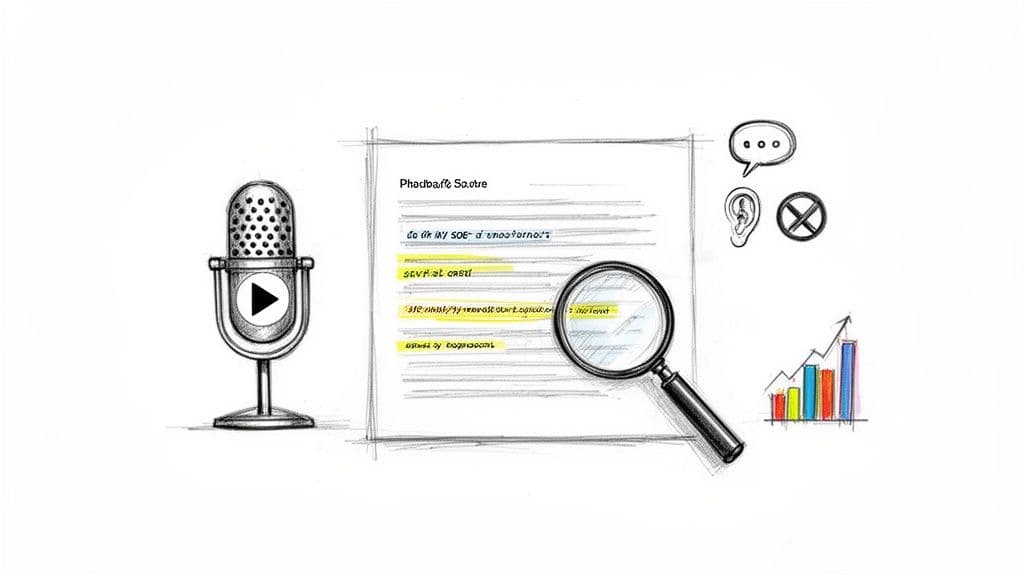
The image above really captures the core idea: turning audio into a powerful, multi-purpose document. If you want a resource that covers everything from finding to creating and using them, check out this complete guide to Spotify podcast transcripts.
At the end of the day, creating a high-quality transcript isn't optional anymore—it’s a fundamental part of any modern podcasting strategy.
Accessing Transcripts Directly Within Spotify
Before you start looking at third-party tools, your first stop should always be Spotify's own app. It’s the fastest and most convenient path.
In 2023, Spotify started rolling out a native, auto-generated transcript feature for millions of podcast episodes. This makes getting a Spotify podcast transcript possible without ever leaving the app. But keep in mind, it was designed for real-time reading and accessibility, not for content repurposing.
Here’s a quick step-by-step on how to find it:
- Open the Spotify app on your mobile device.
- Play a podcast episode.
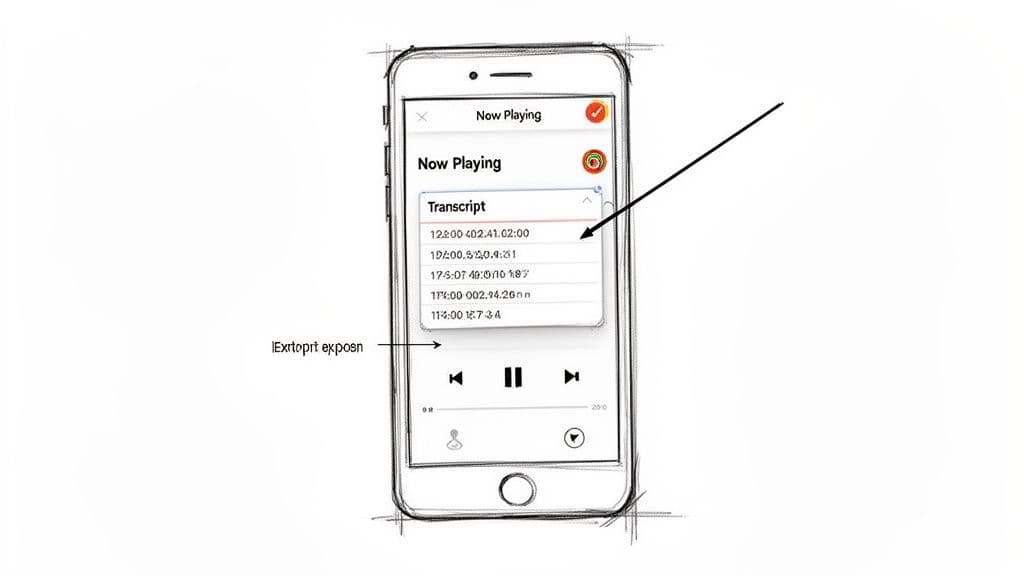
- On the "Now Playing" screen, scroll down past the episode description.
- If a transcript is available, you will see a card labeled "Transcript" or "Read along." Tap it to open the full text.
Understanding the Limitations
While this feature is great for a quick look-up, it comes with some serious limitations. It’s not a silver bullet, especially if you’re a marketer, journalist, or researcher who needs to work with the text.
Think of it as a helpful, but read-only, guide. Its main job is to improve the listening experience, not give you an editable document.
Here are the key constraints you’ll run into:
- Inconsistent Availability: This feature isn't on every podcast. Its availability depends on the creator and where Spotify is in its phased rollout. You might find it for a major show like The Tim Ferriss Show but not for a smaller, niche podcast.
- Variable Accuracy: Because the transcripts are machine-generated, the quality is a mixed bag. They often struggle with multiple speakers, strong accents, or complex terminology. Expect to see errors in names, brands, and any industry-specific jargon.
- No Export or Editing: This is the biggest dealbreaker for professionals. You can't copy, download, or export the transcript in any format—not as a TXT, DOCX, or SRT file. What you see is what you get, which means you can’t repurpose it for a blog post, create social media clips, or perform any kind of detailed analysis.
This native feature is perfect for casual listeners who want to catch a missed sentence or read along in a noisy place. But if your goal is to create content, conduct research, or guarantee 95%+ accuracy, you’re going to need a more powerful, external solution.
When to Use Spotify's Native Transcript
So, when does using the built-in feature make sense? It's the right tool for specific, in-the-moment situations where convenience is more important than perfect accuracy or export options.
Ideal Use Cases for the In-App Transcript:
| Scenario | Why It Works Well |
|---|---|
| Quiet Environments | Listeners in a library, on public transit, or in a quiet office can read along without audio. |
| Catching Missed Words | If you get distracted or can't understand a phrase, you can quickly scroll to find what was said. |
| Language Learning | Non-native speakers can use the text to reinforce vocabulary and improve comprehension while listening. |
Ultimately, checking for a native Spotify podcast transcript is the logical first move. It costs nothing and takes only a second. If it's there and does what you need, you're all set. If not—or if you need to edit, export, and repurpose the text—you'll have to create your own transcript, which we'll cover next.
Creating Your Own High-Accuracy Transcripts with AI
So, you've hit a wall with Spotify's built-in transcripts. Maybe the episode you need doesn't have them, the accuracy is a bit shaky, or you can't export the text for your project. When the native feature isn't enough, it's time to create your own professional-grade spotify podcast transcript using a dedicated AI transcription service.
These platforms are a world away from the simple read-along features you see in apps. They’re built for media pros, marketers, and researchers who demand precision, editability, and control over the final output.
Modern AI transcription tools, like Vatis Tech, have completely changed the game in terms of speed and accuracy. Forget waiting hours or days for a manual transcriptionist. You can upload a 30-minute podcast and get a nearly flawless transcript back in as little as 30 to 60 seconds.
This kind of efficiency is a lifesaver. It turns a tedious, multi-hour chore into a task you can knock out before your coffee gets cold, freeing up your team and budget for more important work.
The real advantage of using a specialized AI tool is gaining complete control. You can generate a transcript for any podcast, polish it until it’s perfect, and export it in whatever format your project requires.
Your Step-by-Step Guide to Generating a Transcript
Getting your own transcript is surprisingly straightforward. The main hurdle is just getting the audio file out of Spotify. After that, AI does all the heavy lifting.
Step 1: Get the Podcast Audio File
Since Spotify doesn't have a direct download button for episodes, you’ll have to use a third-party tool to save the audio as an MP3 or similar file. A quick search for "download Spotify podcast audio" will bring up plenty of online tools and browser extensions that can handle this. Always respect copyright and use these tools responsibly.
Step 2: Choose and Sign Up for an AI Transcription Service
Pick your AI transcription service. When you sign up for a platform like Vatis Tech, most will give you a free trial to test out the accuracy and features. If you're building applications or need deeper integration, you can also explore a powerful speech-to-text AI to see how the technology can fit into your specific workflow.
Step 3: Upload the Audio and Generate the Transcript
Once you have the audio file, just upload it to the platform. Most services have a simple drag-and-drop interface like the one below. The AI then gets to work, automatically converting all the speech into text. Based on our experience, this takes about 30 to 60 seconds for a 30-minute episode to achieve 95%+ accuracy.
Comparing Podcast Transcription Methods
To make the right choice, it helps to see how different methods stack up. Here’s a quick comparison of your main options.
| Method | Accuracy | Speed | Export Options | Best For |
|---|---|---|---|---|
| Spotify Native Transcripts | Fair to Good | Instant | None | Casual listening and basic accessibility. |
| Manual Transcription | Very High | Very Slow (Hours/Days) | Any | Legal or high-stakes content where 100% accuracy is non-negotiable. |
| AI Transcription Service | Excellent (95%+) | Very Fast (Minutes) | SRT, VTT, TXT, DOCX | Marketers, researchers, and content creators needing speed and control. |
Ultimately, dedicated AI services offer the best balance of accuracy, speed, and flexibility for most professional use cases.
Essential Features for Professional Results
What really elevates a professional AI transcription service are the features designed to give you a polished, ready-to-use document. These tools go way beyond basic speech-to-text.
- Up to 95%+ Accuracy: The best AI models are trained on massive datasets, enabling them to reach near-human accuracy. They can easily handle different accents, complex jargon, and even audio with background noise.
- Automatic Speaker Labeling: This feature, also known as diarization, is a must-have for any podcast with multiple hosts or guests. The AI automatically detects and labels who is speaking (e.g., "Speaker 1," "Speaker 2"), saving you from the headache of sorting it out manually.
- Precise Timestamps: Every word or phrase is synced to its exact moment in the audio. This is crucial for journalists citing quotes, video editors creating social media clips, and researchers pinpointing key moments in an interview.
- Broad Language Support: Top-tier services can transcribe dozens of languages, making them ideal for working with international podcasts or creating content for a global audience.
Many of the core principles for creating great transcripts apply across different platforms. For instance, the techniques involved in mastering YouTube AI transcript generation offer useful insights, as the underlying AI technology for processing audio is quite similar. The fundamentals of ensuring good audio quality and editing for clarity are universal.
By using these advanced features, you can produce a professional-grade spotify podcast transcript that's accurate, clearly structured, and ready for any application you can think of.
How to Edit and Format Your Transcript for Maximum Impact
Getting an AI-generated spotify podcast transcript is a huge win, but it’s just the first step. The real magic happens when you edit and format that raw text, turning it from a simple transcription into a polished, versatile asset for your brand. Think of the AI transcript as your rough draft; now it's time to make it shine.
Don't worry, this isn't a tedious, hours-long task. When you start with a high-quality service, the heavy lifting is already done. Based on our own experience, a 30-minute episode transcribed with 95%+ accuracy can be fully polished and ready to go in just a few minutes.
This is how fast you can go from raw audio to a near-perfect draft.
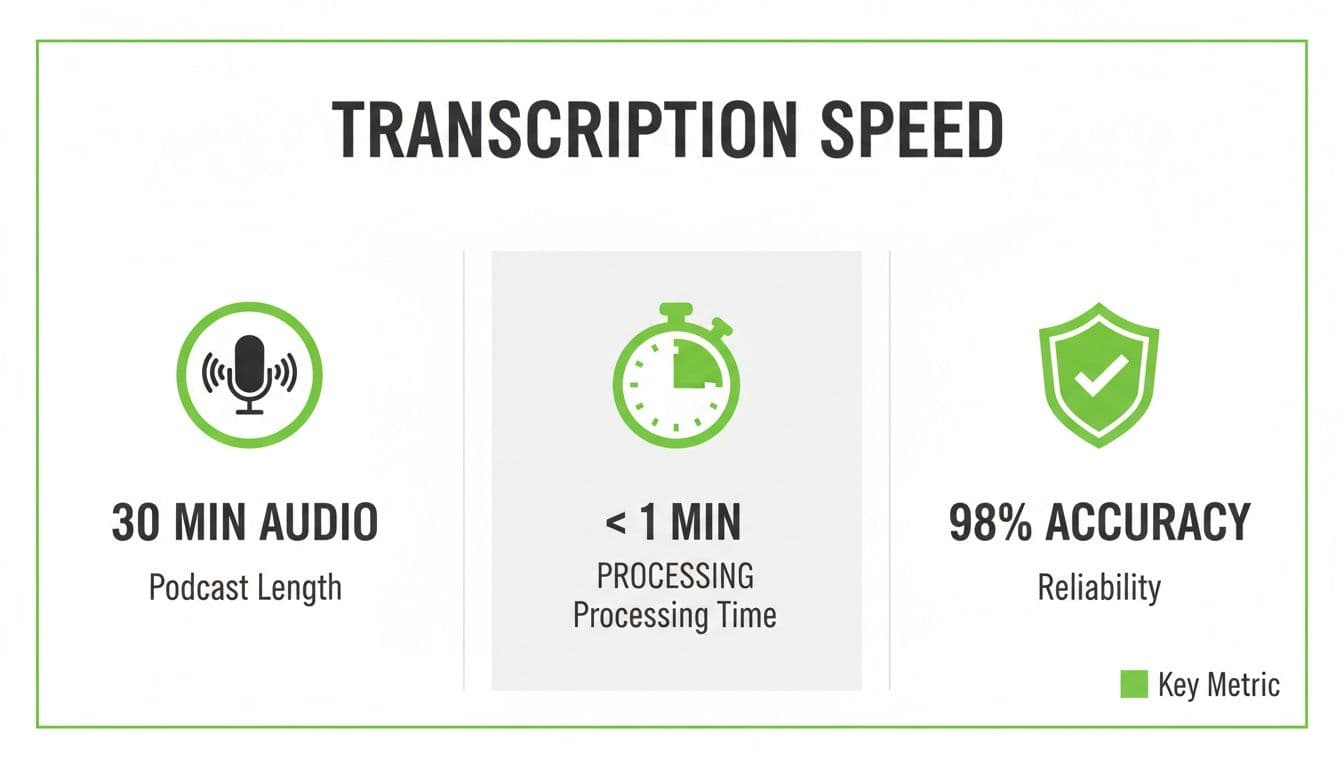
The takeaway here is that good AI gets you most of the way there, freeing you up to focus on strategic edits instead of fixing an endless stream of errors.
Polishing Your Transcript for Readability
Most professional transcription platforms come with a built-in text editor that syncs the audio with the text, which makes clean-up incredibly efficient. As you scan the transcript, you can click on any word and instantly hear the audio from that exact moment. It’s perfect for quick spot-checks.
Your first editing pass should be a quick hunt for any minor mistakes the AI might have missed. These are usually small but important details:
- Proper Nouns: Unique names of people, brands, or places (e.g., "Seth Godin" or "Belsomra").
- Industry Jargon: Niche acronyms or specialized terms that aren't in a standard dictionary.
- Homophones: Words that sound the same but mean different things (e.g., "their" vs. "there").
Once the text is 100% accurate, your next move is to improve its structure. Nobody wants to read a giant wall of text. Break up long passages by adding paragraph breaks, especially when the speaker changes or a new topic begins. This simple tweak makes the content far more inviting and easier to scan.
Refining Speaker Labeling and Flow
One of the most valuable features of modern transcription AI is speaker diarization, which automatically figures out who is speaking and when. For interviews or shows with multiple hosts, this is an absolute game-changer. But you can (and should) make it even better.
By default, the AI might label speakers as "Speaker 1" and "Speaker 2." You’ll want to replace these generic tags with the actual names of your hosts and guests, like "Tim Ferriss" and "Kevin Rose." It’s a small change that adds a layer of professionalism and makes the conversation much easier to follow.
To improve the flow, you can also merge consecutive speaking turns. Sometimes a host might say a few short sentences back-to-back, and the transcript will break them into separate lines. Combining these into a single paragraph under their name creates a more natural reading experience, much like you’d see in a published article or script. If you're curious about the tech behind this, you can dig deeper in our guide on what speaker diarization is and how it works.
Exporting for Different Use Cases
With your transcript polished and properly formatted, the final step is exporting it in the right format for your project. A good transcription platform will give you several options, each tailored for a specific goal.
Here’s a quick rundown of the most common formats and what they’re used for:
| Format | File Extension | Best For |
|---|---|---|
| Plain Text | .TXT | Archiving, simple note-taking, or pasting into any application without formatting. |
| Word Document | .DOCX | Creating blog posts, show notes, or reports where you need advanced formatting tools. |
| Sharing a non-editable, final version with your team or for official records. | ||
| Subtitles File | .SRT / .VTT | Adding closed captions to video clips for social media, YouTube, or your website. |
Let's put this into a real-world scenario. A marketing team can take a single 30-minute podcast episode and, using these export options, spin it into a ton of content:
- Export as .DOCX to write a comprehensive blog post based on the interview.
- Export as .SRT to create five short, captioned video clips for Instagram and LinkedIn.
- Export as .PDF to share a clean, searchable summary with the internal sales team for their talking points.
This workflow turns one piece of audio into a powerful engine for boosting SEO, driving social media engagement, and sharing knowledge across your entire organization.
Put That Transcript to Work: Boost Your SEO and Accessibility
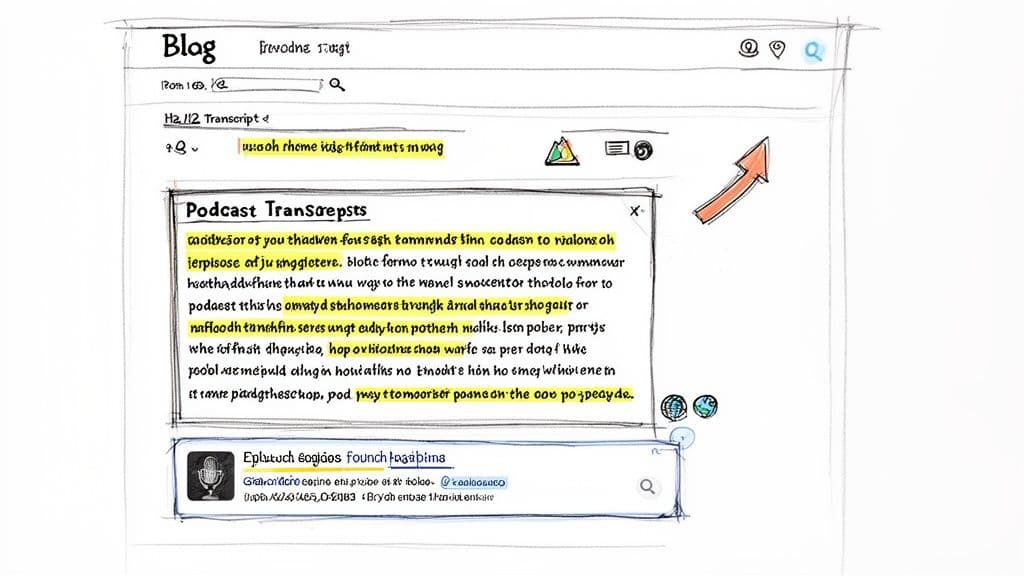
Okay, you've got your hands on a clean, accurate Spotify podcast transcript. Don't just let it sit in a folder. This is where the real magic happens. That text file is more than just a script; it’s a powerful asset that can seriously grow your podcast's audience, authority, and reach.
Let's be honest: search engines like Google can't "listen" to your audio. Your brilliant 30-minute conversation is basically invisible to them. Publishing a transcript turns that invisible audio into a keyword-rich blog post that Google can crawl, index, and rank. Every single word you spoke now has the potential to bring in new listeners.
Get Found by New Listeners with SEO
Think about all the niche questions and long-tail keywords buried in your episodes. A deep-dive interview could have hundreds of phrases people are typing into search bars right now. Without a transcript, your show is a black box. With one, it’s a magnet for organic traffic.
For example, say your podcast covered personal finance and you spent five minutes talking about "how to create a budget with a variable income." Someone searching for that exact phrase will never find your audio alone. But if you have a transcript on your site? You just gave Google a reason to send them directly to you.
Here’s a practical workflow to get the most SEO juice out of your transcript:
- Step 1: Publish as a Blog Post: Give each episode its own blog post. Use the episode title as your main heading (H1) and embed the Spotify player right at the top for an integrated experience.
- Step 2: Add Structure with Subheadings: Break up the wall of text. Use descriptive subheadings (H2s and H3s) to create sections based on the topics you discussed. This makes it scannable for readers and helps search engines understand the structure of your content.
- Step 3: Enhance with Internal Links: While adding headings, look for opportunities to link to other relevant episodes or articles on your website. This is a classic SEO move that builds your site's authority and keeps people engaged.
A well-structured transcript page isn’t just for search engines. It creates a far better experience for your visitors, making them more likely to stick around, explore your other episodes, and see you as the go-to expert in your field.
Make Your Content Accessible to Everyone
SEO is a huge win, but transcripts do something even more important: they make your work inclusive. Accessibility isn't just a nice-to-have feature; it's about making sure anyone who wants to engage with your content can do so. A transcript is your single best tool for this.
Right away, you open up your podcast to people who were previously left out:
- The Deaf and hard-of-hearing community: For millions of people, audio-only content is a complete barrier. Transcripts provide an equal experience.
- Non-native English speakers: Many people find it easier to read along while listening to improve their comprehension. Your transcript just became a valuable learning tool.
- Anyone in a loud or quiet place: Think about commuters on a noisy train or someone in a quiet library. Transcripts let them consume your content without hitting play.
This mindset extends beyond just the transcript itself. If you’re creating short video clips from your podcast for social media, you need captions. It’s the same principle. If you want to learn more about that, our guide on caption generators is a great place to start.
Ultimately, publishing your Spotify podcast transcript is a massive win-win. You make your content discoverable for search engines and accessible for all humans. It's one of the smartest (and most considerate) things you can do for your brand.
Common Questions About Spotify Podcast Transcripts
As you get started with Spotify podcast transcripts, a few questions always come up. Whether you're a creator trying to expand your audience, a journalist searching for that perfect quote, or a researcher digging into audio content, getting clear answers is key.
Let's walk through some of the most common questions we hear and clear up any confusion.
Can I Get a Transcript for Any Podcast on Spotify?
Not directly from Spotify, no. While the platform is rolling out its own "Read along" transcript feature, it's far from available for all 6 million podcasts. Availability is hit-or-miss and depends entirely on whether the creator has opted in.
But here’s the good news: you can still create a transcript for literally any podcast. As long as you can play the audio, you can run it through a third-party AI transcription service. This gives you a highly accurate transcript in minutes and puts you back in control, letting you sidestep Spotify’s limitations entirely.
How Accurate Are AI-Generated Podcast Transcripts?
Accuracy can swing wildly between different AI services. Free or basic tools might give you a decent first draft, but they often struggle with common podcast challenges:
- Multiple speakers, especially when they talk over each other.
- Thick accents or very fast-paced dialogue.
- Industry jargon, brand names, or unique terminology.
On the other hand, a professional AI platform like Vatis Tech regularly hits 95%+ accuracy—that’s nearly on par with a human. These tools use sophisticated deep-learning models and features like custom vocabulary to produce transcripts clean enough for journalism, media monitoring, and even legal use cases. In our own testing, a 30-minute episode is often done in just 30 to 60 seconds.
The bottom line is that you get what you pay for. If you're using the transcript for anything professional where precision counts, investing in a high-accuracy AI service is a must.
What Is the Best Format to Save My Podcast Transcript In?
The "best" format really just depends on what you plan to do with it. There’s no one-size-fits-all answer, so choose the file type based on your end goal.
Here’s a quick breakdown of the most common formats and where they shine:
| Format | Best Use Case | Why It's a Good Fit |
|---|---|---|
| DOCX | Writing a blog post or show notes | Perfect for editing, styling with headings (H2, H3), and pasting directly into a CMS. |
| Archiving or sharing a final copy | It locks in the formatting and isn't easily editable, making it ideal for official records. | |
| TXT | Quick, simple text needs | This is a universal, no-frills format that’s great for copying and pasting into any application without weird formatting issues. |
| SRT/VTT | Creating video captions | These files include the precise timestamps needed to sync text with video for social media clips or full YouTube episodes. |
A good transcription tool should give you all of these export options. That flexibility lets you repurpose your podcast audio into dozens of different content pieces from just one transcript.
Is It Legal to Transcribe Someone Else's Podcast?
This is a really important question that gets into copyright and fair use. In most cases, transcribing a podcast for personal use—like for your own private research, study notes, or to make it accessible for yourself—is perfectly fine and generally falls under fair use.
Things get more complicated if you plan to republish the content. If you want to post a full, word-for-word transcript on your website, especially if you’re making money from it, you should always ask the creator for permission first. This is the best way to avoid any copyright trouble down the road. And no matter what, always give credit to the original podcast when you quote or repurpose any part of a transcript.
Ready to create fast, accurate, and editable transcripts for any Spotify podcast? Vatis Tech provides an AI-powered speech-to-text platform that delivers 95%+ accuracy in minutes. Get started with a free trial and see how easy it is to turn audio into valuable, searchable content. Learn more at Vatis Tech.
Authored using Outrank tool