
How to Transcribe Audio to Text: The Complete Guide
The full workflow behind a usable transcript: mic and file prep, custom vocabulary, speaker labels, an edit pass against the audio, and export or API.
16 min read
•
April 27, 2026
Written by
Adrian Ispas
A lot of teams start in the same place. They have calls, interviews, meetings, webinars, training recordings, and screen captures piling up in shared drives. Everyone knows there’s useful information inside them, but nobody wants to scrub through hours of audio just to find one quote, one compliance issue, or one customer complaint.
That’s why the core value of transcription isn’t just convenience. When you transcribe audio to text, you turn a static media file into something people can search, review, analyze, redact, route, subtitle, and archive. A support leader can review call language. A producer can pull soundbites. A legal team can verify who said what. A developer can trigger downstream workflows from spoken content.
The hard part is that professional transcription is never just “upload file, get words.” Audio quality, model choice, speaker handling, editing workflow, export format, and security controls all affect whether the transcript is useful or frustrating. The gap between a rough draft and a production-ready transcript is where organizations either build a reliable process or create rework for themselves.
From Soundwaves to Searchable Data
The business problem is usually obvious once audio volume grows. A contact center records every call but can’t search complaints by topic. A newsroom has interviews from the field but no fast way to turn them into copy. A healthcare team has dictated notes but needs documentation that can be reviewed and stored properly. The audio exists. The insight is trapped.
That wasn’t always technically possible to solve at scale. Thomas Edison’s invention of the phonograph in 1877 revolutionized audio transcription by enabling the recording and replay of speech, shifting from live shorthand to a reliable record-and-transcribe model. That simple change mattered because replay allowed transcribers to clarify speech instead of relying on memory alone, which cut errors and laid the groundwork for modern digital transcription workflows, as described in this history of transcription services.
Today, the same core principle still applies. Capture the audio. Replay it accurately. Turn it into usable text. The tools are better, but the workflow logic hasn’t changed.
Searchability is usually the first win teams notice. Process change is the bigger one.
A transcript becomes much more than a document. It becomes structured input for QA review, subtitle generation, article drafting, legal review, knowledge management, and product analytics. Once speech is text, teams can tag it, summarize it, compare it, and move it through existing systems instead of treating audio as an isolated file type.
That’s the shift worth understanding. Audio isn’t just media. In a business setting, it’s operational data.
Preparing Your Audio for Maximum Accuracy
A sales call recorded through a laptop mic in a glass meeting room can produce a transcript full of speaker swaps, missed product names, and broken sentences. The same conversation, captured with cleaner mic placement and less room noise, is usually far easier to process. Accuracy problems often start at capture time, not at transcription time.
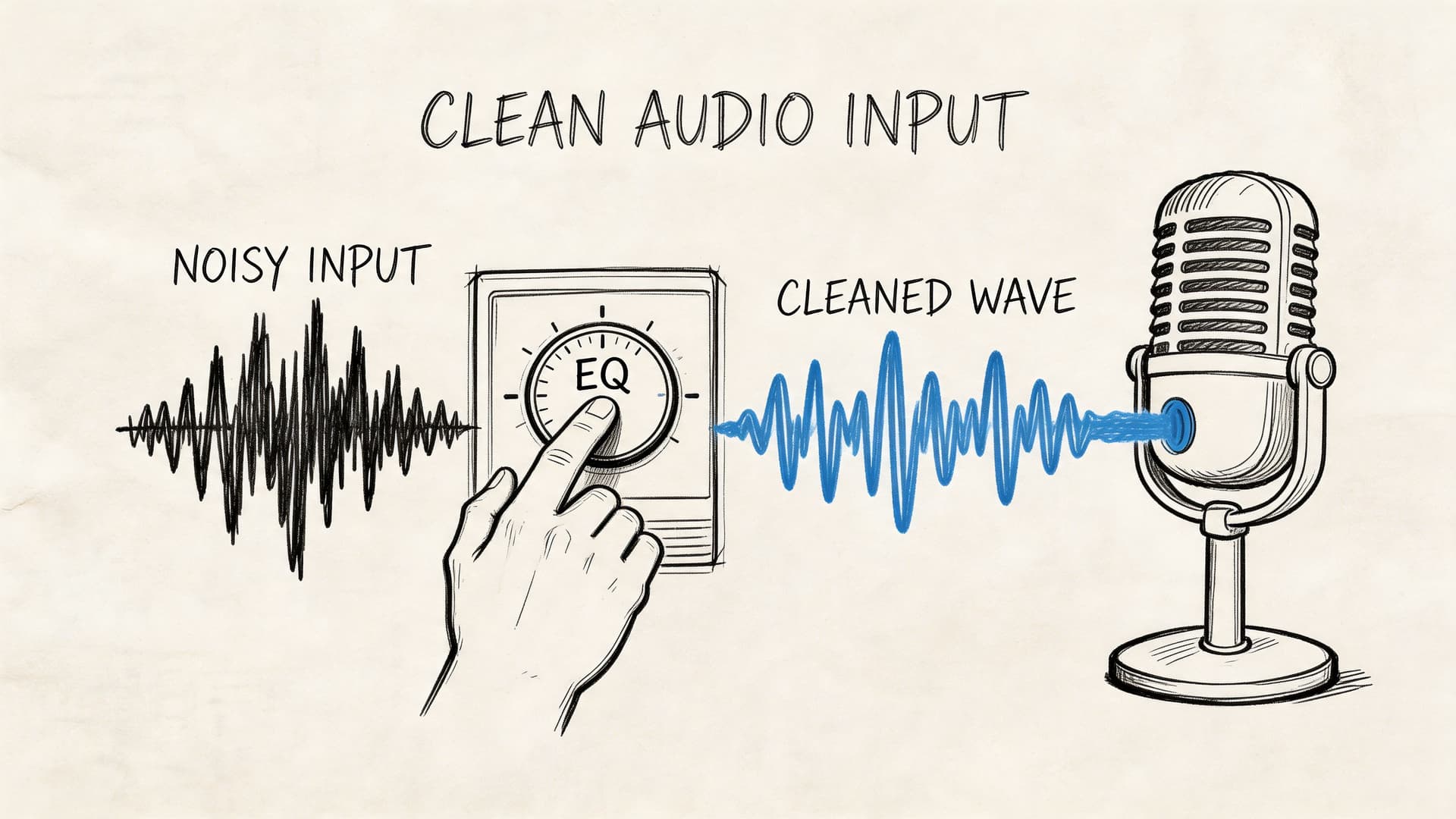
Advertised performance rarely reflects field conditions. Clear demo audio behaves very differently from contact center recordings, clinical dictation captured on mobile devices, or project calls with people interrupting each other. If your business plans to route transcripts into search, QA, analytics, or compliance review, source quality needs to be treated as an upstream systems issue, not a cleanup task for editors later.
Start with the source, not the software
If you control the recording setup, fix the input before you test models or compare vendors. I have seen teams spend weeks tuning prompts, language settings, and post-processing rules when the fundamental problem was a ceiling mic that never had a chance of capturing clean speech.
A few practices improve results in almost every environment:
- Keep the microphone close: Speech should be stronger than the room. Distance adds echo, air noise, and inconsistent volume.
- Reduce competing noise: HVAC rumble, keyboard noise, traffic, and notifications interfere with consonants and word boundaries.
- Give speakers separate capture paths when possible: One shared conference-room mic makes speaker labeling harder and increases overlap errors.
- Avoid aggressive compression: If you can export a cleaner source, do that before upload. Heavily compressed files throw away speech detail you cannot recover later.
- Check a short sample before processing the full batch: A 30-second listen often catches clipping, dead channels, or one speaker being far quieter than the others.
If your source is a video file, strip out the audio first so you can inspect levels, noise, and channel balance separately. This guide on how to extract the sound from a video is a practical way to do that.
Why format and sample rate matter
File format choices affect more than storage. They affect how much usable speech signal reaches the recognizer.
For transcription pipelines, cleaner files usually beat smaller files. WAV is often the safest handoff format because it preserves more detail than a low-bitrate MP3. M4A can also work well, depending on how it was encoded. The trade-off, however, is operational. Smaller files move through upload and storage systems more easily, but aggressive compression can make low-volume speakers, accents, and short utterances harder to resolve.
If your team receives recordings from different departments, vendors, or devices, it helps to understand the trade-offs between various audio file formats. That becomes a workflow issue quickly when one group sends edited WAV exports, another sends compressed mobile recordings, and a third sends audio pulled from video.
A practical intake checklist
Here’s the checklist I give teams before they scale transcription across support, operations, or compliance workflows.
| Category | Recommendation | Why It Matters |
|---|---|---|
| File format | Prefer WAV when available | Preserves more speech detail and avoids avoidable compression loss |
| Sample rate | Use audio above 16kHz when possible | Gives the recognizer cleaner information for speech analysis |
| Microphone placement | Keep the mic close to the speaker | Reduces room noise and improves vocal clarity |
| Recording space | Use soft surfaces and limit echo | Reverberation smears words and makes edits harder |
| Speaker setup | Give each speaker a clear capture path if possible | Helps with speaker labeling and reduces confusion in overlaps |
| Background noise | Minimize fans, traffic, office chatter, and alerts | Noise competes with the spoken signal |
| Channel check | Listen to a short excerpt before full upload | Catches clipping, low volume, or dead channels early |
| Pre-processing | Apply light noise reduction when needed | Can improve readability if done carefully |
| File review | Trim dead air and obvious irrelevant sections | Speeds processing and reduces manual cleanup |
Low-budget setup versus controlled setup
A quiet phone recording can outperform an expensive room setup with poor acoustics. Cost helps less than consistency.
For occasional transcription, a disciplined capture routine is usually enough. Use a quiet room, place the mic close to the speaker, and do a short test recording. For teams processing large volumes, standardization matters more. Set approved devices, target file formats, channel rules, and intake checks before files ever hit the API. That is how transcription becomes reliable enough for downstream automation, not just readable enough for one-off use.
Practical rule: Test your workflow on the audio your team produces every day, including the messy files that end up in support queues, audits, and shared drives.
If you want a quick visual refresher on what to clean up in source audio, this overview is useful before you lock in a recording process:
Reliable transcription starts with disciplined intake. Teams that treat audio preparation as part of the production workflow usually spend less time correcting transcripts, less time debugging API outputs, and less time arguing over which model underperformed.
The Core Transcription Process Step-by-Step
Once the audio is clean enough, the actual conversion process is straightforward. The bigger issue is choosing the right settings before processing begins.
That matters because speech recognition is now strong enough to be useful at scale. In 2017, Google’s systems surpassed 95% word accuracy, a landmark that matched human-level performance and accelerated the growth of speech-to-text across voice assistants and enterprise documentation.
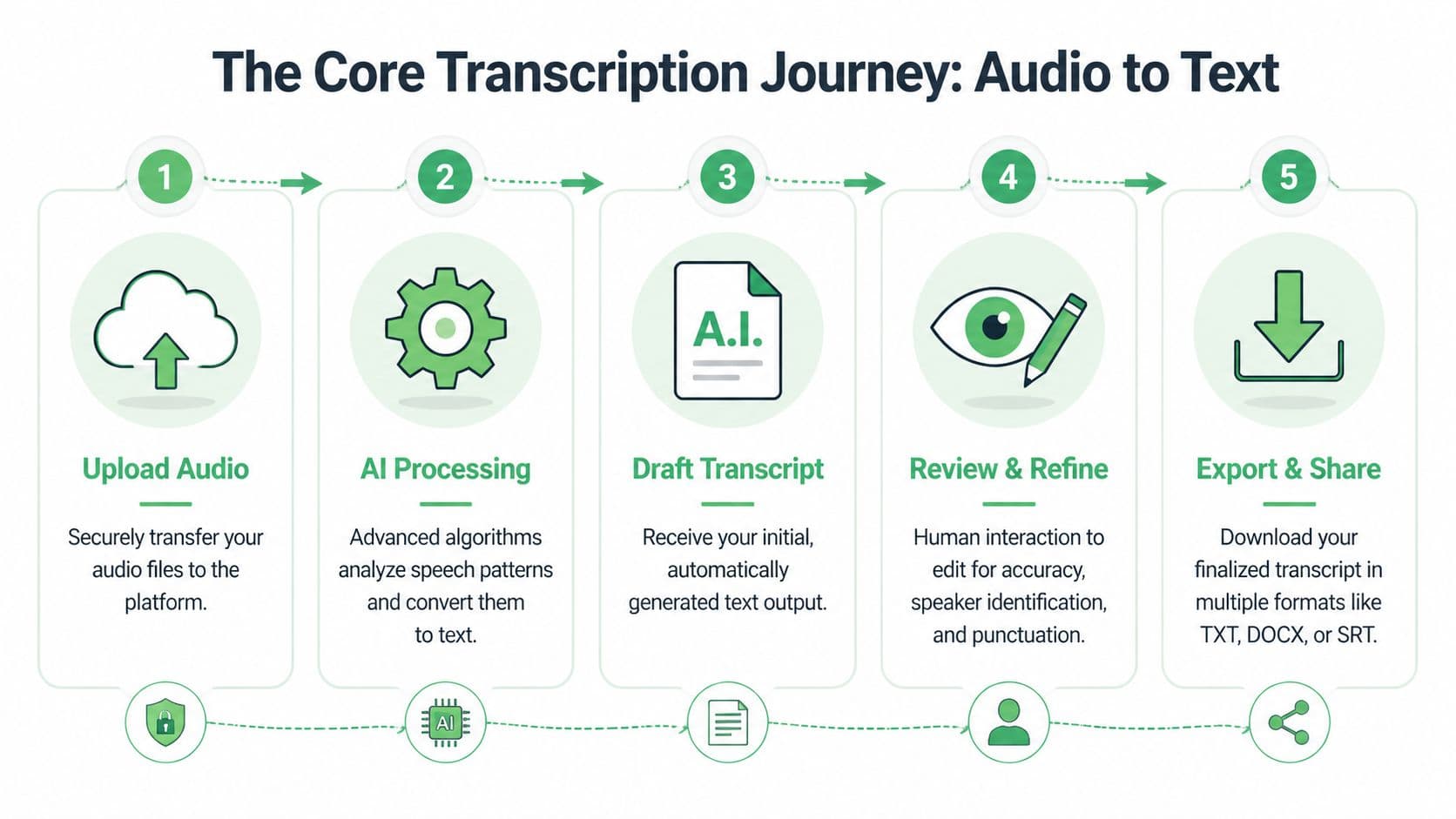
The user workflow in a web app
For a non-technical user, the flow usually looks like this:
- Upload the file or paste a share link
Most platforms accept direct file upload, and many also accept links from cloud storage. Use the highest-quality source you have, not the most convenient one. - Set the correct language
Don’t leave language detection to guesswork if you already know the language. A wrong language setting creates avoidable errors from the first second. - Choose speaker labeling if more than one person speaks
Speaker diarization is useful for interviews, calls, meetings, depositions, and podcasts. If it’s a solo dictation, leaving it off can simplify output. - Enable timestamps if you’ll review against the audio
Timestamps help editors jump directly to problem spots, create captions, or cite specific moments in a recording. - Generate the draft transcript
The first output should be treated as an editable working draft, not final copy.
The developer workflow in an API pipeline
For product teams, the process is similar but operationalized:
- Ingest audio from uploads, calls, or stored media
- Normalize metadata, including language, customer ID, consent flags, or case references
- Send the file to an ASR endpoint
- Request optional enrichments such as diarization, timestamps, summaries, entity extraction, or redaction
- Store transcript and alignment data
- Route output to downstream systems such as CRM, QA tooling, ticketing, BI, subtitle workflows, or archives
That’s where architecture decisions start to matter. Batch processing works for interviews, legal recordings, and media libraries. Streaming matters when a product needs live captions, real-time call assistance, or immediate operational triggers.
If you want a more technical view of what happens under the hood between upload and transcript output, this explanation of how automatic speech recognition works step by step is a useful companion.
Settings that help and settings that hurt
A few configuration choices consistently improve outcomes:
- Language selection: Set it explicitly whenever possible.
- Speaker labels: Turn them on for conversations, leave them off for solo narration.
- Timestamps: Enable them if anyone will review, quote, subtitle, or audit the file.
- Custom vocabulary: Add product names, acronyms, clinician names, legal terms, or local place names when the tool supports it.
- Output format expectations: Decide early whether you need plain text, captions, or review-ready documents.
What usually hurts:
- Uploading highly compressed exports when originals exist
- Using diarization on chaotic room audio and expecting clean attribution
- Skipping metadata and then trying to sort transcripts manually later
- Treating one short clean sample as representative of production conditions
If a transcript will feed another business process, configure for the downstream use before you click transcribe.
One practical example
A newsroom producer and a developer might process the same interview very differently. The producer uploads a WAV file, turns on timestamps and speaker labels, reviews key quotes, then exports a DOCX for editorial use. The developer sends the same file through an API, stores the transcript JSON with time alignment, flags named entities, and pushes the output into a search index for later retrieval.
Same audio. Different workflow. Different success criteria.
That’s why “how to transcribe audio to text” isn’t a single tactic. It’s a production decision based on who needs the transcript and what they’ll do with it next.
Editing and Exporting Your Final Transcript
The first transcript is rarely the final transcript. In professional use, the draft is where the useful work starts.
Raw output often has small but important issues. A proper noun is misspelled. A speaker label flips halfway through a conversation. Punctuation is technically acceptable but hard to read. A filler word matters in one setting and should be removed in another.
Edit against the audio, not from memory
The fastest review process uses an interactive editor that syncs audio with text. That lets an editor click into a sentence, hear the exact segment, fix it, and move on without scrubbing manually through the full file.
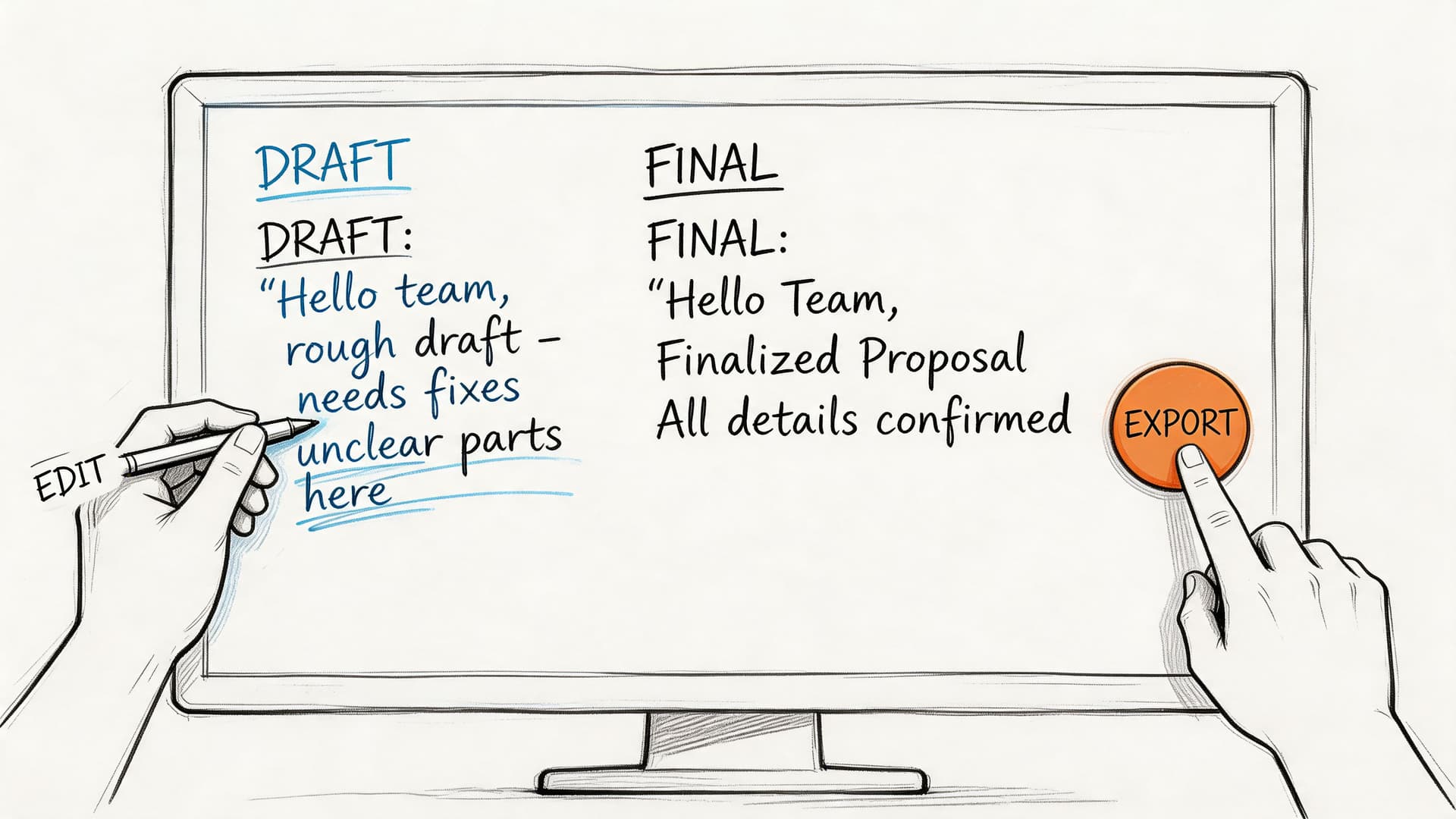
A clean review pass usually focuses on a short list:
- Names and terminology: Product names, medications, legal citations, customer account labels, and internal acronyms often need correction.
- Speaker attribution: Check speaker changes around interruptions and quick back-and-forth exchanges.
- Punctuation and readability: Spoken language often needs light restructuring so the transcript reads clearly without changing meaning.
- Verbatim versus clean copy: Decide whether stutters, filler words, false starts, and repetitions should stay.
A review workflow that scales
I recommend a layered approach instead of line-by-line perfectionism on every file.
First, review the opening minutes. You’ll spot recurring problems fast, such as a wrong speaker label, a repeated term being mistranscribed, or punctuation that needs normalization. Fix the pattern early.
Second, jump to likely problem zones. Crosstalk, low-volume answers, sudden background noise, and names introduced at the start of meetings usually need attention.
Third, do a final skim for formatting consistency. Paragraph breaks, speaker tags, and timestamp spacing affect whether the transcript feels trustworthy.
Clean up recurring errors globally where possible. Don’t solve the same mistake twenty times by hand.
For editors who process a lot of spoken content, playback speed matters too. Faster playback can shorten review time on clear recordings. Slower playback helps when speech is dense, accented, or interrupted.
Match the export to the use case
Export format is not an afterthought. It changes who can use the transcript and how much cleanup happens later.
Here’s a practical comparison:
| Format | Best for | What to expect |
|---|---|---|
| TXT | Basic archiving, quick copy-paste, search indexing | Plain text with minimal formatting |
| DOCX | Editorial review, legal markup, internal collaboration | Easier comments, formatting, and sharing |
| Fixed reference copy | Good for distribution, less flexible for editing | |
| SRT | Video subtitles and captions | Timecoded subtitle blocks for most video platforms |
| VTT | Web video and browser-based caption workflows | Timecoded captions with web-friendly support |
The biggest mistake I see is exporting too early. Teams create a TXT file because it’s quick, then discover they need subtitles, speaker labels, or legal review markup. It’s better to decide the downstream deliverable before the review pass starts.
What polished looks like
A polished transcript doesn’t have to be literary. It has to be dependable.
For journalism, that means quote accuracy and easy timestamp lookup. For legal work, it means preserving attribution and sequence. For internal meetings, it usually means readable sections, clear action items, and enough fidelity that someone who missed the meeting can trust the transcript.
That standard is achievable, but only if the transcript goes through a human review stage that fits the stakes of the recording.
Advanced Strategies to Boost Transcription Quality
A clean demo file can make any transcription system look strong. Production audio is less forgiving. The true test starts when a team has to process call recordings, remote interviews, webinars with crosstalk, or field audio captured on a phone.
Word Error Rate, or WER, is still the standard way to measure recognition quality, but it only becomes useful when you read it in context. A low WER on controlled audio does not guarantee reliable output on compressed, noisy, speaker-heavy recordings. As noted earlier, accuracy drops fast when overlap, accent variation, poor microphone placement, or lossy exports enter the workflow.
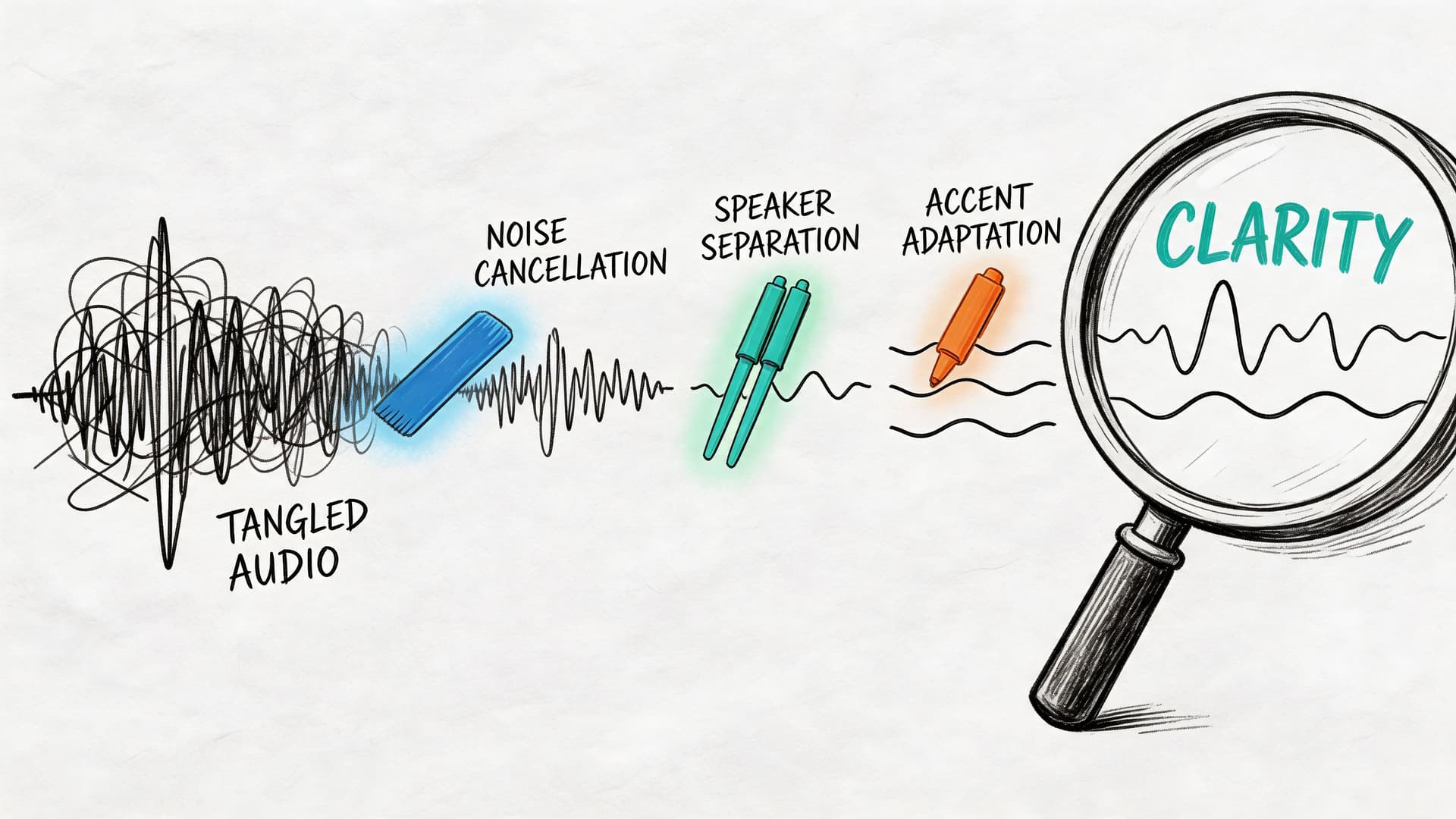
Use custom vocabulary before you start fixing errors by hand
Generic ASR models handle everyday speech well enough. They miss the terms that matter to a business. Product names, internal abbreviations, drug names, legal citations, customer-specific acronyms, and uncommon surnames often fail in predictable ways.
A custom vocabulary helps the model prefer the words your organization uses. This matters most in workflows where a single wrong term creates downstream problems. A medical transcript with an incorrect medication name is not a minor typo. A sales call transcript that misses product names becomes harder to search, summarize, and analyze at scale.
I usually recommend building a glossary before teams increase reviewer headcount. It is cheaper to bias the model correctly than to pay people to fix the same recurring errors every day.
Speaker handling belongs in the same planning step. If multiple people are talking over each other, labeling quality depends on more than the model. It depends on channel separation, turn-taking, and audio clarity. Teams dealing with meetings, interviews, or panels should understand what speaker diarization is and how it works before they promise clean attribution to stakeholders.
Treat damaged audio as a triage problem
Sometimes the source file is already compromised. You receive a platform export with aggressive compression, a phone memo recorded in traffic, or a meeting capture where one speaker is six feet from the mic. At that point, the job is not to force a perfect transcript. The job is to recover as much usable speech as possible without making the file worse.
Light preprocessing can help. Heavy preprocessing often hurts.
Use a short diagnostic pass first, then make the minimum change that addresses the dominant issue:
- Audit a sample by ear
Check whether the main failure is background noise, low gain, clipping, overlap, or one speaker being much quieter than the others. - Apply conservative cleanup
Reduce hum, normalize levels, and correct obvious channel imbalance. Stop before speech starts sounding metallic, watery, or overprocessed. - Segment the file if conditions change
A keynote, audience Q&A, and hallway interview should not always be processed as one asset. Different sections often need different settings and different review expectations. - Rerun with vocabulary hints and the right language settings
If the first pass misses recurring terms, give the system better instructions before sending the file back through.
This step matters more in enterprise workflows than many teams expect. Once transcripts feed search, analytics, QA, or compliance review, small recognition failures stop being isolated errors. They become bad data in downstream systems.
Plan around failure modes that keep showing up
Current systems still struggle with the same categories of audio. Teams that know those limits usually get better results because they design review rules around them.
| Problem | What usually happens | Better response |
|---|---|---|
| Overlapping speech | Words are dropped, merged, or assigned to the wrong speaker | Flag these segments for manual review and reduce overlap in future recordings |
| Accent shifts or dialect variation | The model normalizes speech into the closest familiar term | Set language options carefully, add glossary terms, and allow more QA time |
| Low-bitrate or heavily compressed audio | Consonants blur and short words disappear | Recover the original source file whenever possible |
| Clean-read transcript settings | Fillers, repetitions, or false starts are removed even when they matter | Choose verbatim output for legal, research, or dispute-sensitive use cases |
| Hallucinated text in low-audibility sections | The transcript looks fluent but includes words nobody said | Review low-confidence spans against the audio and waveform |
The highest-risk error is not ugly text. It is plausible text that slips through review because it reads smoothly.
That risk shows up in editorial and technical content all the time. If your team transcribes podcasts or interviews about fast-moving product stories, Ridealong's take on the Claude code leak is a good example of the kind of content where niche terms, speaker overlap, and implied context can make a transcript look polished while still missing key details.
Build a repeatable QA loop
When transcript quality drops, avoid vague postmortems like "the model was bad." Diagnose the source of failure and log it. Over time, that gives you a working playbook for routing files, setting expectations, and deciding where human review is required.
Use a short checklist:
- Was this the cleanest source file available?
- Was the correct language or locale selected?
- Did multiple speakers share one mixed channel?
- Did the file include terms that should have been added to a glossary?
- Did the transcript style match the use case?
- Was the team expecting field audio to perform like studio audio?
For scaling teams, tooling matters because the workflow matters. Vatis Tech can fit use cases that need multilingual transcription, timestamps, speaker diarization, custom vocabulary, API access, and multiple export paths. The important decision is not brand preference. It is choosing a system that lets your team tune recognition, review, and output for the recording in front of you, instead of treating every file the same way.
Security, Compliance, and Real-World Applications
A transcript can contain customer complaints, legal arguments, medical details, financial references, internal strategy, or personally identifiable information. Once you recognize that, the buying criteria change. Accuracy still matters, but it stops being the only question.
For enterprise users in legal and healthcare, basic transcription features are insufficient. Critical workflows for automated PII redaction, audit trails for compliance such as HIPAA and GDPR, and role-based access controls are often under-addressed by generic tools, which creates a serious gap for organizations handling sensitive material, as discussed in this review of audio-to-text workflow gaps for enterprise users.
Security controls should fit the workflow
A secure transcription process starts with a basic operational decision. Who can upload, who can review, who can export, and who can see unredacted content?
That sounds administrative, but it directly affects risk. If a legal transcript can be downloaded by anyone with workspace access, or if a medical recording is reviewed in an uncontrolled shared folder, the problem isn’t the ASR model. The problem is the workflow.
A solid enterprise process usually includes:
- Role-based access controls so reviewers only see what they need
- Redaction workflows for sensitive identifiers before broader sharing
- Auditability so teams can verify what changed and who handled it
- Retention rules that match legal, regulatory, or contractual requirements
- Deployment options that fit data residency and internal security policies
Redaction isn’t just a feature checkbox
PII redaction is often treated too casually in product comparisons. In practice, it changes the entire review process.
A journalist may need names preserved. A customer support QA team may want customer identifiers masked before coaching sessions. A healthcare team may need strict handling around patient information. A legal team may need narrow access to privileged material while still distributing a reviewed transcript internally.
Those use cases all say “transcription,” but they don’t require the same handling.
Security review should happen before rollout, not after the first sensitive file is already in the system.
How different teams use transcripts in practice
The strongest transcription programs don’t stop at document creation. They connect transcripts to operational work.
Contact centers and customer experience teams
Transcripts let support leaders search calls by issue type, escalation language, competitor mentions, cancellation drivers, and coaching opportunities. They’re also easier to audit than raw audio because supervisors can scan patterns before jumping into specific moments.
This is especially useful when calls are numerous and quality varies. A transcript won’t eliminate the need to listen, but it does narrow where to listen.
Broadcasters, journalists, and newsrooms
Reporters and producers need speed, but they also need attribution discipline. A searchable transcript helps pull quotes, verify names, and build articles or segments from recorded material without replaying full interviews repeatedly.
Subtitles and caption files matter here too. If a newsroom publishes video, export format choice becomes part of the editorial pipeline, not an afterthought.
Healthcare documentation teams
Healthcare workflows depend on precision, reviewability, and controlled access. Dictation, consultations, and recorded summaries can all benefit from speech-to-text, but only if the transcript can be checked, corrected, and handled under the right privacy model.
This is one area where generic consumer workflows usually fall short. The transcription itself may be acceptable, but the review and compliance path often isn’t.
Legal teams, courts, and compliance groups
Legal users care about speaker attribution, sequence, and traceability. A readable transcript is not enough if the team can’t verify a disputed segment against the original recording or show how redactions were applied.
That means timestamp fidelity, controlled editing, and export discipline matter more than convenience features.
Developers building speech-enabled products
For developers, transcription is usually not the product. It’s a service inside a larger product.
The transcript may feed search, notes, summaries, analytics, moderation, accessibility, or workflow automation. That changes how the system should be evaluated. API design, webhook behavior, metadata handling, concurrency, and security controls often matter as much as raw recognition quality.
Media monitoring and research teams
Research teams use transcripts to identify themes, compare interviews, and trace recurring phrases or claims across large sets of recordings. Once speech becomes text, they can use standard text workflows instead of relying on people to listen manually through archives.
That shift is often the true return. Not just faster transcription, but more usable information.
What a mature transcription process looks like
A mature process usually has five traits:
- Input standards so teams aren’t constantly troubleshooting avoidable audio problems
- Configured transcription settings matched to language, speakers, and use case
- Human review rules based on the business risk of errors
- Export discipline tied to how the transcript will be used next
- Security and compliance controls built into the workflow rather than bolted on later
When teams get those pieces right, the transcript stops being a side artifact. It becomes part of the operating system for customer conversations, interviews, documentation, and evidence.
If you’re evaluating how to transcribe audio to text at business scale, Vatis Tech is worth reviewing for teams that need editable transcripts, API-based workflows, multilingual support, speaker diarization, timestamps, and enterprise security controls in one platform. The useful way to assess it is with your real audio, your actual review process, and your compliance requirements, not a clean demo file.