Translate Spanish Video to English (2026 Guide)
Subtitle a Spanish video in English without rework: fix meaning before timing, handle overlapping speakers, dialects and burned-in text, then export SRT or VTT.
13 min read
•
May 19, 2026
Written by
Adrian Ispas
You've got a Spanish video that needs to work for an English-speaking audience. Maybe it's a webinar that performed well in Latin America, a support video that now needs to serve U.S. customers, or an interview that has to publish fast while the topic still matters.
The hard part isn't getting some translation. It's getting a version that stays clear, on time, and believable once subtitles, voices, graphics, and regional language all enter the picture. If you need to translate spanish video to english, the right workflow depends less on the tool's landing page and more on your tolerance for errors, edit time, and production constraints.
The Modern Workflow Translating with AI Tools
A product team finishes a Spanish webinar at 10 a.m. and wants an English subtitled version live before the U.S. afternoon. That job usually does not need a fully manual localization chain. It needs a fast first pass, a clear review step, and a tool choice that matches the risk.
AI handles that well when the goal is speed with controlled editing.
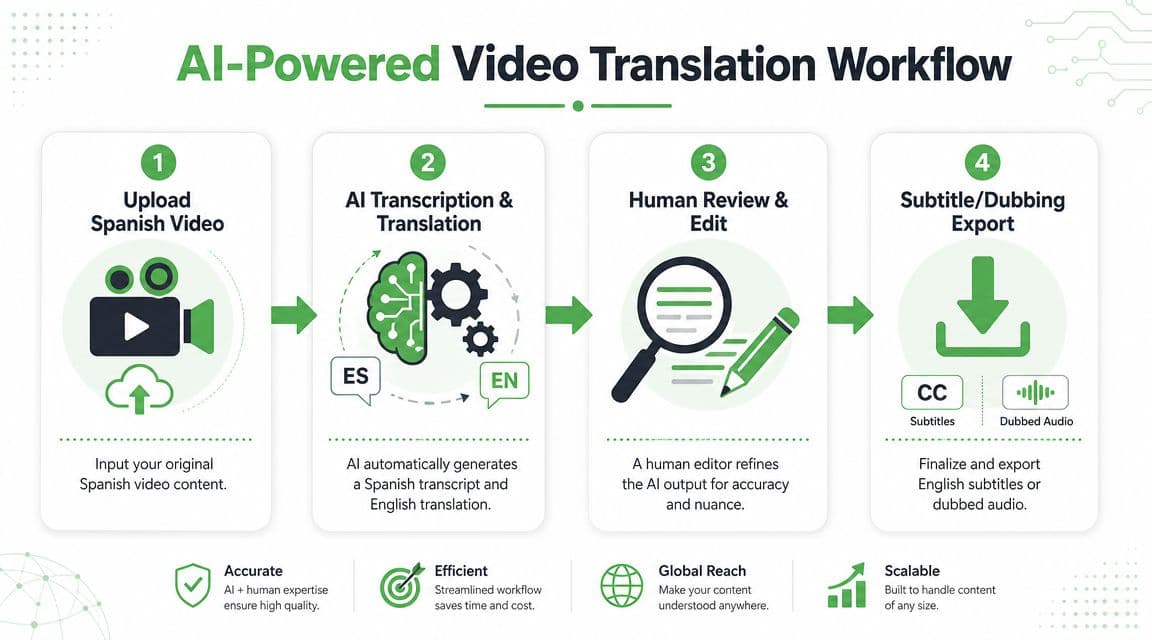
Most current platforms follow the same pattern. They transcribe the Spanish audio, translate the text into English, let you edit timing and wording, and export subtitles or a dubbed file. The value is not just automation. The value is collapsing several production steps into one workspace so a social clip, training video, or internal update can move from upload to review without handoffs.
The fastest path from upload to export
A practical AI workflow usually looks like this:
- Upload the original Spanish video
Use the cleanest file available. A master export gives speech recognition better audio and avoids timing problems introduced by compressed reposts. - Generate the Spanish transcript and English translation
Good tools separate these stages even if they hide the complexity in the interface. That matters because many translation errors start as transcription errors. - Edit subtitles before export
Check names, branded terms, acronyms, numbers, and line breaks. If the platform supports side by side transcript editing, use it. - Export the right deliverable
For short form content, that may be burned-in English captions. For YouTube, LMS, or enterprise archives, an SRT or VTT file usually gives more flexibility.
Where AI saves time and where it doesn't
AI is fastest on clean, predictable material. A single speaker, limited background noise, and standard vocabulary usually produce a usable draft quickly. Opus also notes that clear audio improves output quality and that captions still need review before publishing on its Spanish-to-English translation tool page.
The time savings drop fast once the source gets messy. Regional accents, crosstalk, domain-specific terminology, and on-screen Spanish text all increase edit time. Burned-in lower thirds and slides are a common blind spot. Many tools translate speech well but leave Spanish text in the frame untouched, which creates a half-localized result.
That trade-off matters. AI gets you speed. Human review gives you control over meaning, timing, and audience trust.
A practical example
Take a seven-minute Spanish onboarding video for a SaaS product. The efficient workflow is usually subtitle-first:
- Upload the MP4
- Set English as the target language
- Review the transcript before polishing the translation
- Correct product names, menu labels, and support terms
- Export an SRT first, then decide whether burned-in captions are necessary
This order keeps rework down. If the English subtitles are wrong, dubbing from that script only spreads the error into another output.
If you are comparing language-model quality across tools, this overview of OpenAI's newest GPT-5 model helps explain why transcript cleanup and phrasing have improved in newer AI-assisted workflows. For teams building this into a larger production stack, it also helps to compare speech-to-text API options for production workflows.
Effective Use Cases for AI
Use AI first for work such as:
- Single-speaker tutorials, demos, and explainers
- Social clips and webinar repurposing with same-day deadlines
- Subtitle-first localization, where text review is the main quality gate
- High-volume content pipelines that need repeatable turnaround
- Developer-driven workflows that push transcription and translation through APIs instead of a browser tool
AI is less reliable as a one-click finish for multilingual interviews, heavy dialect variation, compliance content, or videos with important on-screen Spanish graphics. In those cases, the draft can still save time, but only if someone reviews the language in context and fixes what the model missed.
A Manual Workflow for Maximum Control
Some videos can't tolerate a one-click workflow. If you're handling legal testimony, medical instructions, regulated training, or broadcast material, control matters more than speed.
The manual route is slower, but it gives you decision points at every stage. Instead of letting one platform do everything at once, you break the job into separate tasks and validate each output before moving on.
What the manual workflow looks like
A controlled Spanish-to-English subtitle job usually runs like this:
- Extract the audio track from the video so transcription is easier to manage
- Create the Spanish transcript and correct names, acronyms, and speaker turns
- Translate the transcript into English with attention to meaning, not just literal wording
- Build subtitle files from the approved English script
- Check line breaks and timing against the picture
- Review the final video in real playback
This approach is useful when the transcript itself becomes a formal record, or when another team needs to approve language before the subtitles go live.
Manual workflows don't remove errors automatically. They make errors easier to catch before publication.
AI Workflow vs. Manual Workflow Comparison
| Criteria | AI-Powered Workflow (e.g., Vatis Tech) | Manual Workflow (Multiple Tools) |
|---|---|---|
| Speed | Fastest option for first-pass translation and subtitle generation | Slower because each stage is handled separately |
| Control | Good for quick edits, but the pipeline is more automated | Highest control over transcript, translation, timing, and formatting |
| Best use case | Social clips, training drafts, internal content, rapid publishing | Legal, medical, technical, broadcast, compliance-heavy content |
| Quality review | Requires post-editing after automatic output | Review happens at each stage before the next step |
| Scalability | Easier to run across many files | Harder to scale without a larger team |
| Tool complexity | Lower if one platform handles upload, edit, and export | Higher because you may need separate transcription, translation, and subtitle tools |
| Terminology handling | Works well when language is straightforward and consistent | Better when terminology needs line-by-line approval |
| Risk profile | Faster, but more dependent on source audio quality | Slower, but easier to audit and document |
When manual wins
Manual usually wins when the video has hidden complexity.
A short deposition clip may look simple, but one mistranscribed legal term can change the meaning of a subtitle. A product training video may need exact rendering of menu labels and warning language. In both cases, building from an approved transcript gives you a cleaner audit trail.
The trade-off is obvious. Manual control costs time, and it doesn't make sense for every asset. If you publish high volumes of short-form content, an all-manual process will bottleneck your team.
Editing Subtitles for Accuracy and Impact
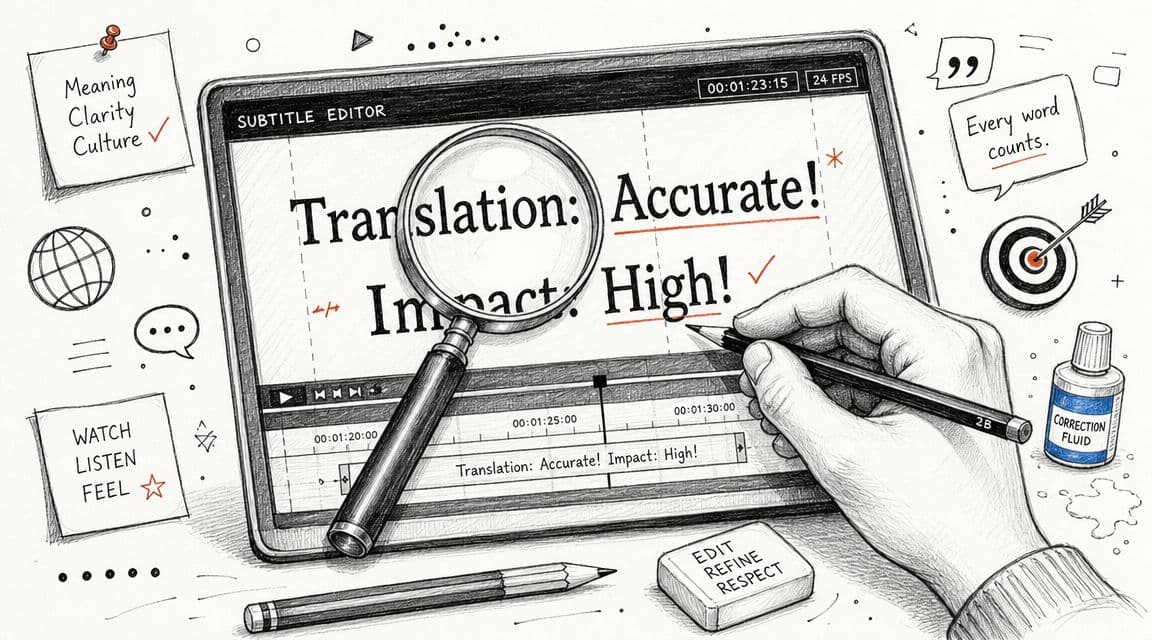
The draft isn't the deliverable. The edit is where a translated video either becomes professional or stays obviously machine-made.
A reliable workflow for Spanish-to-English video localization is to transcribe the Spanish audio, translate the transcript, review for linguistic accuracy, verify audio and visual sync, localize on-screen text and graphics, and finish with a cultural QA pass, as described in Colossyan's modern workflow for translating video from Spanish to English.
Fix meaning before you fix timing
Editors often jump straight to timestamps. That's backward.
First, clean the language itself. Spanish often carries tone through formality, context, and word order that doesn't map neatly into English. A literal translation can be grammatically correct and still sound wrong on screen.
Check for:
- Idioms and regional phrasing that need adaptation rather than direct translation
- Formal versus conversational tone so the English matches the speaker and audience
- Brand and product vocabulary that should remain consistent across videos
- Compressed wording because readable subtitles usually need tighter phrasing than spoken Spanish
A support video is a good example. “Le vamos a dar seguimiento a su caso” can become clunky if translated too word-for-word. In English subtitles, the cleaner line may be “We'll follow up on your case.”
Then fix subtitle timing and readability
Once the wording is right, shift to timing. Subtitles need to appear when viewers expect them, not a beat late and not before the idea lands.
Common adjustments include:
- Move in-times earlier when the subtitle lags behind the speech.
- Trim out-times if text hangs on screen after the speaker has moved on.
- Re-break long lines so viewers can scan naturally.
- Split dense subtitles if one card carries too much information.
If viewers have to choose between reading and watching, the subtitles are doing too much.
For editors working in Adobe workflows, this guide to cleaner subtitle editing in Premiere Pro is useful when timing and readability become the bottleneck.
Don't ignore text that isn't spoken
A lot of failed localization jobs happen because teams only translate audio. But videos often contain:
- Slides and lower thirds
- Charts or labels
- UI screens
- Calls to action
- Burned-in captions from the source edit
If the speaker says one thing in English subtitles while the screen still shows Spanish labels, the result feels unfinished. Sometimes the fix is a redesigned graphic. Sometimes it's a note, overlay, or subtitle cue. The right choice depends on the importance of the on-screen text.
This walkthrough is a useful visual reminder of how subtitle refinement affects the final result:
Final QA checks that matter
Before export, run a short final pass:
- Watch once with sound on to catch timing drift
- Watch once muted to see whether subtitles stand on their own
- Check names, titles, and terminology
- Confirm on-screen Spanish text has been handled
- Look for culture-specific wording that sounds unnatural in English
That final muted review catches more problems than people expect. If the English still makes sense with no audio, your subtitle edit is probably in good shape.
Solving Complex Translation Scenarios
Clean, single-speaker videos are the easy cases. Real projects usually aren't that tidy.
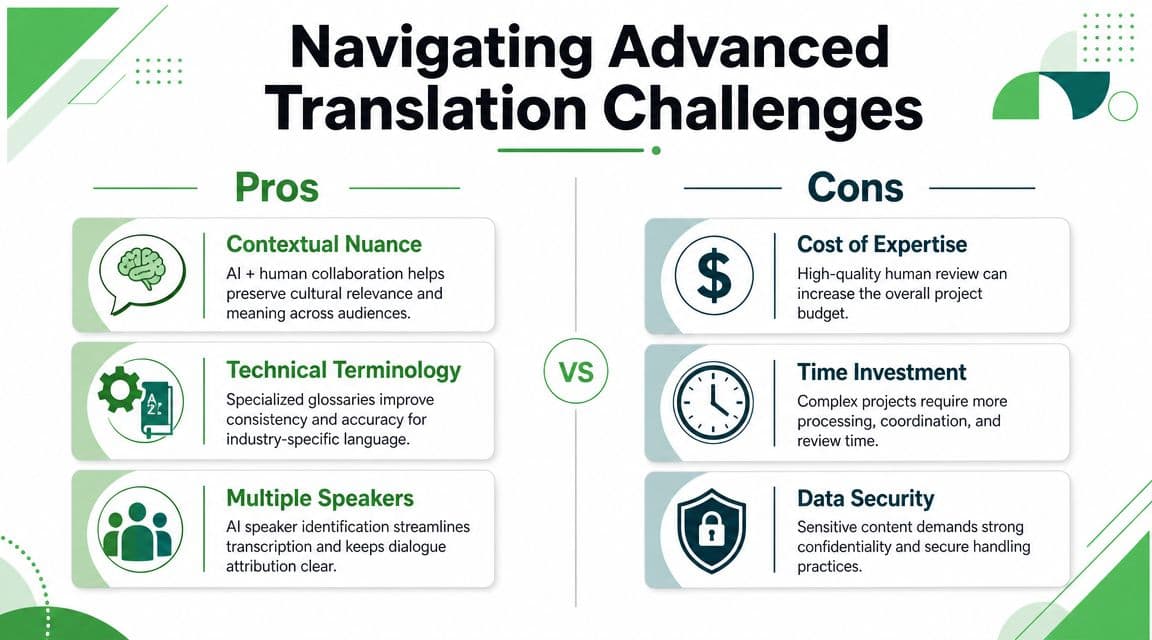
The harder jobs involve multiple speakers, regional accents, overlapping speech, code-switching, and text embedded in the image itself. Those are the cases where “instant translation” stops being a useful promise and starts needing real operational judgment.
A recurring concern in Spanish-to-English work is whether a tool stays trustworthy with multiple speakers, code-switching, or dialect-heavy speech, especially in journalism, contact centers, and legal contexts where overlapping speech and regional slang can't be hand-waved away, as discussed in Vozo's guide on translating Spanish video to English.
Multiple speakers and overlapping audio
Interview footage, customer calls, panel discussions, and field reporting all create the same problem. If the transcript doesn't separate speakers correctly, the translation inherits the confusion.
The fix is procedural as much as technical:
- Use speaker diarization when available
- Review speaker turns before translating
- Label key speakers by role or name if the deliverable requires it
- Avoid dubbing first when attribution matters. Subtitles are easier to audit
If two speakers talk over each other, don't try to force every word into clean subtitle lines. Decide which speech is primary for viewer comprehension and reflect that choice consistently.
Dialects and code-switching
Spanish varies a lot across markets. A phrase that sounds neutral in one country can sound highly local in another. Add Spanglish or mixed-language dialogue and even a strong model may flatten meaning.
A better workflow is to prepare the system and the reviewer for that reality:
- Create a glossary for product names, acronyms, and repeated terms
- Flag expected regional vocabulary before the translation run
- Keep the original Spanish transcript visible during review
- Choose English phrasing for audience clarity, not literal symmetry
Regional speech isn't just a transcription issue. It's a localization issue.
If you're producing dubbed content and need to think about mouth movement as well as translation, this guide to AI lip sync for marketers is worth reviewing before you promise a polished English dub from difficult source footage.
For teams handling repeated bilingual workflows, a more focused reference on Spanish-to-English translation workflows can help standardize terminology and review rules.
Burned-in Spanish text
Burned-in text is one of the most ignored production issues. The subtitles may be perfect while the screen still shows Spanish titles, labels, or banners that English viewers can't parse.
You have three realistic options:
- Re-edit the source project and replace graphics directly
- Use overlays to cover and localize visible text
- Apply OCR-based extraction so the team can identify and translate embedded text systematically
For social clips, overlays are often enough. For training or product videos, replacing the original graphics usually looks cleaner. What doesn't work is pretending viewers won't notice.
Automating Translation for Developers with an API
A social team can tolerate a fast AI subtitle pass and a quick review in the browser. A product team shipping hundreds of help videos cannot. Once Spanish-to-English translation becomes part of the product, the job changes from editing files by hand to designing a pipeline that can process volume without letting quality slip.
APIs make that possible. Your system can submit media, request transcription and translation, collect subtitle files or translated text, and send only the risky jobs to human review. That is the practical trade-off. You gain speed on repeatable work, but only if you define where automation stops and review begins.
Why API-based translation makes sense
API workflows are useful when translation is tied to an application, a CMS, or a constant stream of incoming video. Common cases include:
- Large media archives that need English subtitle coverage
- Customer support videos uploaded continuously
- Training libraries distributed across regions
- User-generated content that needs fast triage, moderation, or localization
For these teams, the value is not just faster turnaround. It is consistency. The same language settings, export rules, glossary handling, and approval logic can run across thousands of files instead of depending on whoever happened to upload the video that day.
A typical API workflow
A standard pipeline usually looks like this:
- Send the Spanish media file or media URL
- Request transcription
- Translate the transcript into English
- Store subtitles, translated text, or dubbed output
- Route flagged jobs to human QA
Vatis Tech is one example in this category, offering transcription and translation through software and API access. In practice, teams use tools like this to feed results into their own app, review layer, or content system rather than managing every asset manually.
A language-agnostic example
{
  "input_language": "es",
  "target_language": "en",
  "output": ["transcript", "subtitles"],
  "media_url": "your-video-file-or-storage-url",
  "callback_url": "your-app-webhook"
}
The request body is the easy part. The harder decisions sit around it. Decide where glossary rules live, how low-confidence segments are flagged, whether subtitles can publish automatically, and who approves sensitive content before anything goes live.
Clean audio can often pass with light review. Dialect-heavy speech, overlapping speakers, legal content, and videos with visible on-screen text usually need stronger controls.
If your app team is already dealing with multilingual product content, preventing React Native localization tech debt is a useful parallel. The same governance problems show up in video. Terms drift, exceptions pile up, and quick fixes become expensive.
What developers should plan for
The translation call is only one layer of the system. Production teams usually also need:
- Job status polling or webhooks
- Asset versioning
- Subtitle format handling
- A review queue for sensitive or low-confidence output
- Rules for poor source audio, mixed languages, and failed OCR
The full range of translation needs becomes clear. A short social clip might only need AI subtitles and a light pass before publishing. An enterprise workflow usually needs auditability, retries, approval states, and a way to handle edge cases such as regional Spanish, burned-in labels, or subtitle revisions after the source video changes.
Good automation does not try to remove humans from the process. It removes repetitive handling, then preserves human control where errors are expensive.
Frequently Asked Questions About Video Translation
A common scenario: the translation is done, the deadline is close, and the team still has practical questions about export formats, YouTube workflows, dubbing, and budget. These choices affect review time, publishing risk, and how much cleanup the English version needs.
Which subtitle format should I export
Start with SRT unless the delivery platform gives you a reason not to. It works across YouTube, many video editors, review tools, and most localization handoff workflows.
Choose VTT if the subtitles are going to the web and you need better browser support or styling control. For many teams translating Spanish video to English, SRT is the faster operational choice because editors, producers, and clients already know how to check it.
Some platforms also bundle subtitle export with dubbing and voice features, as shown in Rask AI's Spanish video translator page. Feature breadth matters if you expect to move from quick social clips to larger multilingual video programs.
Can I translate a YouTube video directly into English
Yes, but the right method depends on the job.
If the YouTube video already has usable Spanish captions, extracting and translating those is usually the fastest path. If the captions are poor, missing, or out of sync, ingest the media into a transcription workflow and rebuild from the audio. That takes longer, but it gives you control over timing, speaker labels, and final subtitle files.
For internal reference, auto-translated captions may be enough. For publishing, training, legal review, or customer-facing content, teams usually need editable transcript and subtitle files.
Should I choose subtitles or dubbing
Choose subtitles when speed, lower cost, and easier review matter most. They are usually the safer option for product demos, training, compliance content, and any video where exact wording matters.
Choose dubbing when English audio will improve completion rates or audience comfort. That often applies to marketing videos, executive messages, and content meant to feel native to the target market. Dubbing creates more variables, including voice selection, timing, pronunciation, and approval cycles, so it works better after the translation is stable.
In practice, many teams do both. They publish English subtitles first, then add dubbing to videos that prove their value.
How do I improve translation quality before upload
Better input saves editing time later.
Use the cleanest source audio available. Reduce background noise if you can. Separate speakers clearly. Provide a glossary for product names, acronyms, and repeated terms. If the video includes on-screen Spanish text, plan for that review too, because subtitle translation alone will not fix burned-in labels or slides.
This is also where dialect matters. Spanish from Mexico, Spain, Argentina, and bilingual U.S. speakers can produce different vocabulary and transcription choices. AI handles a lot of this well, but review is still the safer option for brand-sensitive or technical material.
How many languages do these tools usually support
Language coverage varies a lot, and raw language count is only part of the decision. The more useful question is whether the tool supports the workflow you need across those languages: subtitle export, transcript editing, dubbing, API access, speaker handling, and text recognition for visible on-screen content.
If Spanish-to-English is only the start, check how the vendor handles multilingual expansion before you commit. A tool that works for one social clip may not fit an enterprise localization pipeline with approvals, revisions, and asset tracking.
What should I budget for
Pricing depends on how much control you need after the first AI pass. The main cost drivers are:
- AI-only subtitles versus reviewed subtitles
- Subtitle-only delivery versus dubbing
- Speaker count and overlap
- Terminology sensitivity
- Whether on-screen graphics or burned-in text also need translation
- How much revision the client or legal team expects
Cheap first-pass output can become expensive if the team spends hours fixing timing, terminology, and OCR mistakes. For customer-facing or regulated content, review usually costs less than rework after publication.
If you need to translate spanish video to english at scale, Vatis Tech is one option to evaluate for transcription-led workflows, especially if your team needs editable transcripts, subtitle exports, and API access rather than a one-off consumer tool.