The Transcription Software Built for Accuracy and Speed
It's simple. We wanted to build the most accurate and fastest transcription software and we delivered on our promise.
- No card required
- No signup required
Rated 4.9/5 by our users
Trusted by hundreds of fast-growing companies

How it works
How the transcription software works
- 01
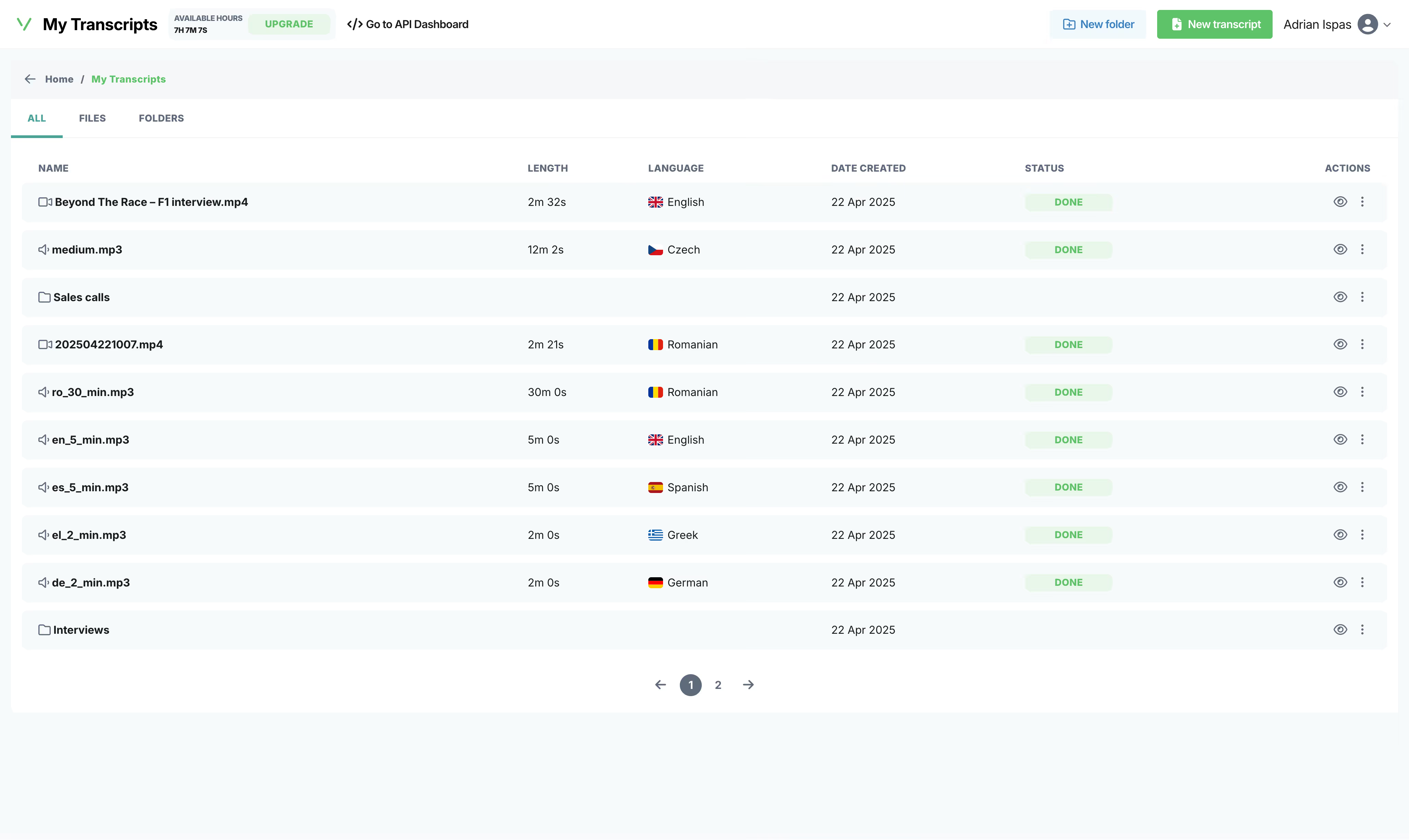
Upload anything
Drag, drop, or paste a link. MP3, MP4, WAV, YouTube, Zoom recordings — we eat them all for breakfast. 30+ formats supported.
- 02
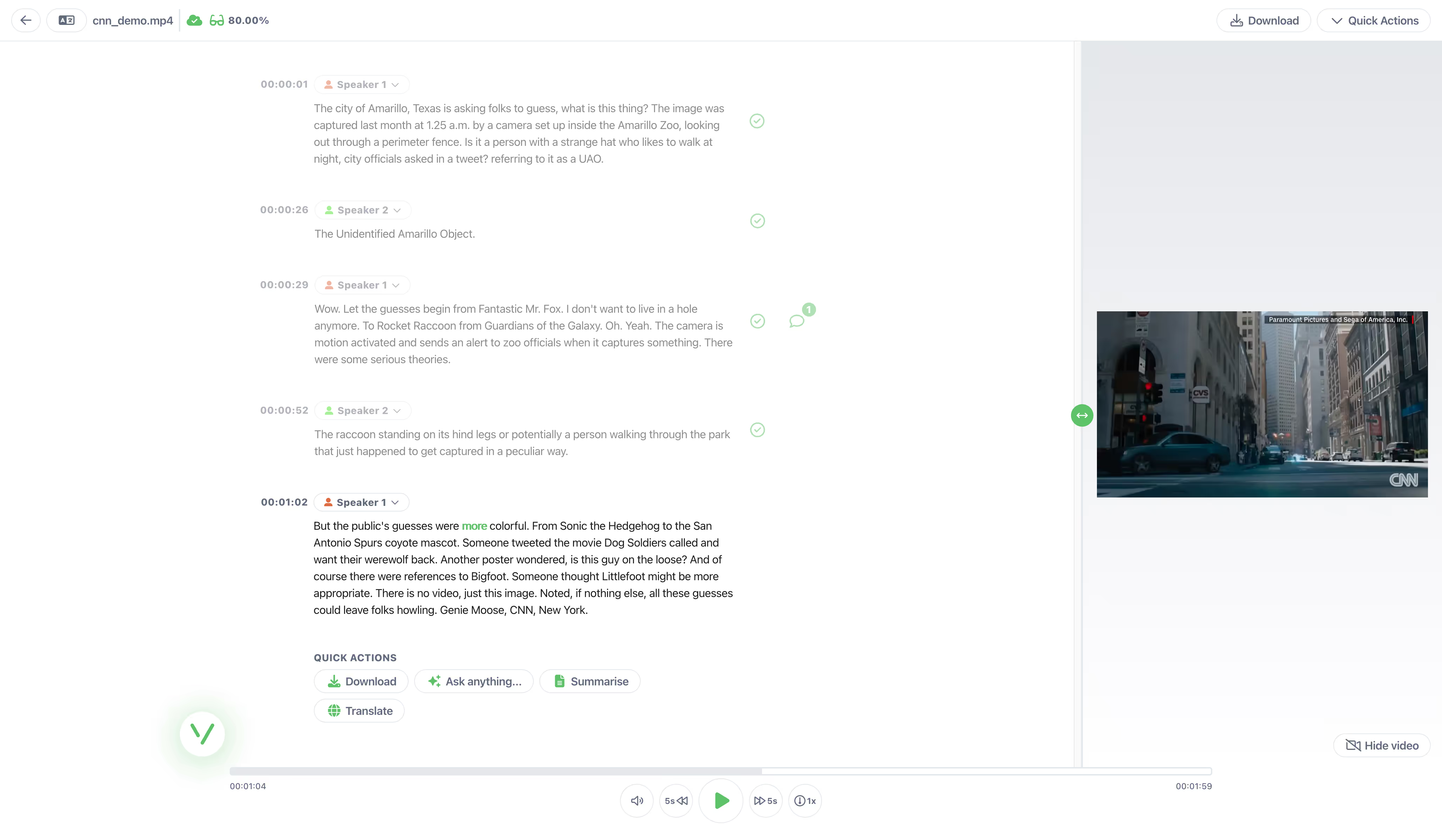
Transcribe and/or Translate
Our engine transcribes, identifies speakers, detects topics, and even analyzes sentiment. All in about a minute per hour of audio.
- 03
Edit, export, done
Review and edit the transcript or the translation as necessary. Export your final document in various formats, including PDF, DOC, SRT, TXT, and more.
Features
Why teams choose Vatis over everything else
- Vatis Tech v5
- Azure
- Speechmatics
- Whisper
- 95% human level
95%+ Accuracy in 50+ Languages
When we say 95%, we mean it. Our LLMs are trained on diverse audio (accents, background noise, crosstalk) because real conversations aren't recorded in a studio. Transcribe in English, Spanish, French, German, Italian, Portuguese, Arabic, Japanese, Korean, and 40+ more with the highest accuracy.
Try free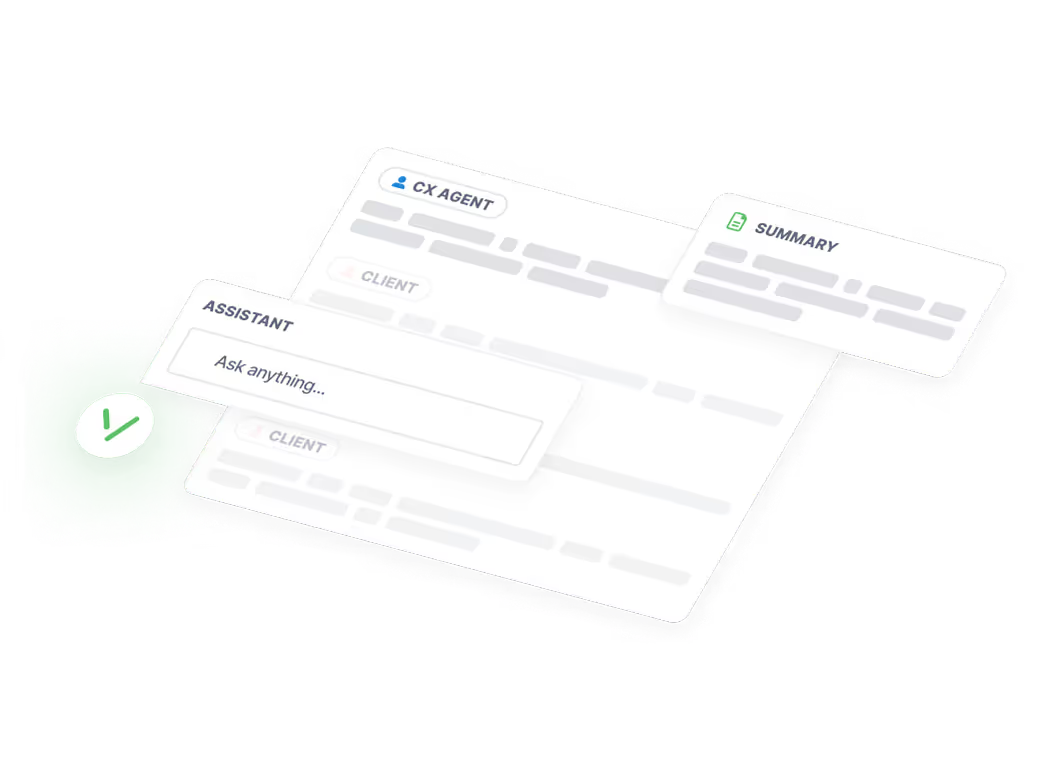
Generate Summary, Speaker Diarization, Chapters from Audio & Video
Five people in a heated meeting? No problem. Vatis identifies and labels each speaker automatically even when they talk over each other. No pre-training, no setup. Just upload and we figure out who said what.
Try free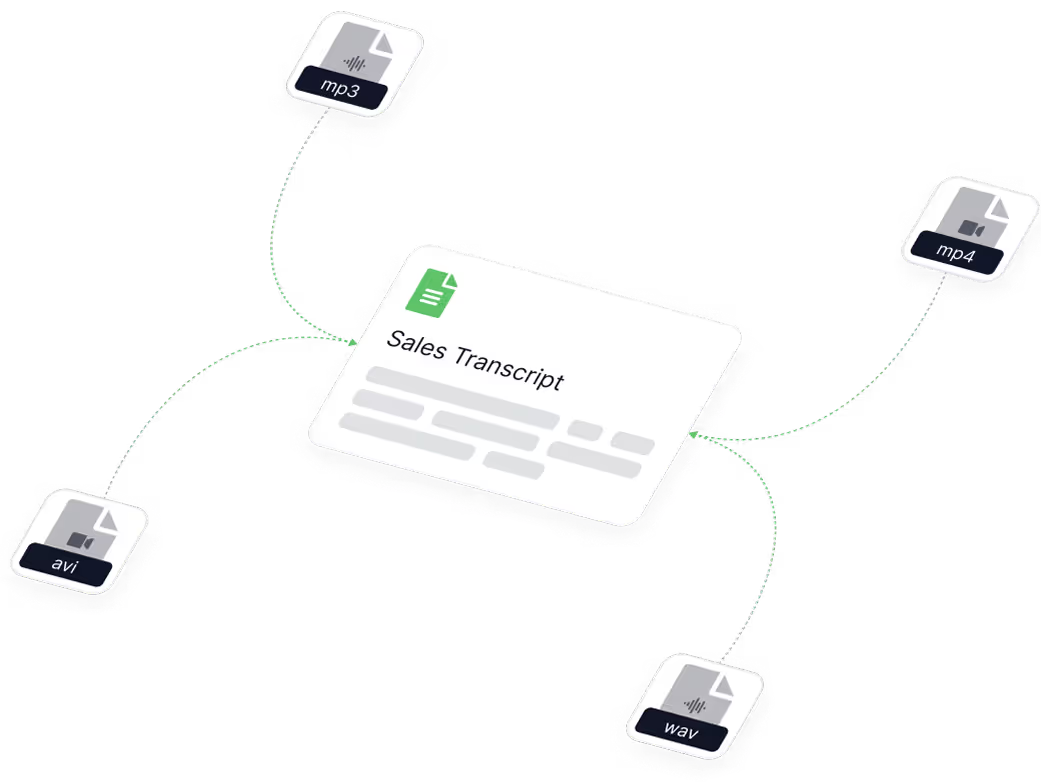
Medical, legal, and interview, sales transcription
Custom vocabulary for specialized terminology. Domain-specific models for healthcare, legal, and media. On-premise deployment for organizations that can't send data to the cloud. After transcription, edit the text in our built-in editor and export as TXT, DOCX, PDF, or SRT.
Try free- GDPR compliant
- ISO 27001 certified
- SOC 2 Type II in progress
Enterprise security that passes any audit
ISO 27001 certified. GDPR/LGPD compliant. SOC 2 Type II in progress. End-to-end encryption. On-premise and private cloud deployment. We protect your data and make sure it never leaves your control.
Try free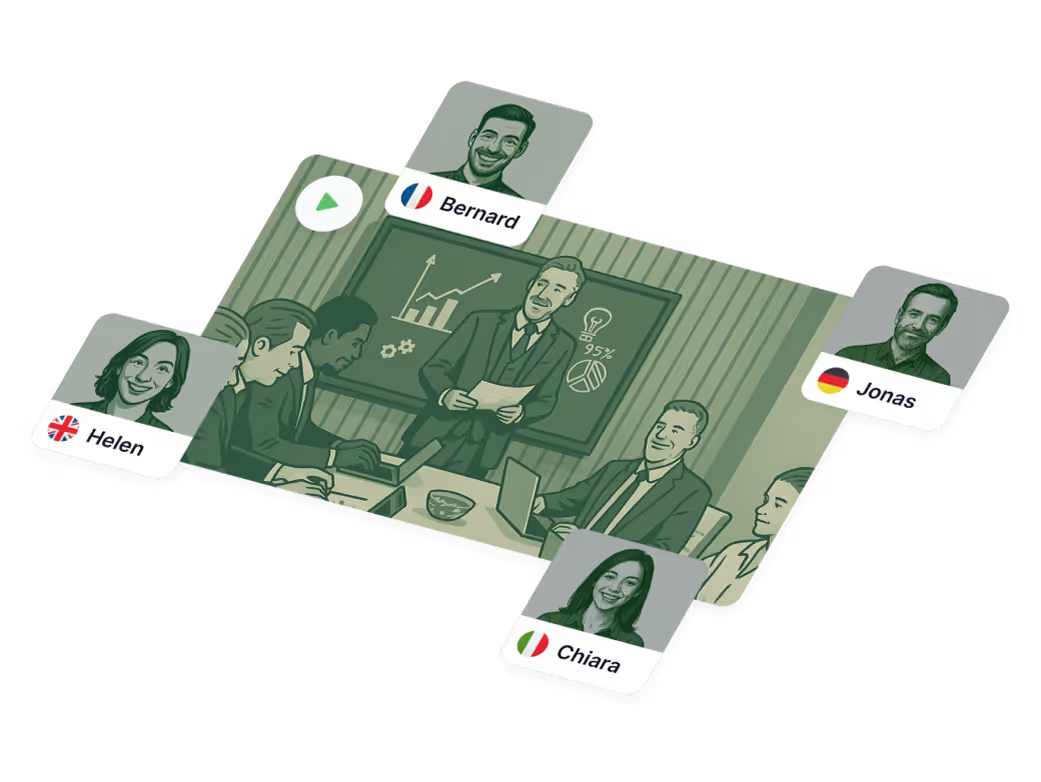
Multi-language Transcription
Your file has someone speaking English, then switching to Spanish, then back? Our model switches languages automatically in real-time and transcribes each segment in the correct language. No need to select a language upfront. This is something most competitors simply can't do.
Try free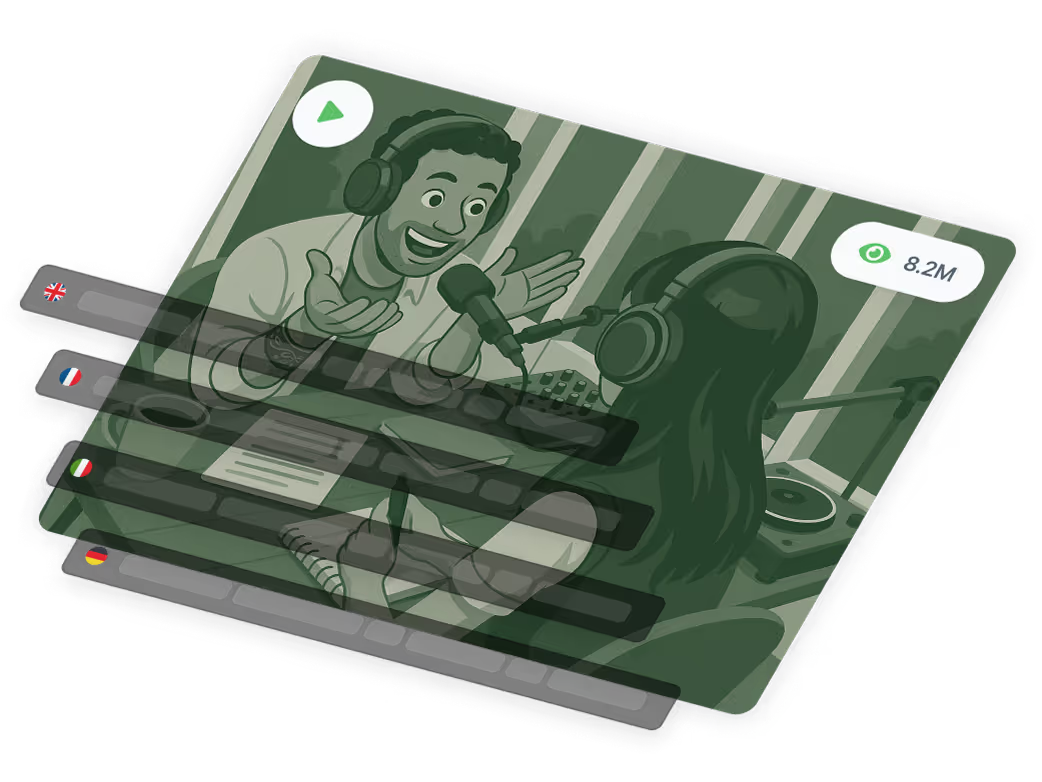
AI translation and content generation
Translate your audio or video transcript into 50+ languages with one click. Create multilingual subtitles and captions instantly. Vatis automatically generates summaries, extracts key topics. Turn a 2-hour meeting recording into a 3-paragraph brief with action items.
Try free
Languages and formats
Transcribe audio to text in these languages and formats
Supported Languages
 English
 Spanish
 German
 French
 Italian
 Romanian
 Portuguese
 Polish
 Indonesian
 Malay
Malay Swedish
 Danish
 Dutch
Dutch Finnish
 Norwegian
 Russian
 Catalan
 Turkish
 Korean
 Thai
Thai Japanese
 Czech
Czech Ukrainian
 Croatian
 Greek
Greek Arabic
 Bosnian
 Hungarian
 Bulgarian
 Serbian
 Macedonian
 Galician
 Cantonese
 Slovak
 Hindi
Hindi Slovenian
 Latvian
 Urdu
Urdu Azerbaijan
 Estonian
 Vietnamese
 Hebrew
 Lithuanian
Formats to transcribe audio to text
Formats to transcribe video to text
Export formats for audio and video transcription
Case studies
See how others are using Vatis
95%+ accuracy is not a marketing number. We benchmark our models against fresh datasets every week. When we say 95%, we mean it. Our LLMs are trained on diverse audio — accents, background noise, crosstalk — because real conversations aren't recorded in a studio.

Broadcasting transcription
Transcribing high-quality audio at Antena 3 CNN.
Read case study
Media monitoring at scale
Helping Observer.at expand their media monitoring services and reinforce their technical leadership.
Read case study
Medical transcription
A flexible, fully customizable speech-to-text solution for Emerald Medical Center.
Read case study
Contact center transcription
Unlocking data-driven business insights for Mediatel Data.
Read case study
Podcast transcription
Helping The Vast & The Curious cut the cost of their podcasting workflow.
Read case study
Legal transcription
Letting JURIDICE.ro handle large volumes of hearings and depositions with ease.
Read case study
~5x faster than a human
Hours of transcription time reduced to minutes for Mercury Research.
Read case study
Journalists and newsrooms
Allowing AGERPRES to publish more high-quality content in less time.
Read case study
Demo
See for yourself
Considering that for almost 4 years we have transcribed by hand legal debates and conferences at JURIDICE.ro, Vatis Tech came as a rescue.
We like how easy the platform is to use, the fact that the transcripts are accurate and it takes a few minutes for them to be ready.

Frequently asked questions
Can't find the answer you're looking for? Reach out to our support team.
What is transcription software?
Transcription software uses AI to convert spoken audio and video into written text automatically. Instead of manually typing what you hear, the software listens, recognizes speech patterns, identifies different speakers, and generates an editable text transcript in minutes. Modern transcription software like Vatis Tech goes beyond basic speech-to-text — it also generates summaries, detects topics and sentiment, and supports export in multiple formats.
What formats can I download my transcript in?
You can download your transcript in various popular formats, including .txt, .docx (Word), .pdf, or SRT/VTT (for subtitles). This flexibility makes it easy to use your transcript for different purposes.
What is the most accurate transcription software?
95%+ accuracy is not a marketing number. We benchmark our models datasets weekly. When we say 95%, we mean it. Our LLMs are trained on diverse audio (accents, background noise, crosstalk) because real conversations aren't recorded in a studio.
Is there free transcription software?
Yes. Vatis Tech offers 10 minutes of free AI transcription with no signup and no credit card. The free tier includes all features: 95%+ accuracy, speaker diarization, AI summaries, export in all formats, and 50+ language support.
Can I identify different speakers in my transcript?
Absolutely! Our speaker diarization feature automatically distinguishes and labels different speakers, making it simple to follow conversations with multiple participants.
Does Vatis Tech include timestamps?
Yes! Each word in your transcript is associated with a timestamp, allowing you to effortlessly jump to specific points in the original audio or video.
How do I search and edit my transcripts?
Our intuitive platform allows you to easily search for keywords and make edits directly within your transcript. Find and refine the information you need quickly.
Can I use Vatis Tech to create subtitles?
Yes! Upload your video, transcribe video to text, and translate the transcript into multiple languages to generate subtitles and reach a wider audience. Export in popular subtitle formats (SRT, TXT) and integrate them with your video using your favorite video editing platforms.
What's the best transcription software for medical use?
For medical transcription, you need high accuracy, custom medical vocabulary, and strict data compliance. Vatis Tech offers all three: 95%+ accuracy with custom vocabulary for medical terminology, ISO 27001 certification, GDPR compliance, and on-premise deployment so patient data never leaves your infrastructure. Other options include Amazon Transcribe Medical and specialized tools like Freed AI.
Can I transcribe MP3 files to text?
Yes. Vatis Tech supports MP3 and 30+ other audio formats including WAV, M4A, FLAC, AAC, and OGG. Upload your MP3 file and get a full transcript in minutes. You can also convert MP3 to Word, PDF, or SRT subtitles directly from the platform.
Can I convert MP4 video to text?
Yes. Upload any MP4 file (or other video formats like MKV, AVI, MOV) and Vatis Tech extracts the audio and generates a complete transcript with timestamps and speaker labels. You can also paste a YouTube link to transcribe any online video without downloading it first.
What's the best transcription software for interviews?
Vatis Tech is ideal for interview transcription thanks to automatic speaker diarization — it identifies and labels each speaker without any setup. Upload your interview recording and get a clean, speaker-labeled transcript in minutes, where typing out a single hour of interview by hand can take up to four. Export as Word or PDF for analysis. The 10-minute free trial lets you test it on a real interview before committing.
Does Vatis Tech work with multiple languages in the same recording?
Yes — this is one of Vatis's unique features. If your recording contains speakers switching between languages (e.g., English and Spanish in the same conversation), our AI detects the language changes automatically and transcribes each segment in the correct language. No need to pre-select a language. This works across all 50+ supported languages.
Is my data safe with Vatis Tech?
Yes. ISO 27001 certified, GDPR and LGPD compliant, SOC 2 Type II in progress. End-to-end encryption on all files. For organizations with strict requirements, we offer on-premise deployment where transcription runs entirely on your servers — your data never touches our cloud. This makes Vatis the most secure option for healthcare, legal, government, and financial services.
How does Vatis compare to Trint and others?
Vatis Tech differentiates with 50+ language support (vs Trint's 40+), real-time multilanguage switching, built-in sentiment analysis, and on-premise deployment. Vatis is also more affordable than Trint (~$52/month) and Rev's human transcription ($1.50/min). See our full comparison table on the compare page.
Can I integrate your transcription software with my existing tools?
Absolutely! Vatis Tech offers seamless integration with a wide range of platforms through our flexible API. This allows you to easily automate transcription, sending audio and video files directly from your existing systems; centralize data, exporting transcripts into your CRM, content management system, or other preferred tools; and customize workflows, creating tailored solutions to fit your specific needs. Not sure if your tools are compatible? Contact our support team with a list of the platforms you use, and we'll gladly assist you!